
ROCKDALE Element — a compact MIDI keyboard with Bluetooth and battery power
According to the official Russian-language website, ROCKDALE is a musical instrument brand founded in 2011 by a team of professional musicians. Its broad range and affordable prices may appeal to beginners and more experienced musicians alike.
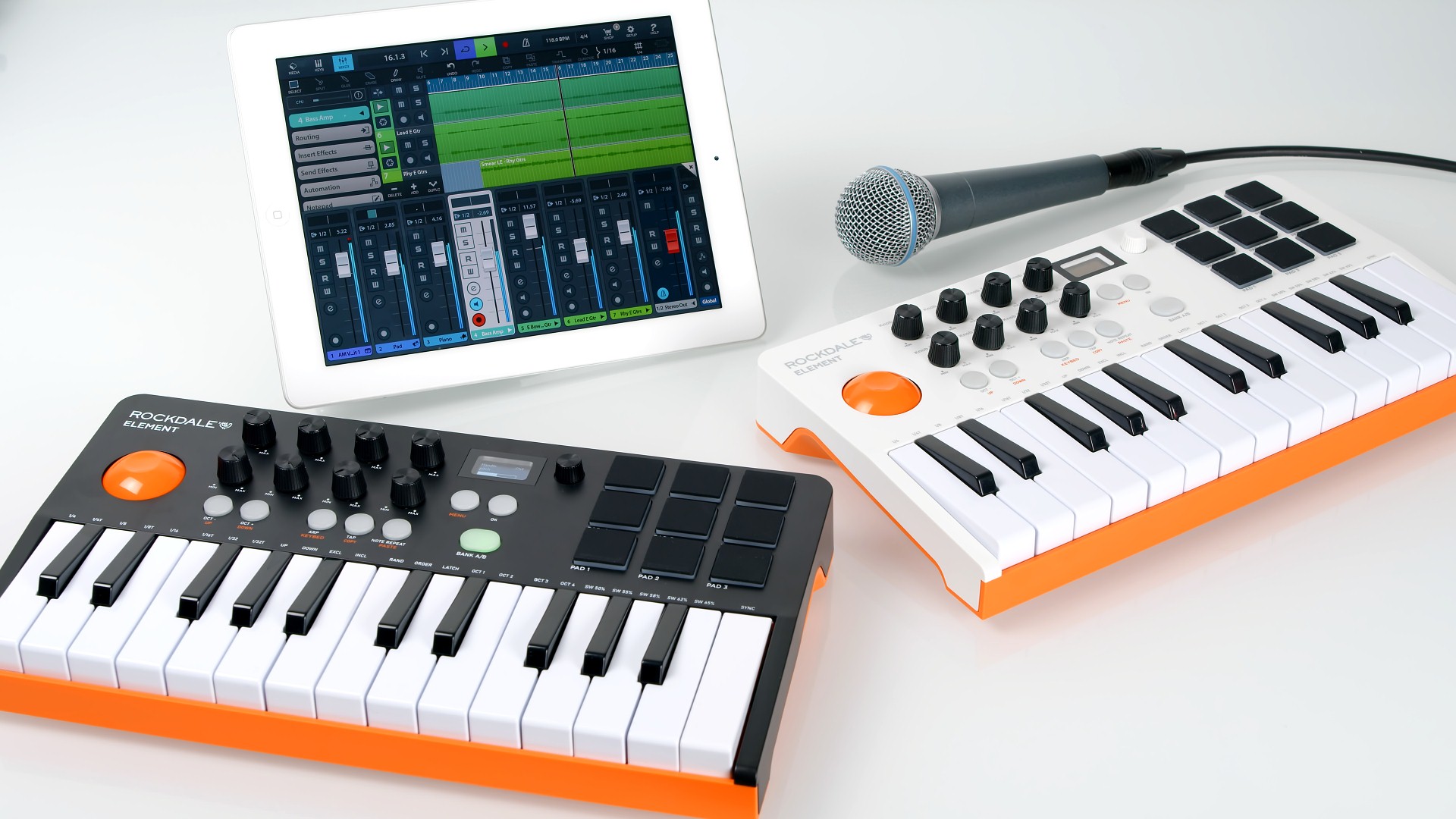
In this review we look at the compact ROCKDALE Element MIDI keyboard. Its striking design and two enclosure colour options immediately make it stand out from the competition.

Other keyboards in this format are already on the market. The AKAI MPK mini, for example, has 25 miniature keys, eight pads, eight knobs, a joystick and a small display. The key shapes look similar, including the bevelled black keys and the absence of a step between the front of the keys and the enclosure. However, the ROCKDALE Element adds several features while costing half as much. It has nine pads rather than eight, arranged in a 3 × 3 grid instead of two rows of four. Their position on the right rather than the left will also be more convenient for many users. Useful handgrips are moulded into the underside. A larger joystick makes performance easier. Crucially, standard wired USB connectivity is complemented by Bluetooth and battery power, extending its usefulness with mobile devices.
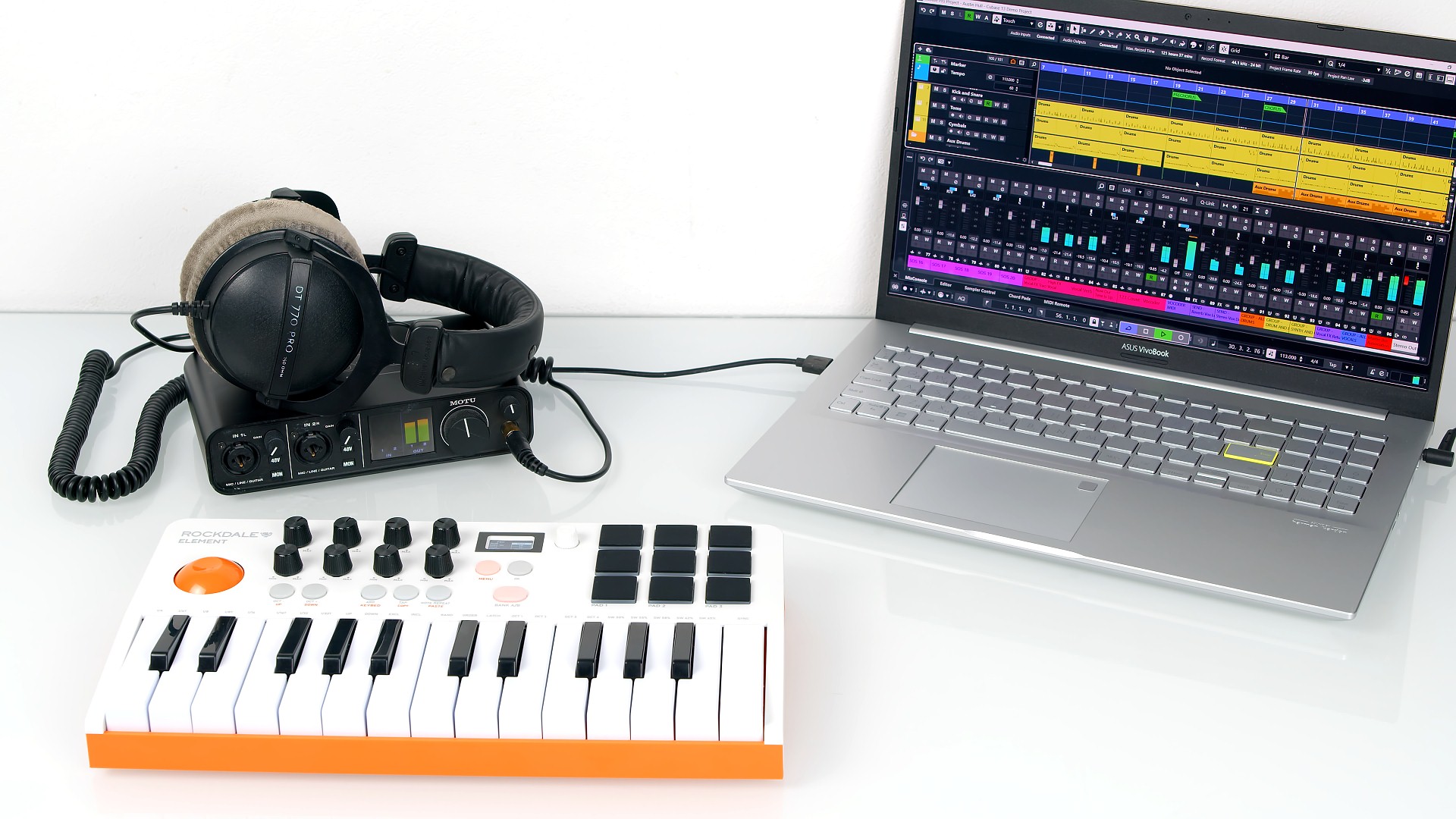
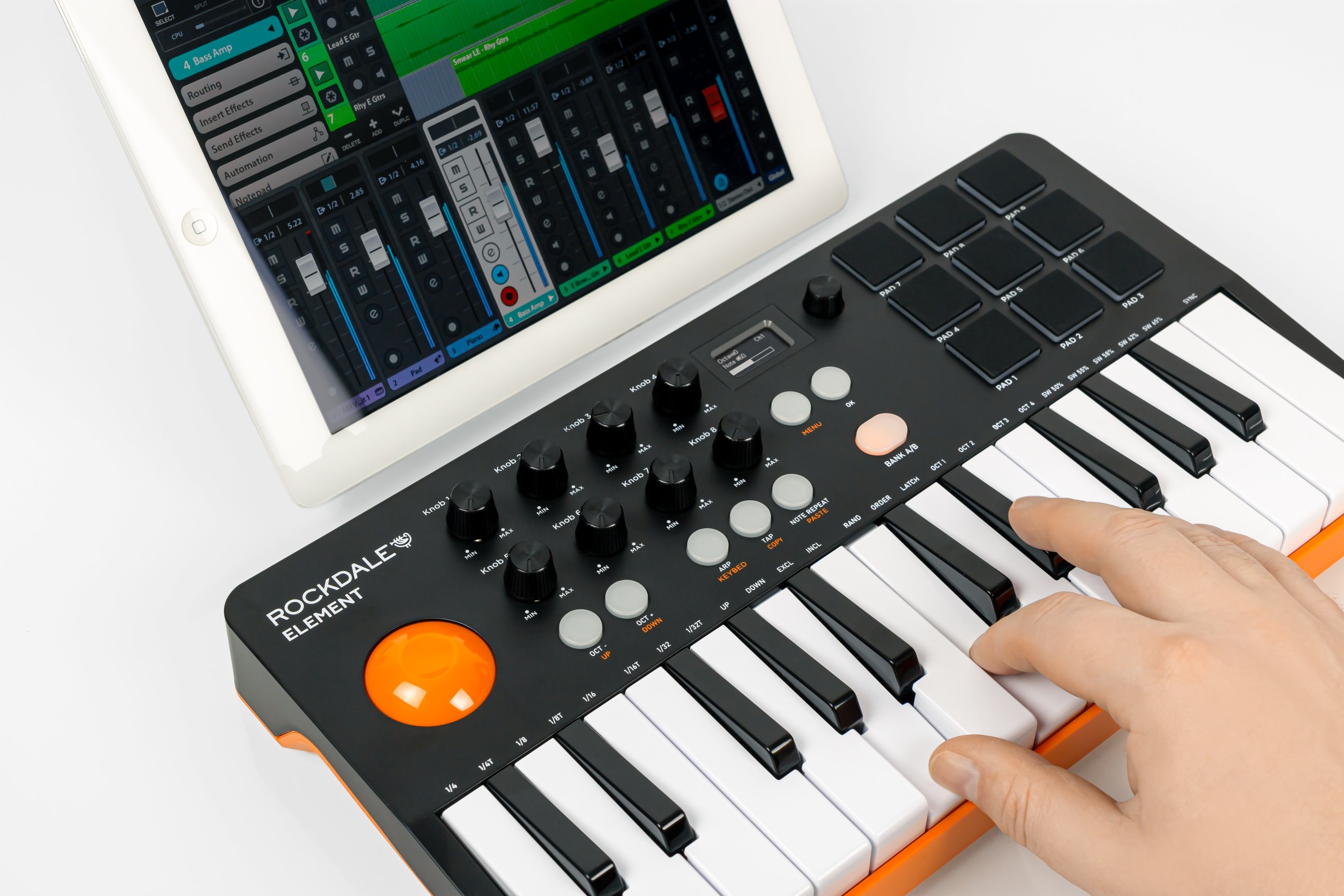
The miniature keys and two-octave range are suitable for simple melodies and chords. Octave buttons shift the range up and down.
Specifications ROCKDALE Element
| Keyboard | 25 velocity-sensitive mini keys |
| Controllers | Nine illuminated velocity-sensitive pads with A/B bank switching Eight assignable knobs Combined pitch/modulation joystick Octave up/down buttons |
| Connection | USB Type-B connector 6.3 mm sustain pedal input Wireless Bluetooth |
| Functions | Arpeggiator, tap tempo, note repeat and transpose |
| Display | OLED; MENU, up/down and OK buttons; parameter adjustment knob |
| Dimensions | 329 × 180 × 35 mm |
| Weight | 2 kg |
| Power | USB powered (cable included) or three AA batteries |
On the one hand, the ROCKDALE Element is a fairly straightforward budget keyboard. On the other, the manufacturer has fitted in many features associated with professional models: a pedal input, an arpeggiator and flexible MIDI controller assignments that can be stored in internal memory.
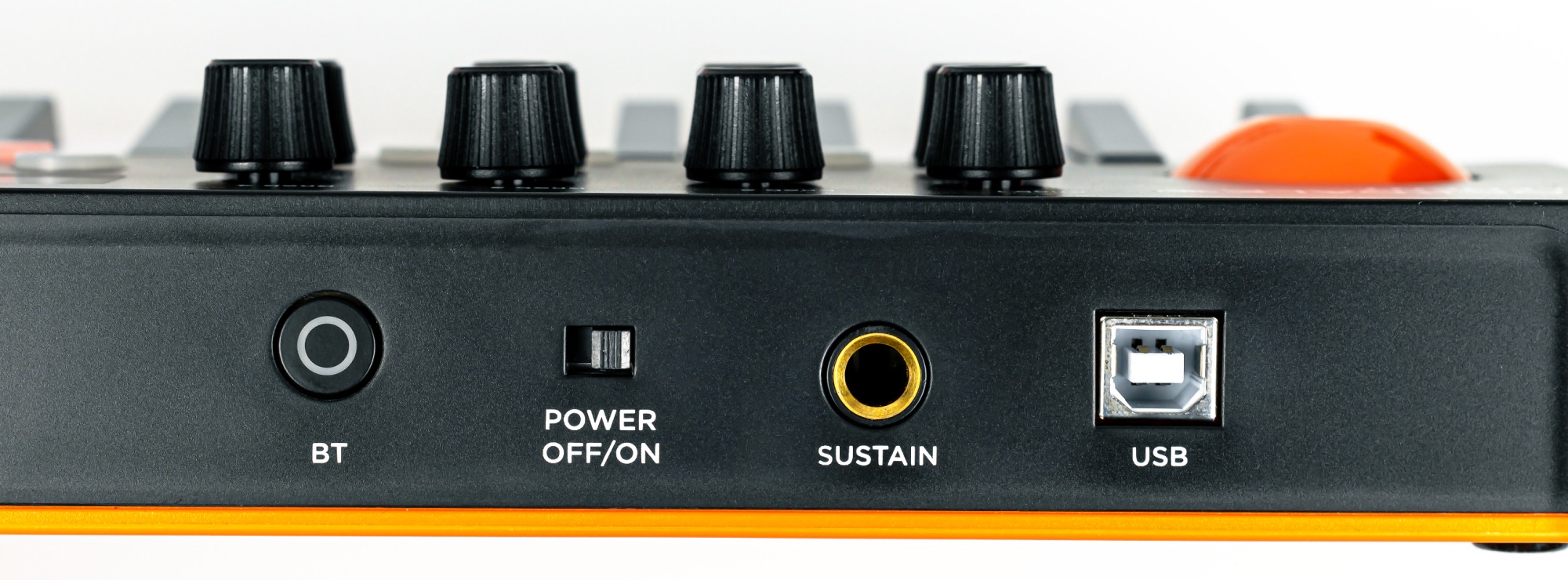
The supplied standard 1.8 m USB cable connects to a desktop or laptop computer. As on most professional models, there is a sustain pedal input on the rear. The power switch must be turned on, but no drivers are required. A Bluetooth button with a blue indicator enables wireless connectivity.
To establish a Bluetooth connection, press BT. A flashing blue LED indicates that the keyboard is searching. Then scan for Bluetooth devices on the smartphone, tablet or computer and select the keyboard.
We connected a tablet running Steinberg Cubasis, which recognised the keyboard successfully. One possible difficulty is that Android can introduce substantial latency between pressing a key and hearing sound, a consequence of that operating system's audio implementation. We experienced no such delay on iOS, which helps explain musicians' preference for Apple products over alternative platforms. An iPad can also connect via wired USB using the appropriate standard USB adapter, which owners may already have for flash drives and other peripherals.
In our view, wired USB is the keyboard's primary connection, and it is best to plan around that. Bluetooth is a convenient option when you want fewer cables on the desk and less drain on the mobile device's battery. Wireless use requires three standard AA batteries fitted into the compartment underneath.
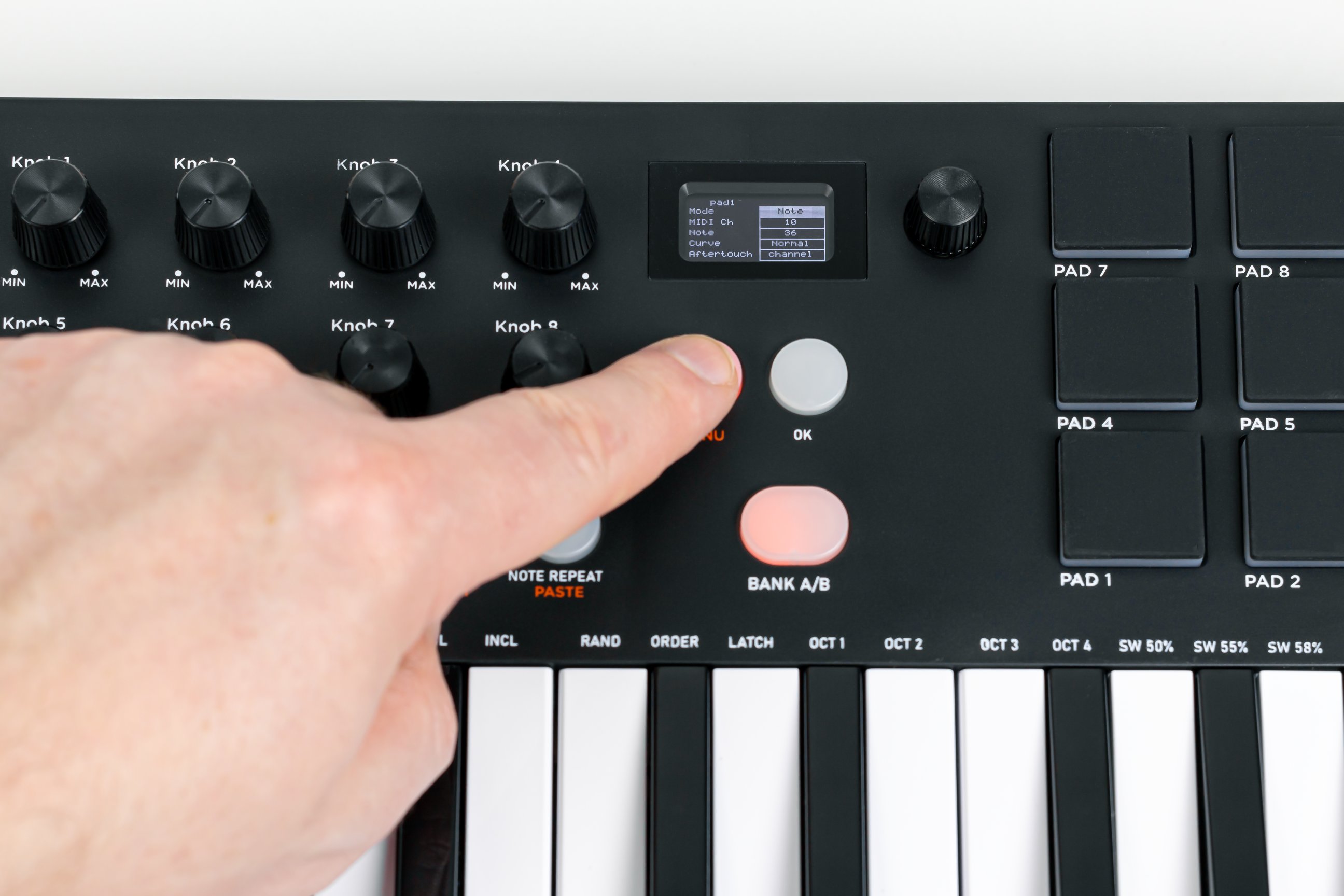
The small OLED display is quite informative. Press MENU to enter the settings, then use the up/down buttons to select a parameter, such as the pad velocity curve.
We liked the pads themselves. They are responsive and comfortable, and work well for playing drum parts live or during recording. Their illumination looks effective when struck, and the display shows the current strike velocity.
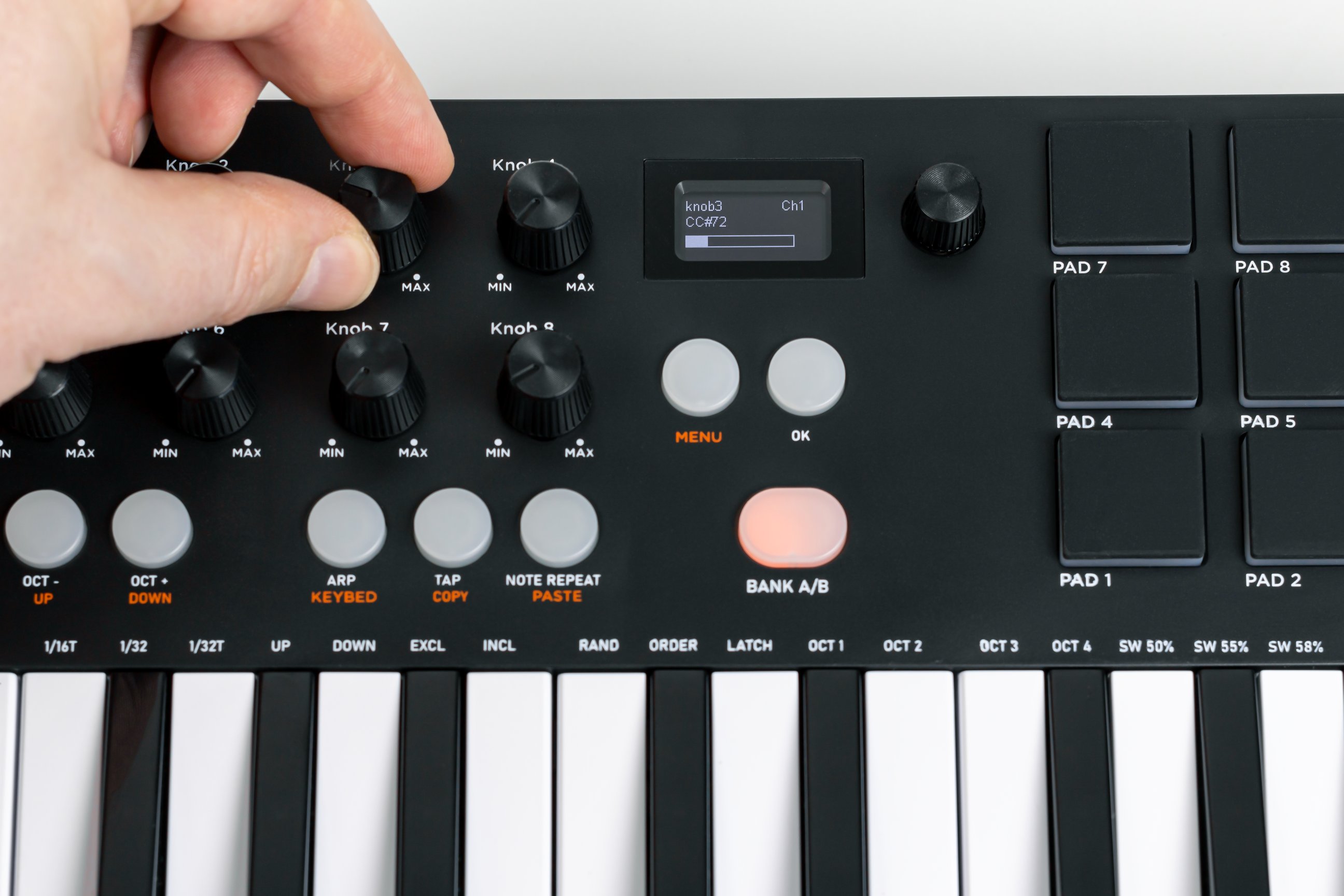
The knobs rotate through 270 degrees and have end stops. The display shows the current parameter value and MIDI controller number. Given that the display already provides this information, we would prefer endless encoders without position markers, as on the AKAI. Some users may prefer knobs with stops, however. Unfortunately, there is no dedicated software utility to simplify reassignment. To change a parameter, select its MIDI channel and event, change the value and hold OK to save it in the keyboard's non-volatile memory.
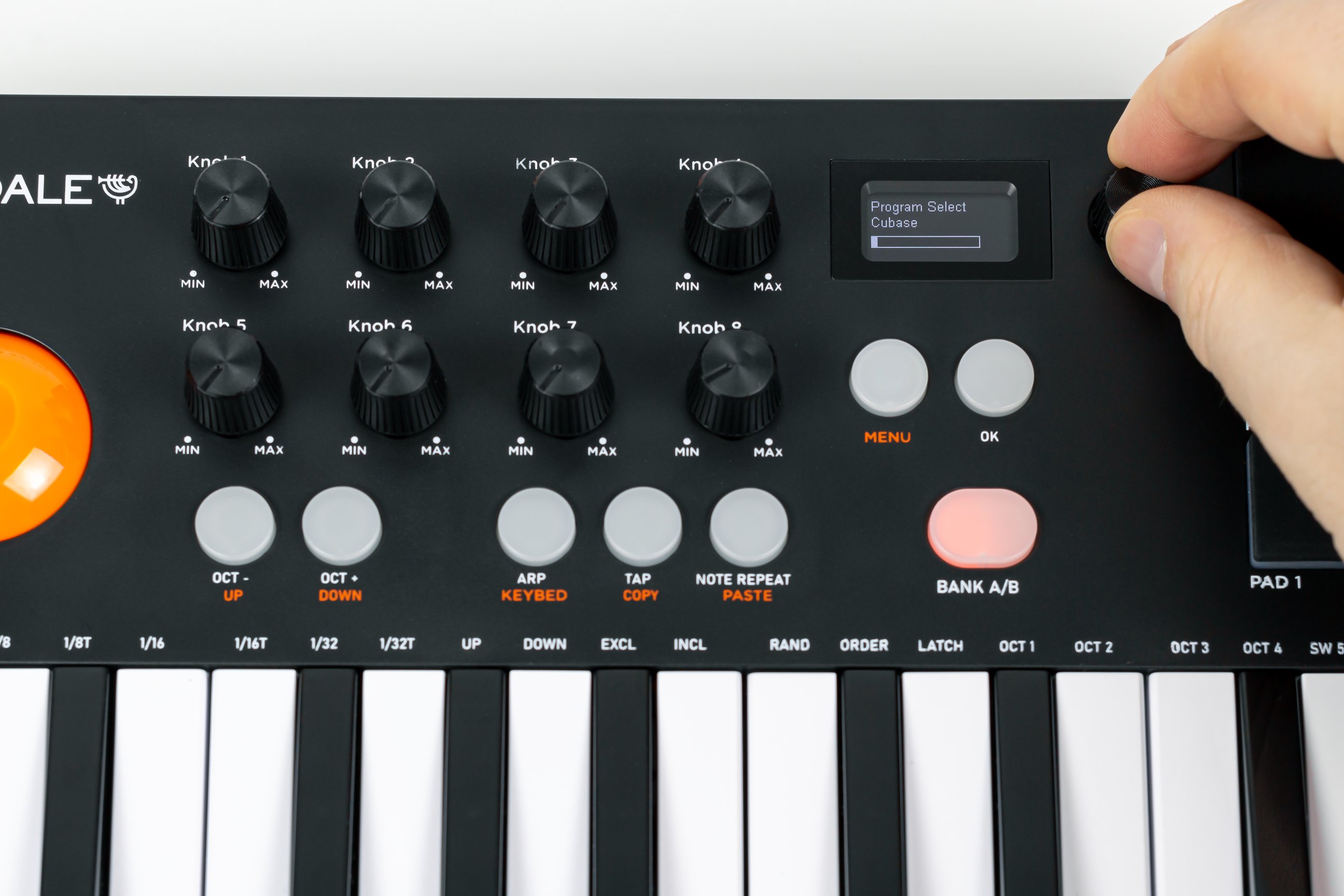
There are 20 presets, including ones named after popular DAWs such as Ableton, Cubase, Logic, GarageBand and Cubasis, plus User presets numbered 13–20. The knob to the right of the display selects presets. Perhaps because of the low price, the factory presets have not been filled with DAW-specific MIDI commands: the keyboard sends the same commands with every preset, and none is tailored to a particular application out of the box. Users can program the keyboard themselves or use the DAW's MIDI learn functions. We demonstrate the latter approach below in Steinberg Cubase and provide a ready-made preset to simplify setup.
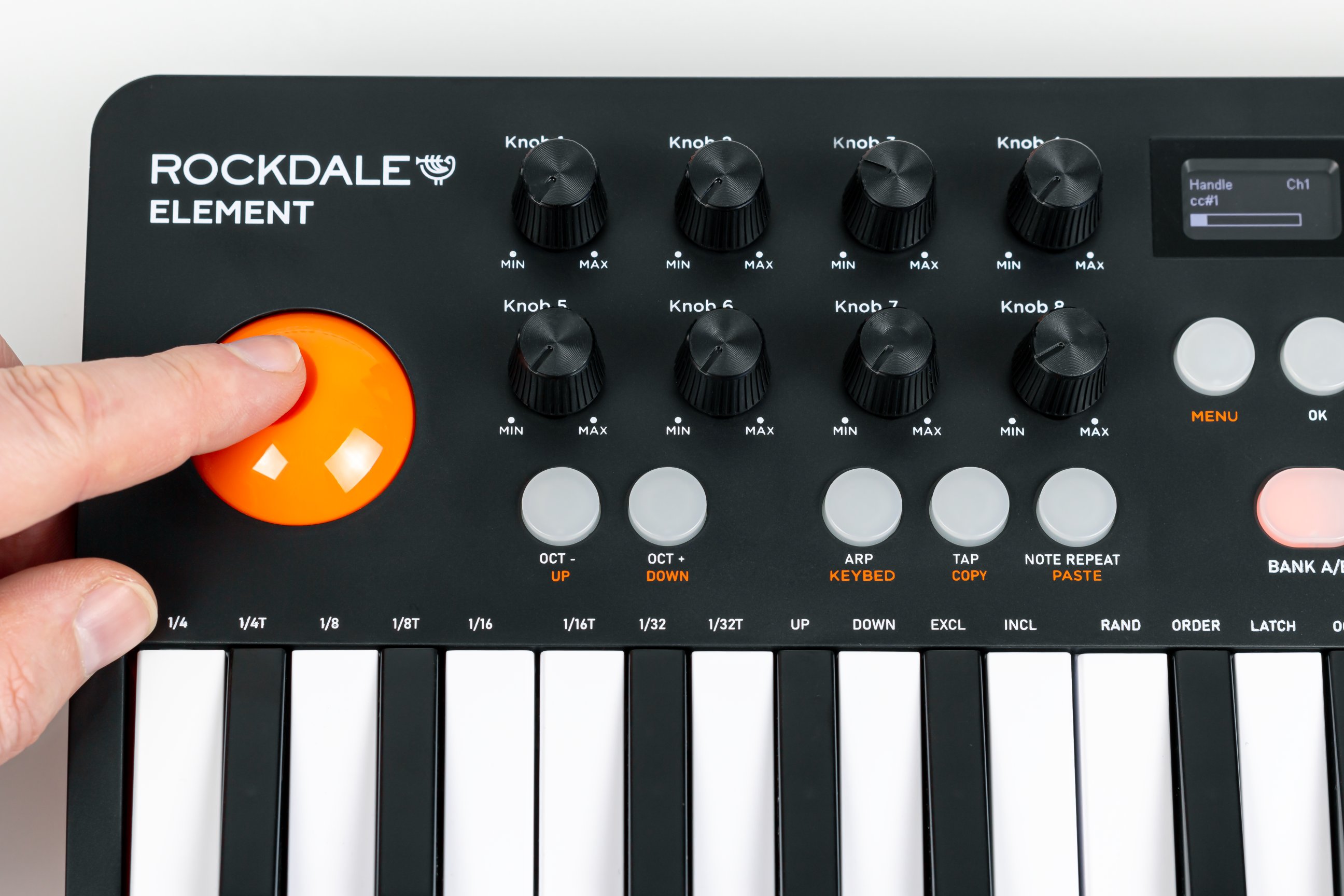
The bright orange joystick is a standard two-axis XY controller that changes two parameters simultaneously, usually pitch and modulation. Its large size makes it comfortable to use, and it returns to the centre automatically.
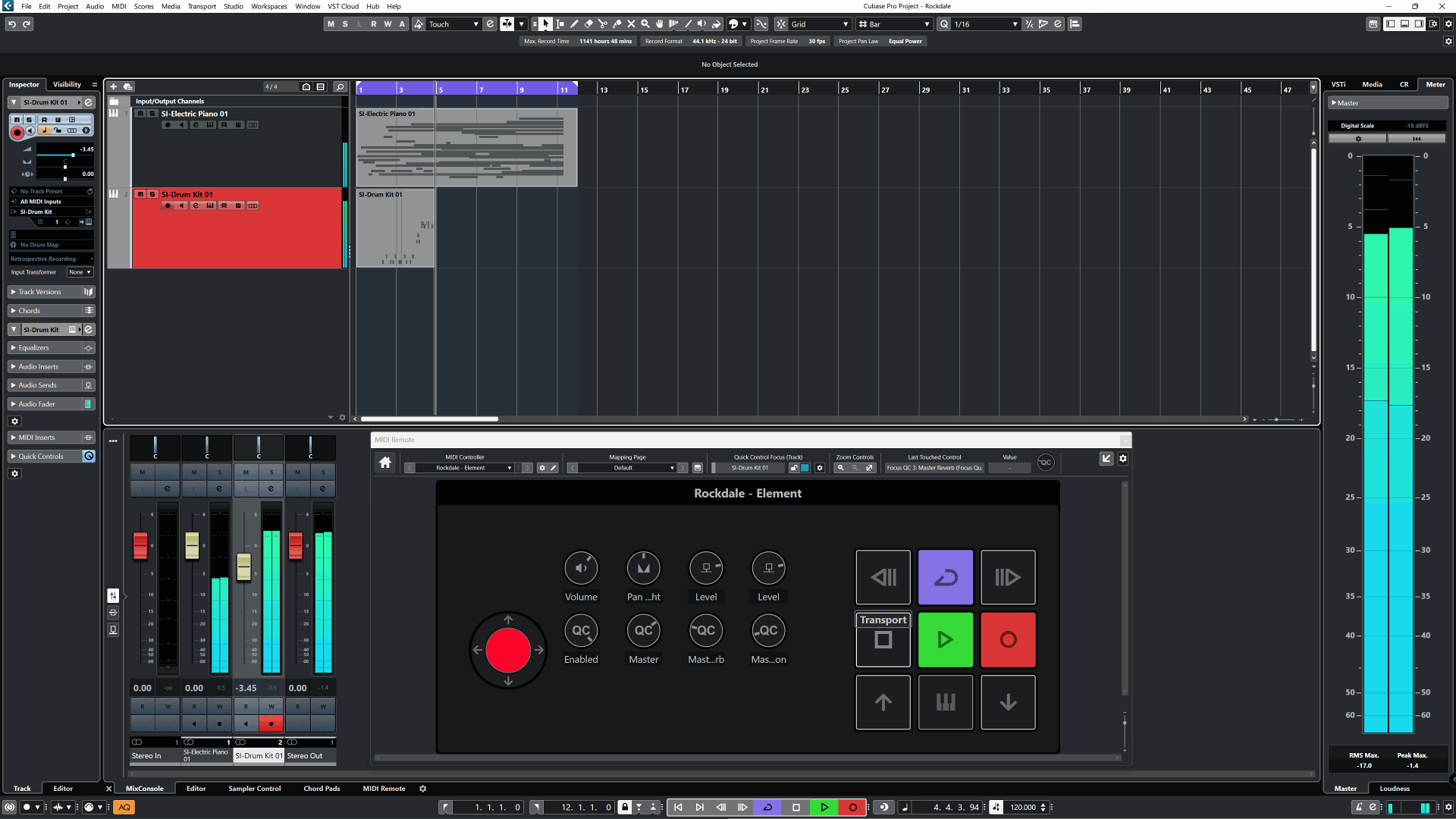
We tested the keyboard in Steinberg Cubase. The keys and pads work immediately after connection. BANK A/B switches the pads from drum playing to control duties, such as transport commands. The knobs can be assigned to the current track's volume, pan and effect sends. The lower Quick Control row controls the current virtual instrument's parameters. You can download our script, import it into Cubase and start working immediately. Experienced DAW users will, of course, know that any function can be reassigned.
Watch our ROCKDALE Element video review for a practical demonstration using the keys, built-in arpeggiator, pads and knobs.
The video demonstrates that the ROCKDALE Element is a fully functional device that creative users can put to work realising their ideas.
Conclusions
For a modest price, the ROCKDALE Element offers a generous feature set: battery operation, Bluetooth, pads, control knobs, an arpeggiator, a joystick and an OLED display. Its compact size, light weight and bright appearance should appeal to a broad audience. Wireless connectivity sets it apart from competitors. While a computer remains the principal tool for professionals, simplified mobile applications can make the first steps into music creation easier.
Note. This is an adapted machine translation into English. It follows the “In simple terms” approach. Read the original article at https://prosound.ixbt.com/keyboards/rockdale-element.shtml.