
Arturia MiniLab 37 — a three-octave version of Arturia's popular MIDI controller
The Arturia MiniLab 37 is a new addition to the French manufacturer's compact controller range for 2026. It is an expanded version of the popular, best-selling Arturia MiniLab 3. The MiniLab 37 keeps the familiar controls but adds more keys and a longer case. Software integration works in exactly the same way, with no changes.
The manufacturer presents the new model as a controller for many different tasks. Like most Arturia MIDI controllers, the MiniLab 37 has an attractive price. It is a good choice for a first MIDI keyboard, but experienced users may also find it useful. The controller offers many different controls, including pads, and good software integration. Despite its three-octave keyboard, the unit is still compact. Compared with the MiniLab 3, the case is longer but narrower, making the MiniLab 37 easy to fit into a workspace. The keyboard can therefore be used in a small space, on the road or at a temporary setup. Arturia already offers the popular three-octave KeyStep 37 in a similar format.
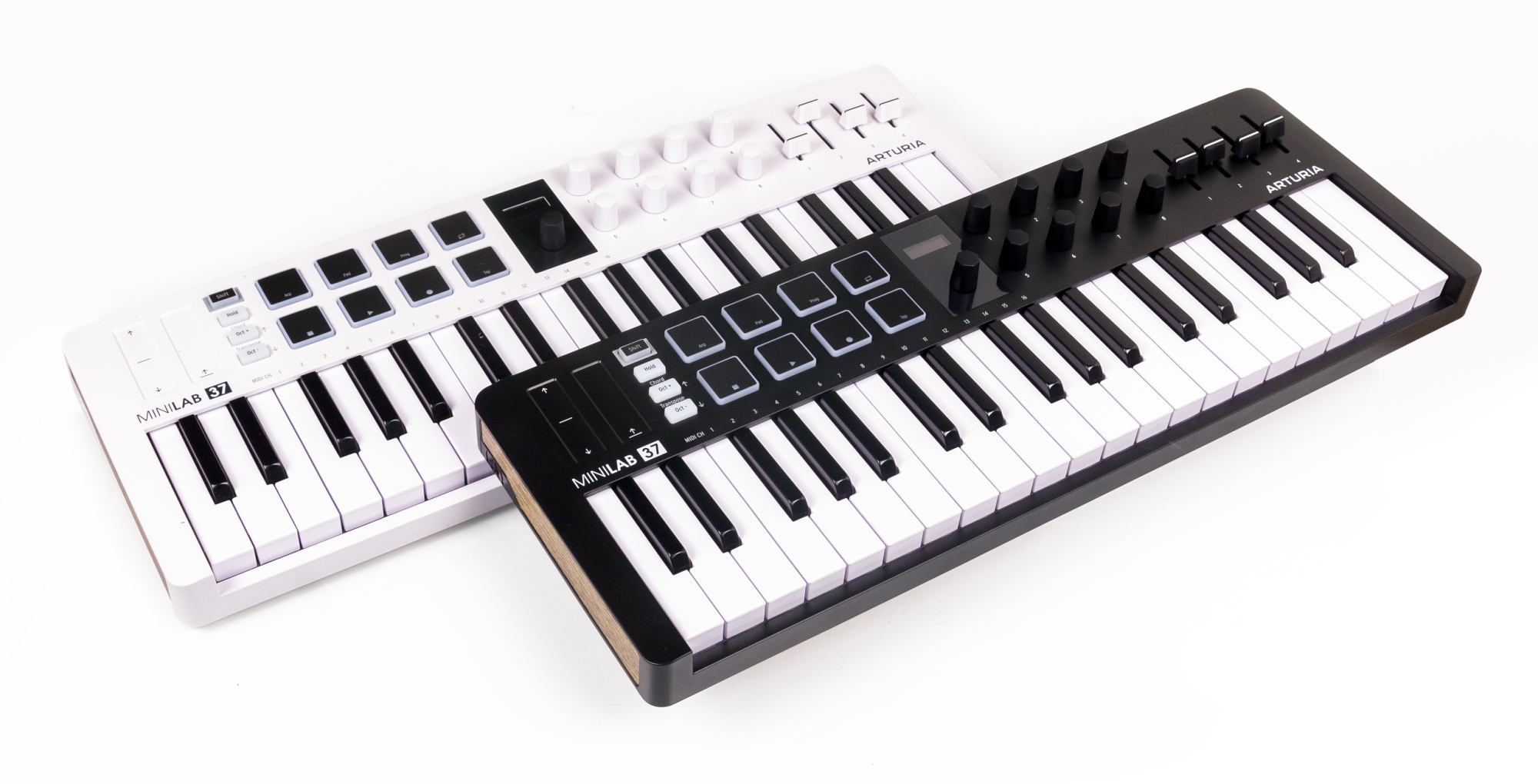
As usual, Arturia offers the controller in two colour versions, with a white or black case.
Arturia MiniLab 37 specifications
| Keyboard | 37 mini keys Synth action Velocity-sensitive |
| Controls | 9 endless rotary encoders 8 RGB-backlit, pressure-sensitive pads (aftertouch) 4 faders Pitch and modulation touch strips Octave shift buttons |
| Small display with a control knob Built-in arpeggiator Chord mode Scripts for popular DAWs DAW transport controls on the pads |
|
| Connections | USB-C connector MIDI DIN output Sustain pedal input |
| Dimensions | 54 × 503 × 183 mm |
| Weight | 1.17 kg |
| Package contents | USB cable Analog Lab Intro, Ableton Live Lite, NI Komplete 15 Select, 2 months of Loopcloud 2, music lessons from Melodics |
Arturia MiniLab controllers offer deep integration with Arturia Analog Lab. The MiniLab 37 comes with the entry-level version Analog Lab Intro, which includes sounds from 17 classic analogue synthesizers in the V Collection library. This provides around 500 presets with a small set of adjustable parameters. The MiniLab controller makes it easy to browse the library and adjust sounds without using a mouse.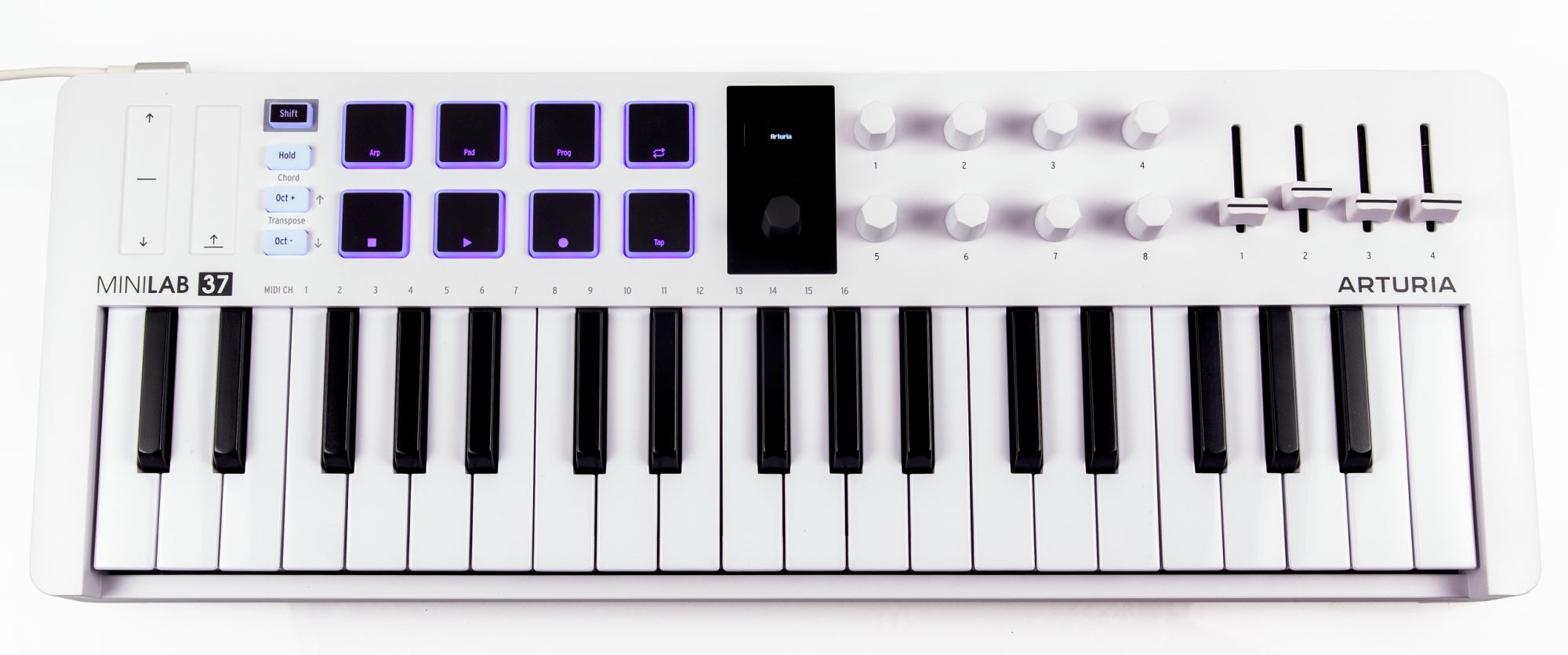
The MiniLab 37 has the same number of buttons and knobs as the MiniLab 3. However, the controls are now arranged side by side rather than in rows above one another. The display is in the centre, while the pads are grouped on the left in two rows. This pad layout is more convenient for playing rhythms and controlling DAW functions. The rotary encoders and faders are unchanged and are now to the right of the display.
The MiniLab display is very small, but its OLED technology keeps the image bright and readable even in strong light. The screen shows settings and parameter values, providing useful visual feedback.
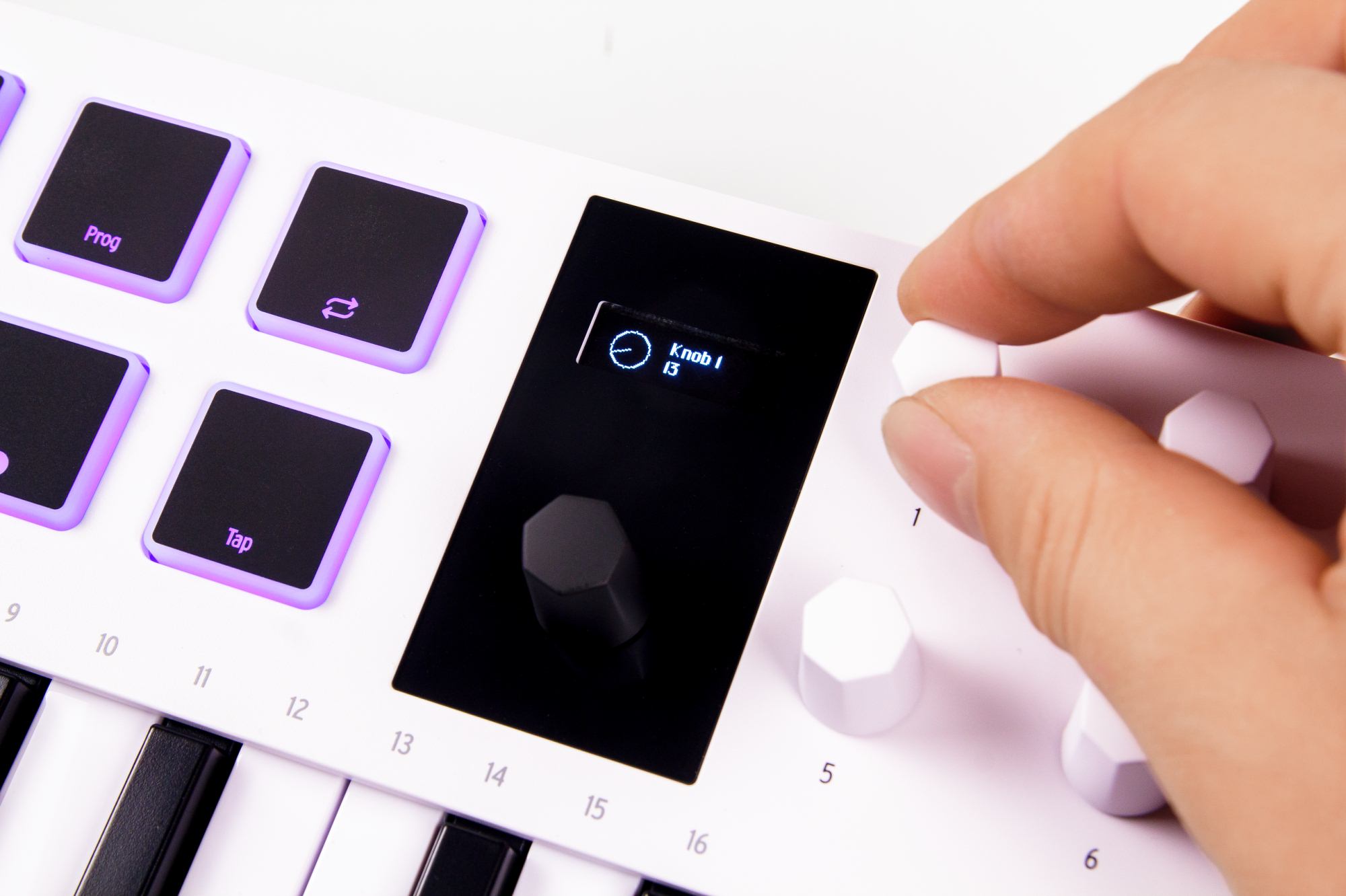
The controller has two main software modes. In these modes, its controls are assigned to Analog Lab or the DAW. Analog Lab needs no extra setup. For a DAW, you need to install a special script. The manufacturer's website provides a separate script for each DAW. Ableton Live is the exception: no extra installation is needed. You only need to select the correct MIDI port in Live's settings. To switch between the two main modes, hold Shift and press the Prog pad.
The available DAW controls vary slightly between applications. All supported applications offer project navigation, transport functions and mixer controls.
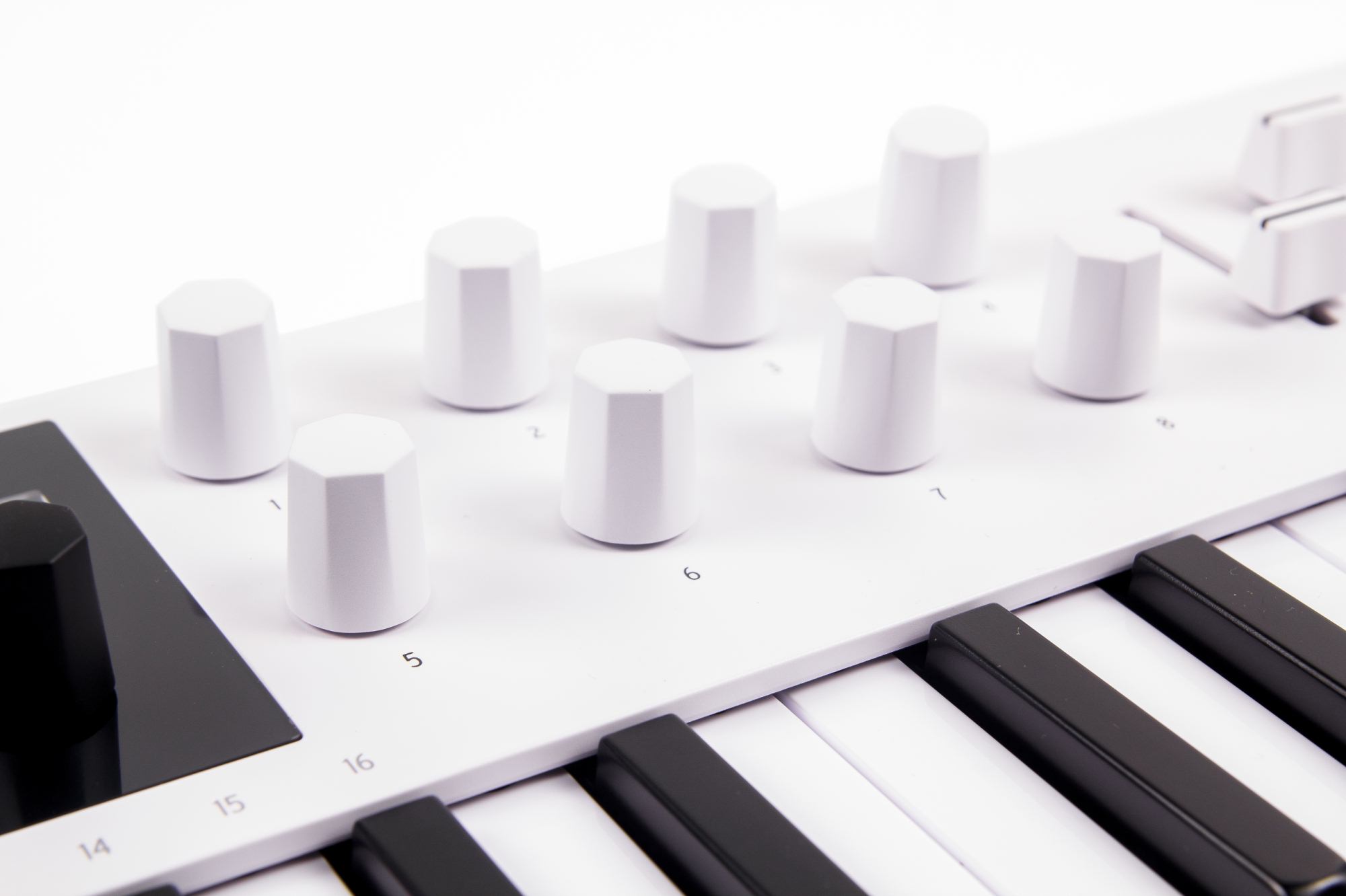
Analog Lab presets already have parameters assigned to the controller. These are normally the settings and effects that have the strongest impact on the sound. The first four keyboard knobs control the virtual instrument's first four macros. A single macro usually controls several synthesizer parameters. To keep the interface simple, these macros have clear names such as Brightness or Timbre. A macro may actually adjust several envelope, resonant filter, modulation and other sound parameters. The other four knobs control the amount of effects applied to the sound.
In DAW mode, the endless encoders control the levels of the first eight mixer channels or various parameters of the instrument or effect used on the track. With a third-party plug-in, it is better to use the plug-in's macro section and assign the required parameters there. The encoders will then control those macros rather than an arbitrary set of parameters. The endless encoders also let you adjust a value immediately after changing a plug-in or preset. You do not need to turn a knob until it reaches the parameter's current value.
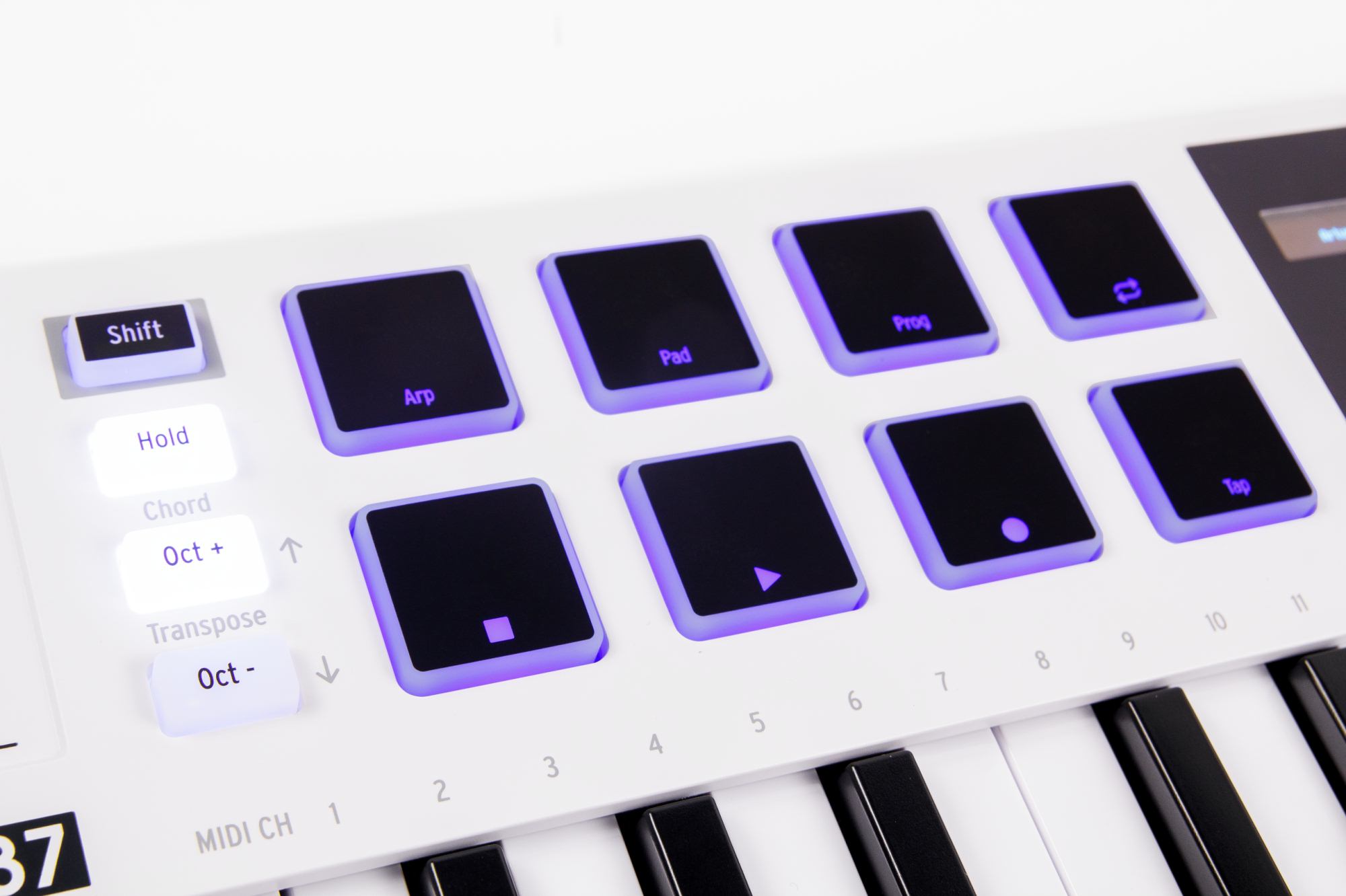
In either controller mode, holding Shift lets the pads operate the transport functions: Loop, Stop, Start, Rec and Tap. In instrument mode, the pads play notes as expected. In Ableton Live and Bitwig Studio, the pads can also launch clips.
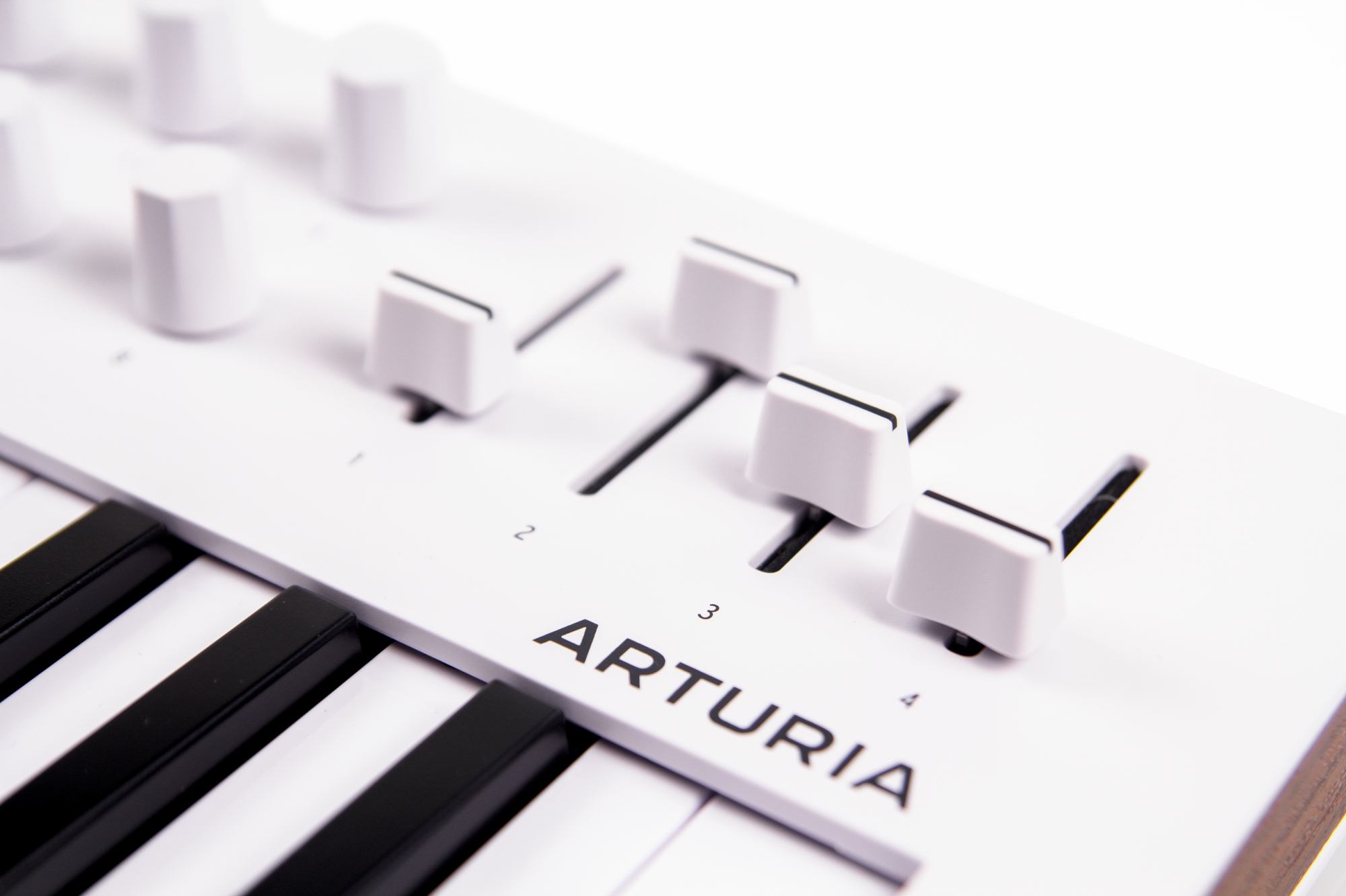
In Analog Lab, the faders control equalisation and overall volume. In DAW mode, the available fader functions depend on the application. The faders can control the selected channel's level, effect sends and pan.
The controller's built-in arpeggiator and chord mode are unchanged. The arpeggiator has a classic design and can play the notes of a chord in different directions, including a random order. Hold keeps a chord active, leaving your hands free to edit the arpeggiator settings in real time. In addition to direction, you can adjust tempo, tempo division, octave range, note length and syncopation. The arpeggiator can use the controller's internal clock or sync to a running DAW.
Chord mode still lets you store a chord with any number of notes. To create a chord, hold Shift and Chord together, then press the required keys. The order of the notes does not matter unless you plan to use the chord with the arpeggiator. MiniLab controllers support that option too.
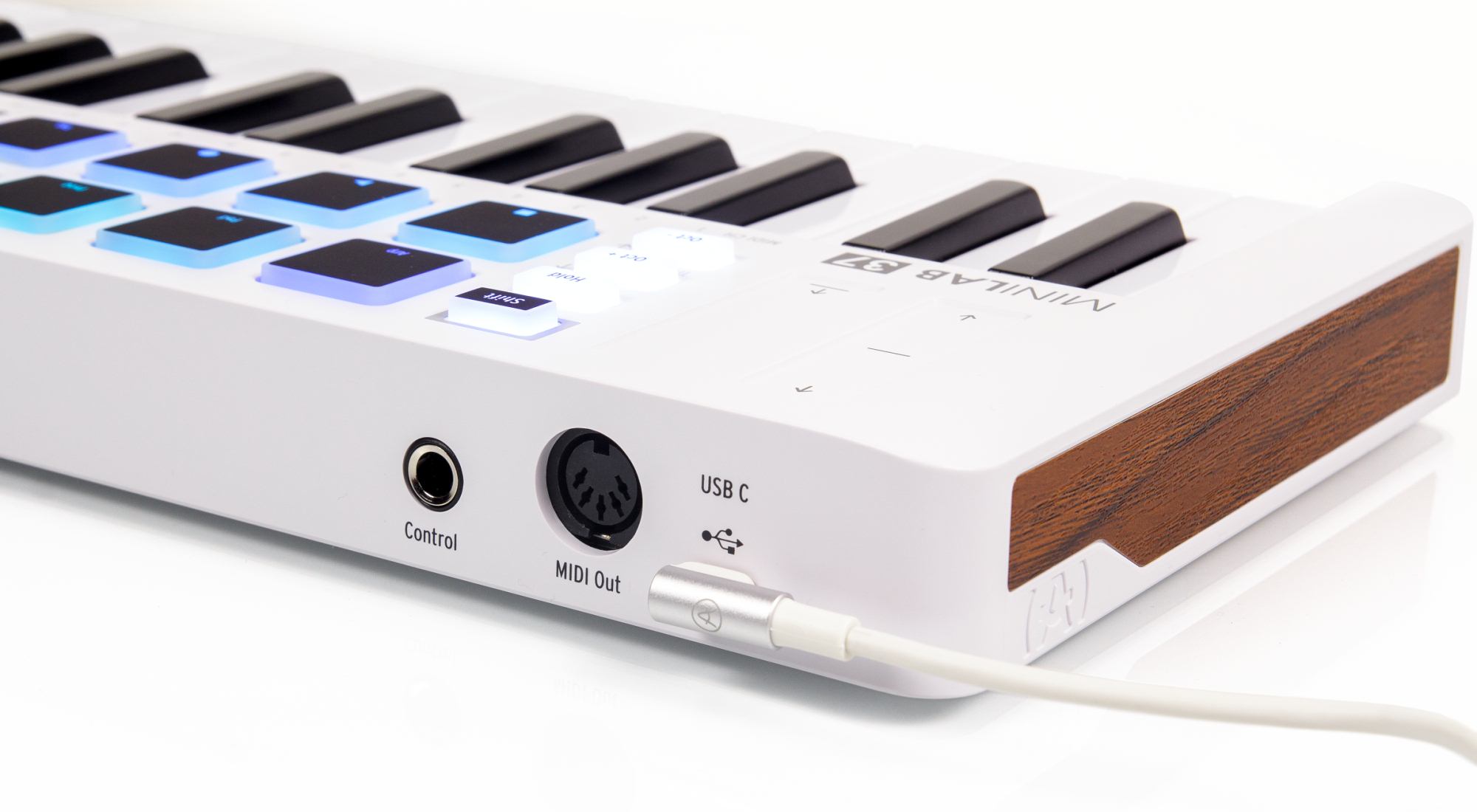
The keyboard connects to a computer over USB. The supplied cable is well made and has a practical right-angle connector. This helps with cable routing and lets you place the keyboard very close to another device. A full-size, 5-pin DIN MIDI output is available for external hardware synthesizers. The can also be used as a MIDI Thru connection. The 1/4-inch TRS socket accepts a sustain or expression pedal.
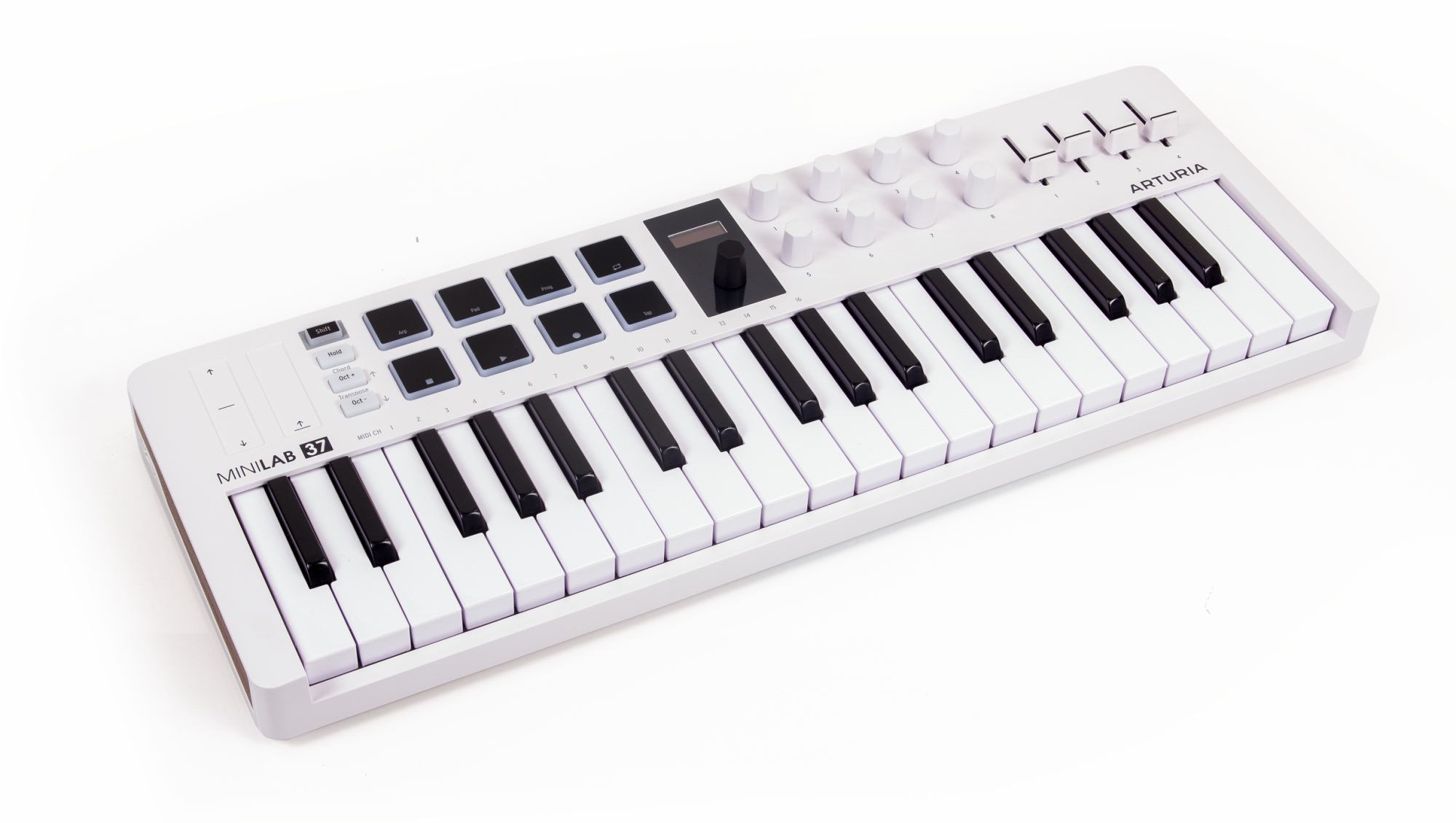


The MiniLab 37 brings no surprises in keyboard quality or action. It uses one of the best mini-key keyboards available in a compact controller, with synth action and velocity sensitivity. The settings offer different velocity curves and a fixed maximum-velocity mode. The keys feel well made, with a firm response and a secure mounting. Arturia keyboards are consistently pleasant to play.
Conclusions
Arturia continues to develop compact controllers. The MiniLab 37 shows that a small size does not have to limit what a keyboard can do. Expanding the successful MiniLab 3 design to 37 keys is a good improvement. A two-octave keyboard could previously restrict a performance. The MiniLab 37 now offers enough range to meet the needs of performing musicians.
The MiniLab 37 works best with Arturia's own software. Some professionals have already described the controller as a computer-based version of the AstroLab 37 synthesizer. However, Arturia controllers are useful and well designed in their own right. Their deep Analog Lab integration can therefore be seen as an extra benefit.
Note. This is an adapted machine translation into English. It follows the “In simple terms” approach. Read the original article at https://prosound.ixbt.com/keyboards/arturia-minilab-37.shtml.