
iCON ProAudio Artist 25X — an updated MIDI controller range with full-size keys
Last December, iCON Pro Audio introduced the Artist X MIDI keyboard range. The new models replace the discontinued iKeyboard series.
This is mainly a planned update rather than a complete redesign. At first sight, the Artist models closely follow their predecessors in shape, control layout and software integration. Changes affect only a few details of the construction.
The main features are full-size keys and a distinctive control section with many assignable DAW buttons and a large touch strip. As before, the range includes five models that differ only in their number of keys. In addition to the usual 25-, 61- and 88-key versions, the range offers less common four- and three-octave models. This choice makes it possible to match the controller to the task, available space and personal preference. Options cover portable use, mobile studios and permanent workstations.
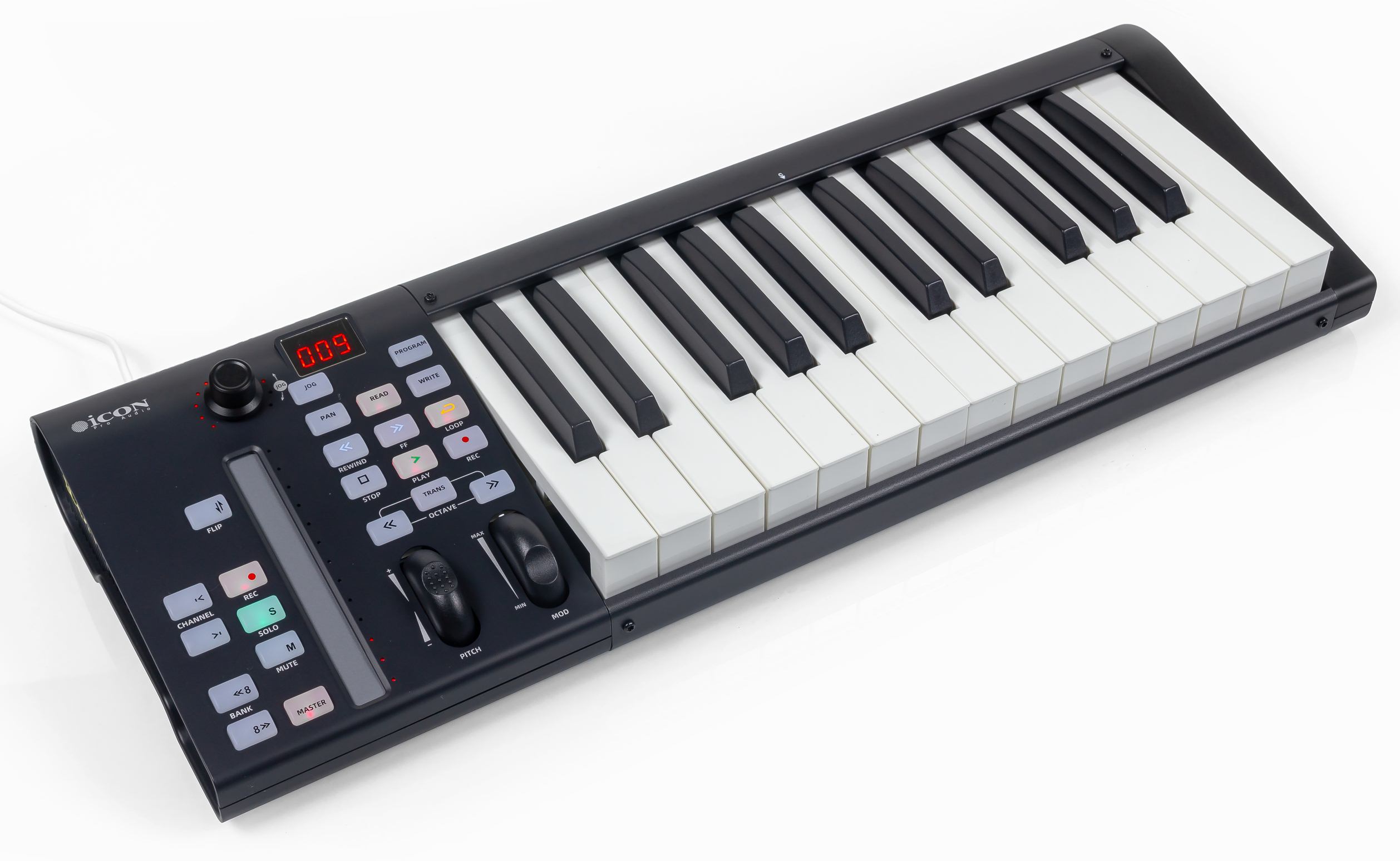
We explore the new range through its smallest model, the iCON ProAudio Artist X 25, with a two-octave keyboard.
iCON ProAudio Artist X specifications
| Keyboard | 25/37/48/61/88 full-size keys Semi-weighted action Velocity-sensitive |
| Controls | 23 backlit buttons Endless rotary encoder Touch strip Pitch and modulation wheels |
| Connections | USB connector |
| Dimensions | Artist 25X 521 x 189 x 72 Artist 37X 682 x 189 x 72 Artist 48X 843 x 189 x 72 Artist 61X 1004 x 189 x 72 Artist 81X 1372 x 189 x 72 |
| Weight | Artist 25X: 1.72 kg Artist 37X: 2.25 kg Artist 48X: 2.8 kg Artist 61X: 3.37 kg Artist 81X: 4.61 kg |
| Package contents | USB cable User manual, Native Instruments Hybrid Keys, Bitwig Studio 8-track, Harrison Audio Plugins, Tracktion DAW Essentials Collection, Dotec Audio, Kilohearts Toolbox. |
The Artist X series keeps the design and construction of the previous generation. Most of the case is metal; only the side panels are plastic. This adds some weight but improves strength and durability.
The case has a distinctive sloped shape that places the controls at a comfortable angle. All controls are on the left. The space above the keys is free of extra controls, keeping the overall size as small as possible.
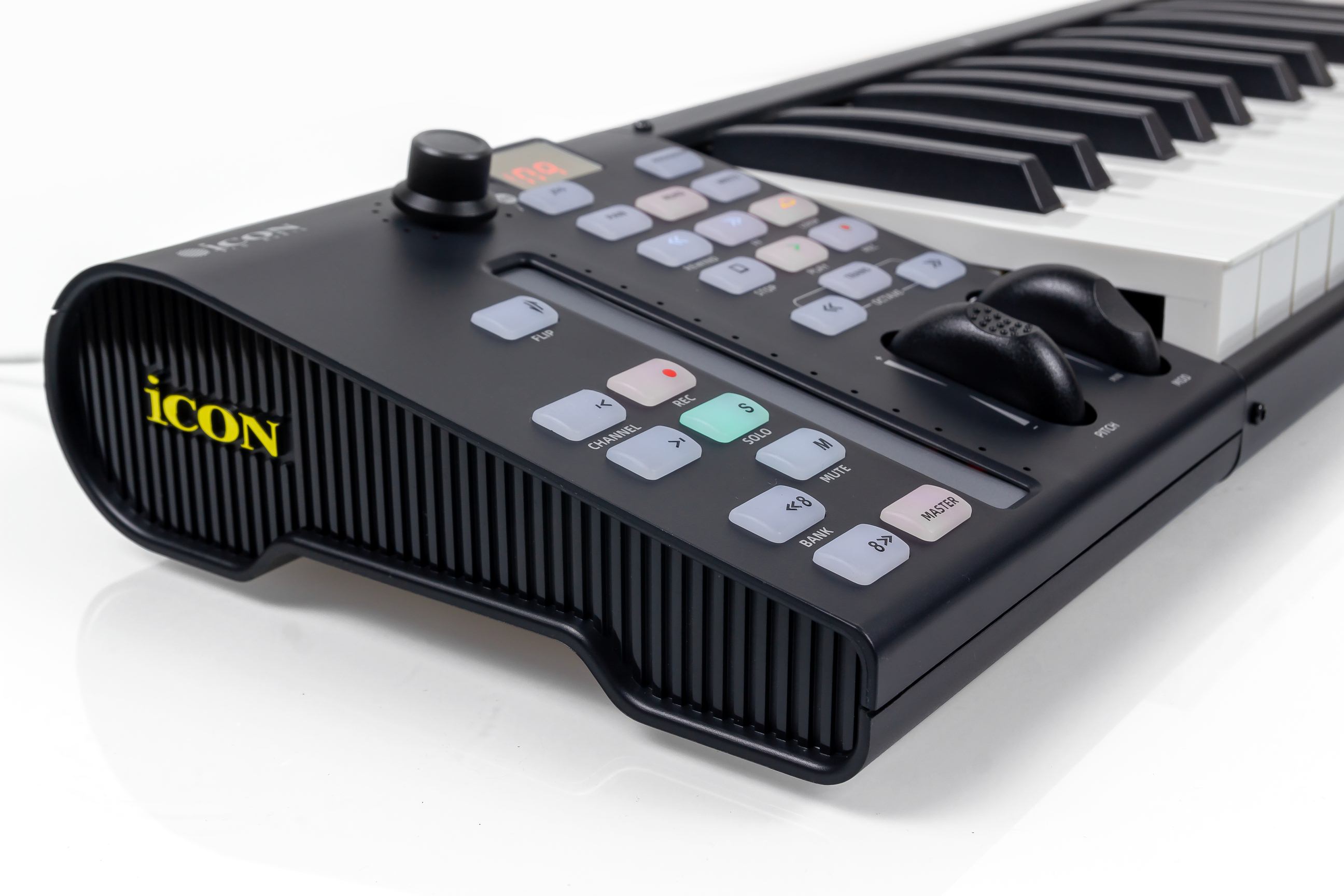
The control section has buttons for many DAW functions. These include transport, automation, track selection, Mute, Solo and Rec. A multi-function navigation encoder and a touch strip are also provided. Together, these controls simplify work in a sequencer, reduce the need to use the computer and help users focus on making music.
The keyboards use Mackie Control and HUI for software integration. Users do not need to assign each control manually. Before starting, however, the correct DAW preset must be loaded into the keyboard and the corresponding MIDI port selected in the DAW.
The iMap utility loads the DAW preset into the keyboard and adjusts other device settings. Settings cannot be edited directly from the keyboard.
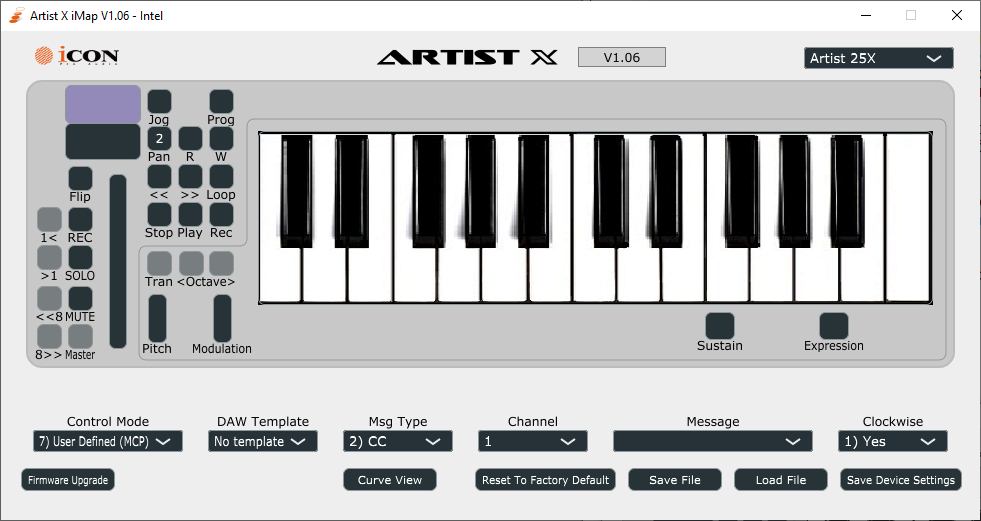
The manufacturer's website provides detailed MIDI-port setup instructions for each supported application. Direct support is available for Nuendo, Cubase, Logic, Samplitude, Ableton Live, Pro Tools, Reaper, Studio One, Reason and Bitwig.
Compared with many MIDI keyboards, the Artist X offers more extensive sequencer control. Along with Play, Stop and Rec, it includes Fast Forward, Rewind and Loop for repeating a selected section.
Read and Write enable automation for the currently selected track. Channel arrow buttons navigate the first eight project tracks. Bank buttons move to the next or previous group of eight tracks.
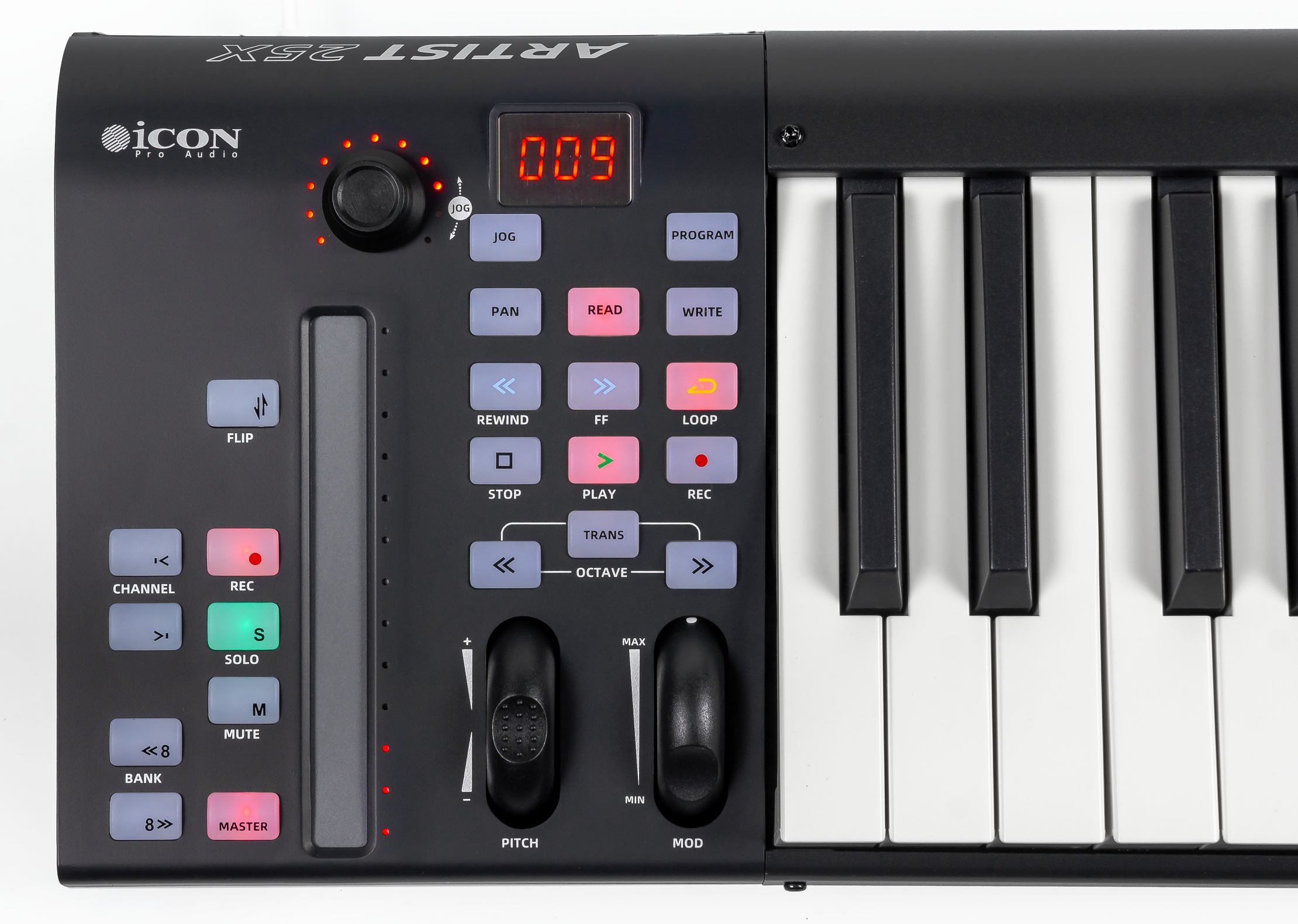
All buttons have LED backlighting, making the active modes easy to see. A single press enables a function; the button does not need to be held. The light indicates whether the function is active.
By default, the touch strip controls the selected channel's volume. Flip changes the strip to pan control, while Master assigns it to the master-channel level. The strip allows adjustment within a few decibels. The rotary encoder provides finer control.
The encoder normally controls the selected track's pan. In Flip mode, the encoder controls volume instead. Jog assigns it to timeline navigation, and pressing the encoder enables channel monitoring. LEDs around the encoder and beside the touch strip show the current parameter value.
S and M quickly enable Solo or Mute for the selected track. Rec arms the track for recording. The keyboard also allows quick MIDI-channel selection for controlling several devices. Pressing Program twice changes the active MIDI channel.
Overall, the control layout is logical, practical and capable. Direct control of virtual instrument parameters is not provided in the standard setup. However, users can create a custom preset with control assignments suited to a specific task.
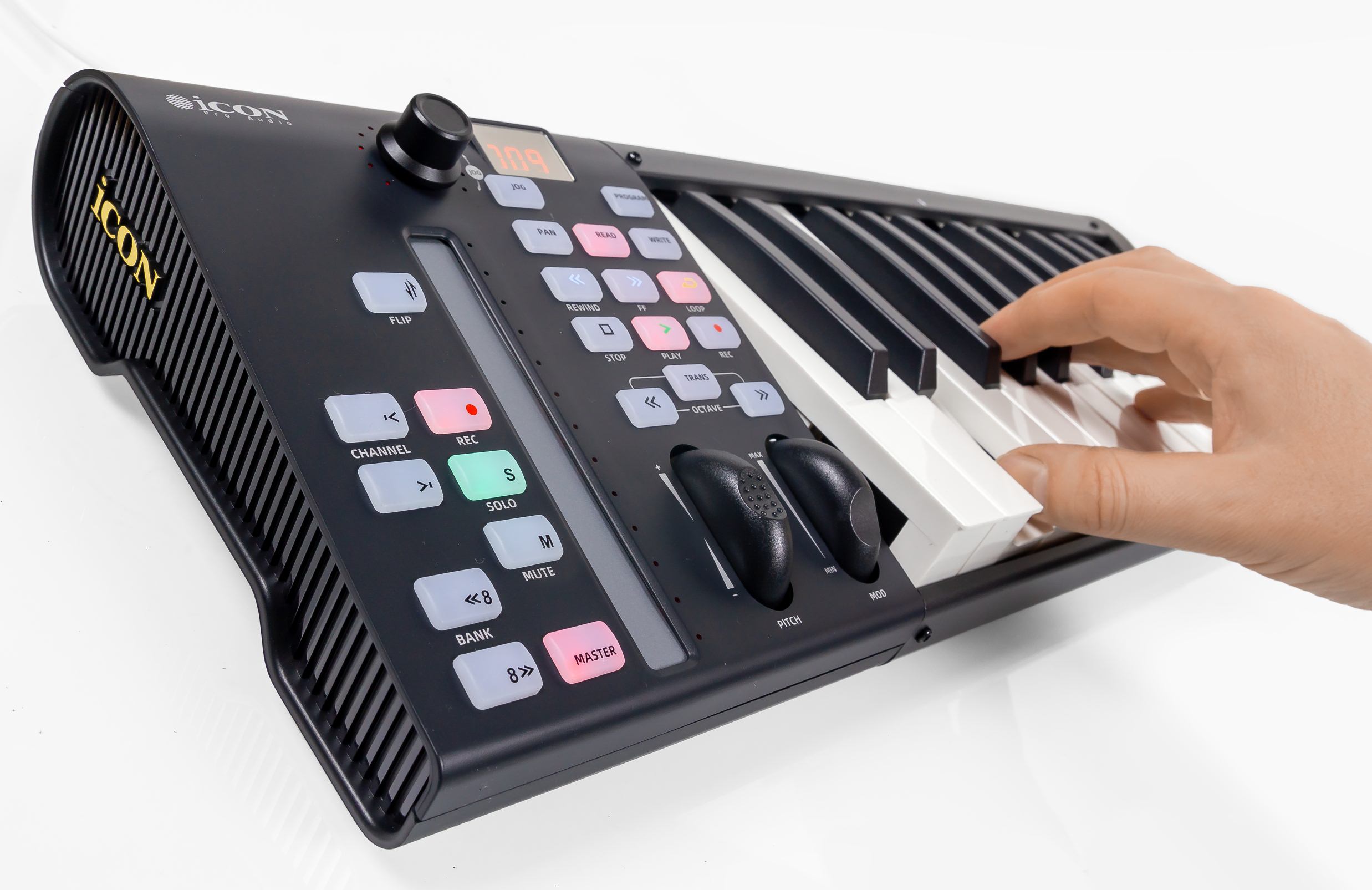
All iCON MIDI keyboards with full-size keys use a semi-weighted action, including the small two-octave Artist X. This is a significant advantage. Even the compact 25-key model offers a more controlled and expressive response than a typical synth action.
The black keys have changed slightly from the previous generation. Their shape and matte finish are similar, but the keys are a little narrower. The action is smooth, pleasant and comfortable to play. Velocity sensitivity is adjustable, with 5 curves, two fixed-value modes and a user curve that can be drawn manually.
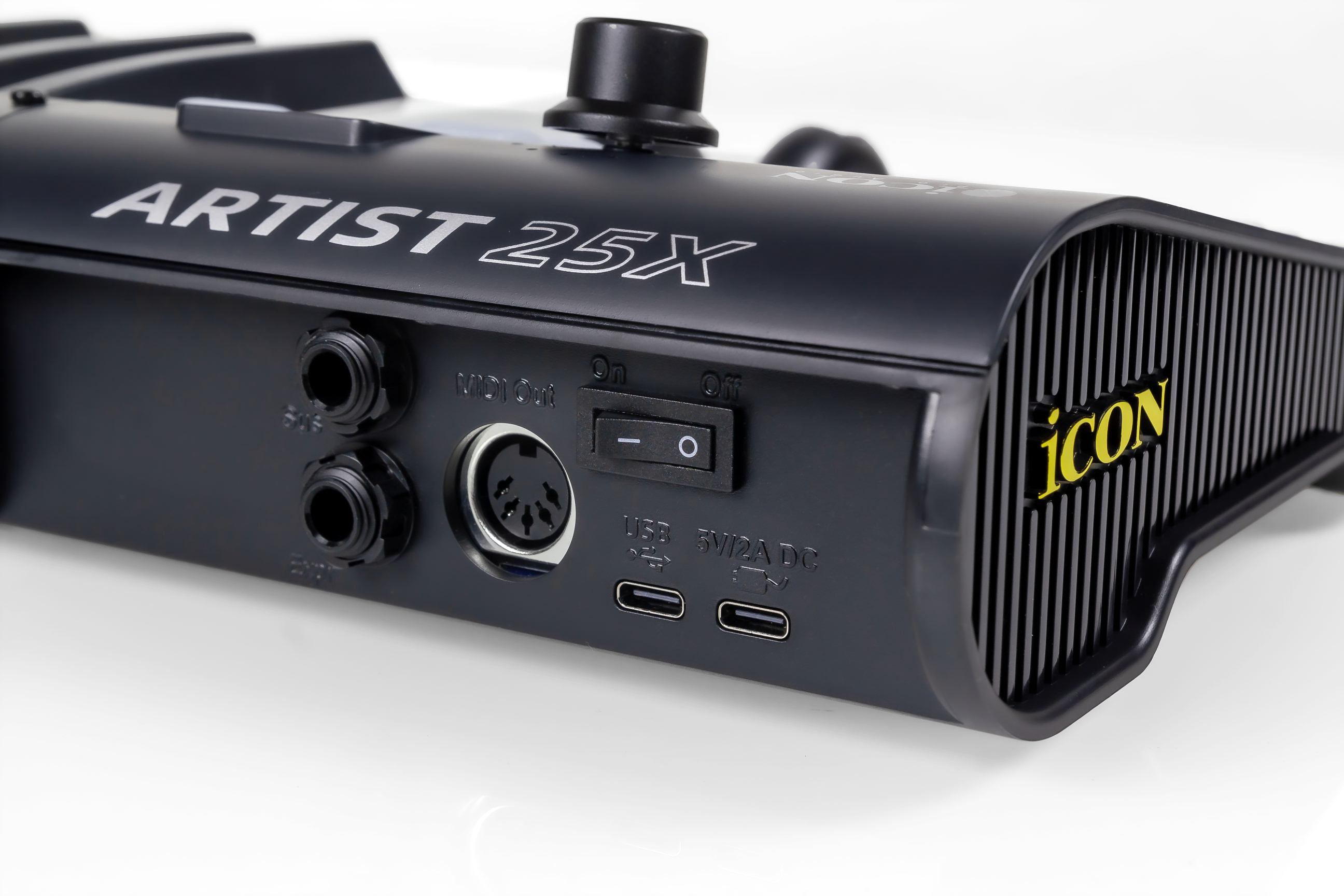


All Artist X models offer the same connections. The new models use the more convenient USB Type-C connector. A second USB Type-C port provides power for standalone use without a computer. A full-size MIDI output connects hardware synthesizers. Two TRS sockets accept sustain and expression pedals.
A large software bundle is a useful extra. It includes Native Instruments Hybrid Keys, Bitwig Studio 8-track and several effects collections: Tracktion DAW Essentials Collection, Dotec Audio, Kilohearts Toolbox and Harrison Audio Plugins.
Conclusions
The iCON Artist X series keeps the concept of the previous models, with a choice of keyboard sizes and a practical ergonomic design.
The semi-weighted keys, touch strip, encoder and buttons provide comfortable playing and convenient DAW control. Software integration uses the reliable and practical Mackie Control protocol. USB-C, full-size MIDI and the software bundle make these flexible controllers that are ready for use straight from the box.
The new Artist X range successfully combines ease of use, reliability and useful functions. It is a good choice for both mobile and permanent studios.
Note. This is an adapted machine translation into English. It follows the “In simple terms” approach. Read the original article at https://prosound.ixbt.com/keyboards/icon-artist-x.shtml.