
Lisk Audio Control Panel 2.0 — a new generation of audio device control software
Russian manufacturer of high-quality audio equipment Lisk Audio has released Control Panel 2.0. The updated software controls volume and settings on Lisa, Lisa Pro, MUX and MUX2 audio interfaces. It uses a modern platform with hardware-accelerated graphics.
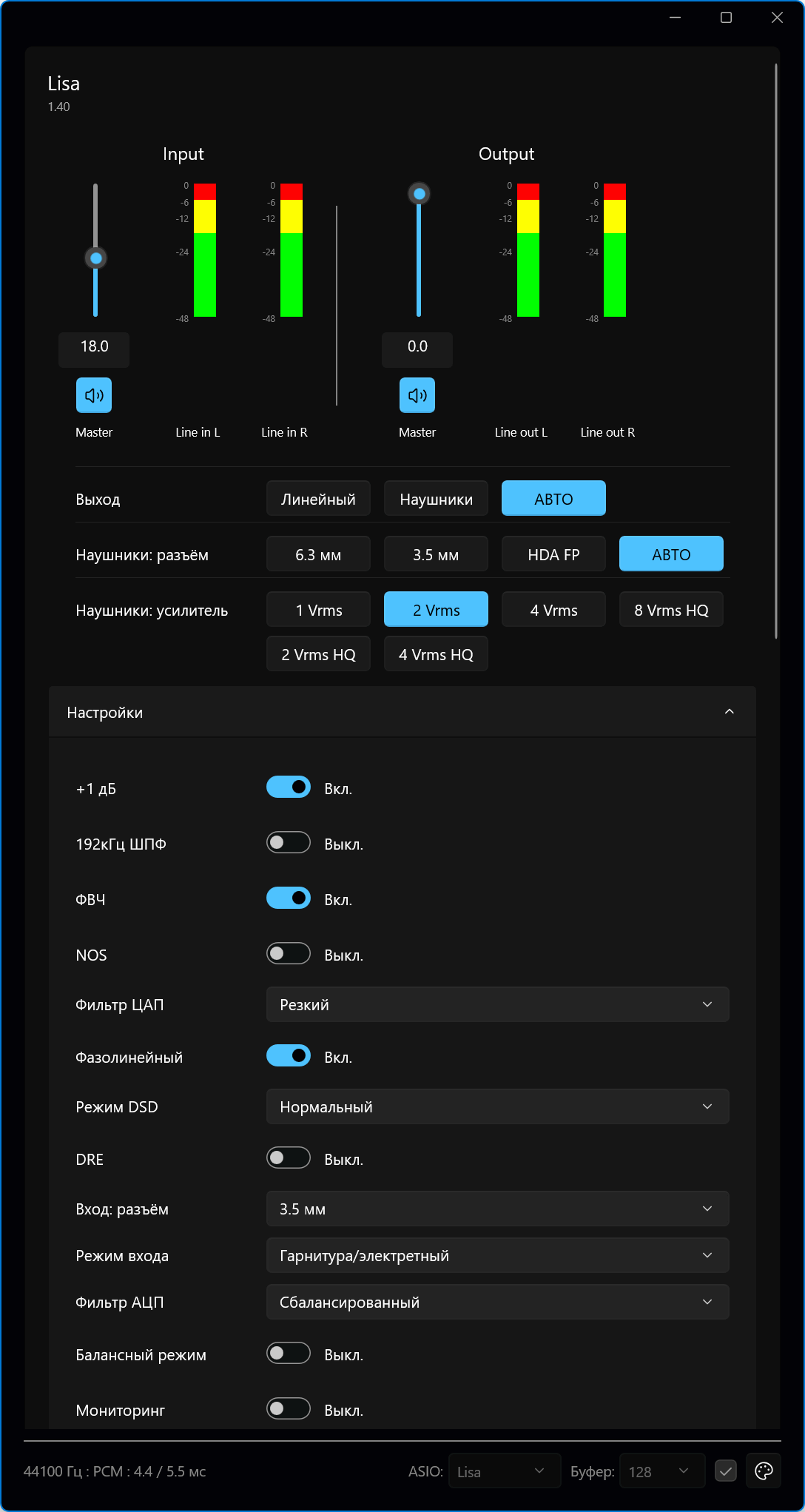
Photo: official website
liskaudio
The key feature is an interface built dynamically for each audio device. The firmware tells the panel which parameters are available, their names, control types and current values. The software then creates the required knobs, switches and lists while running. A new protocol in the Lisa, Lisa Pro, MUX and MUX2 firmware lets users select a value directly with one mouse click. Control from the OLED screen and hardware buttons remains fully available. Changes appear in the software at the same time, with full parameter names and Russian tooltips.
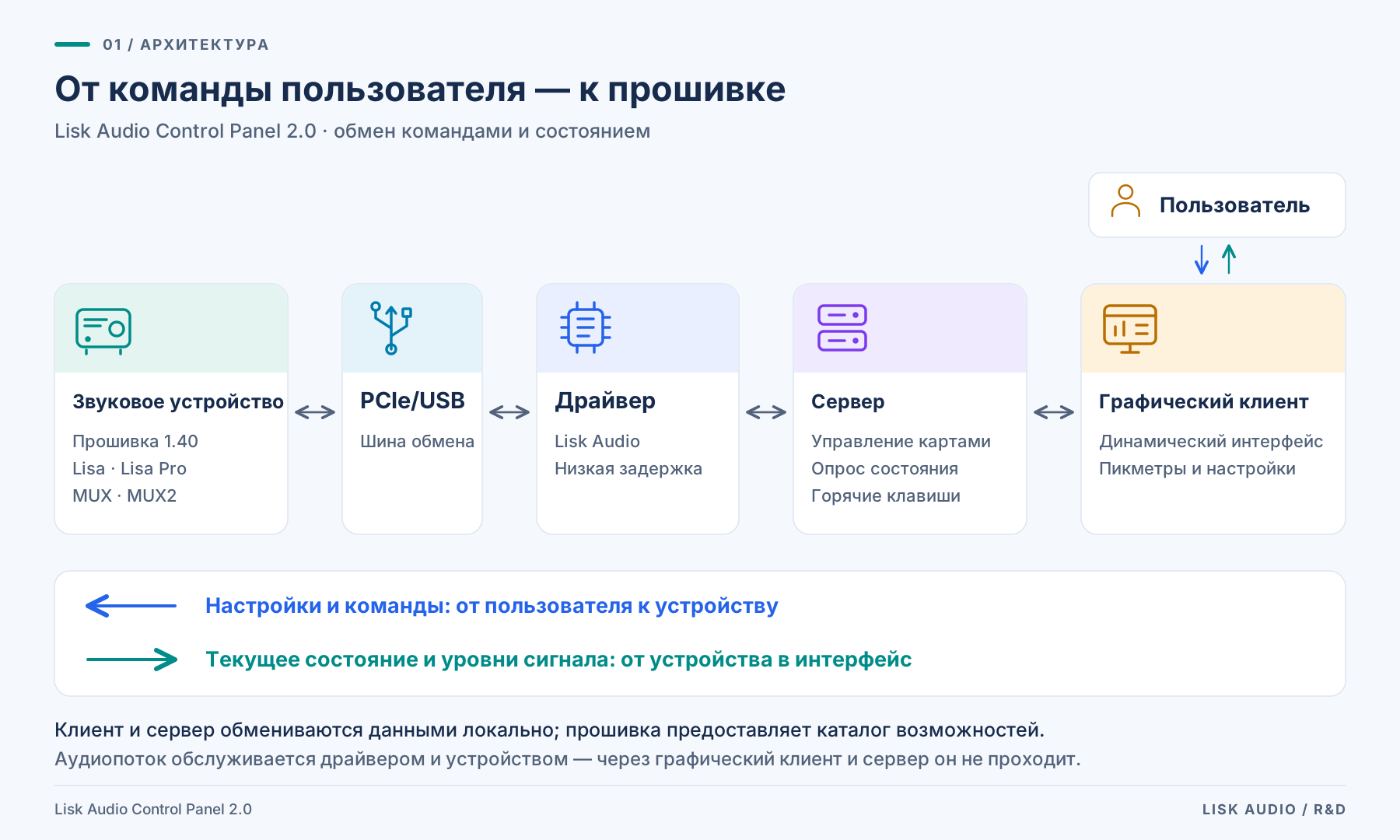
Photo: official website
liskaudio
The interface uses WinUI 3, Microsoft's native platform with Fluent Design principles, high-resolution graphics and current interaction methods. Both client and server are written in C/C++ and work directly with Windows features. This combines a modern appearance with full control of performance, memory and data exchange. Light, dark and custom colour schemes are available, with correct scaling at 125%, 150% and 200%. Peak meters use GPU-accelerated DirectX rendering, meter ballistics and a logarithmic decibel scale. Graphics acceleration keeps CPU use at or below 1%.
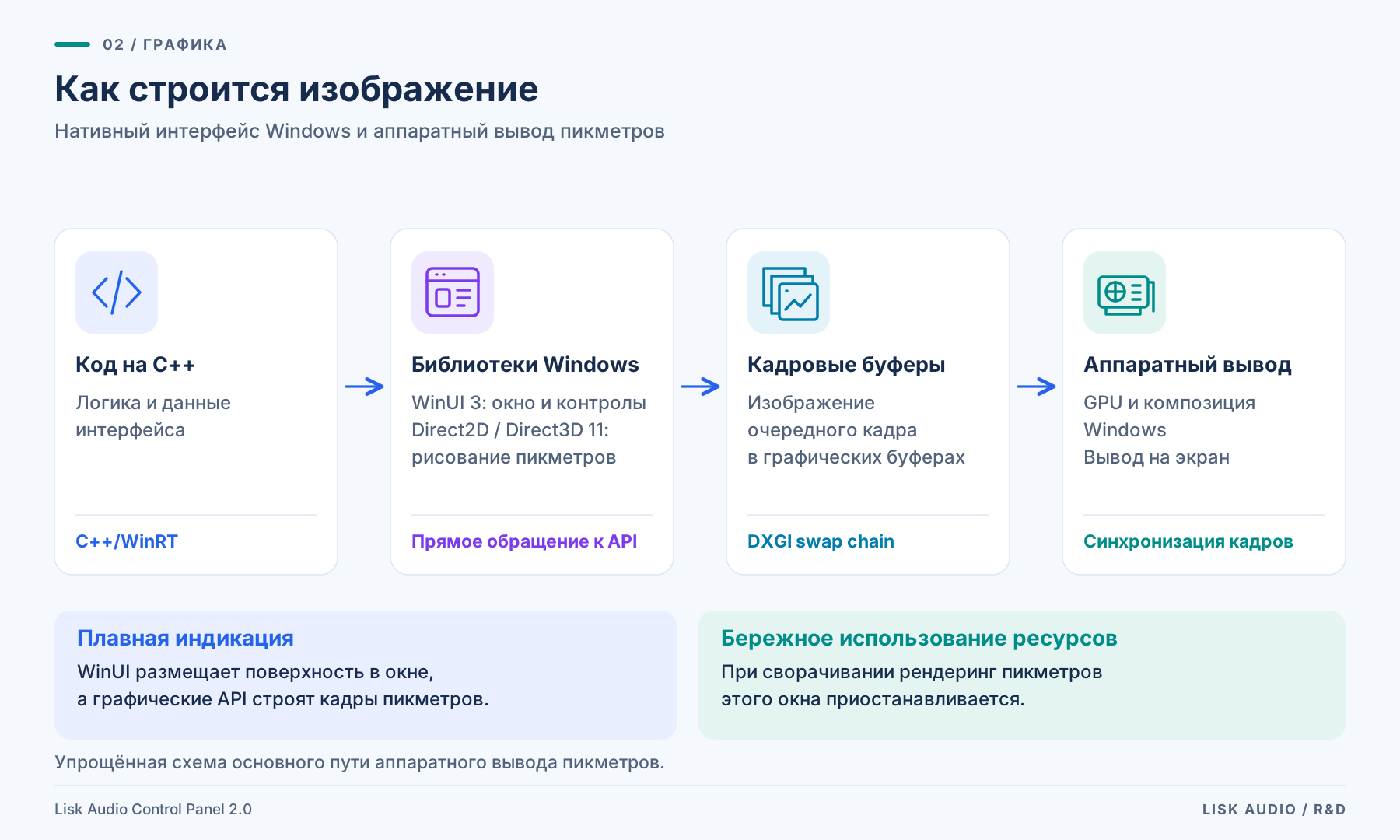
Photo: official website
liskaudio
The update goes beyond appearance. The whole control chain has been redesigned, from audio device firmware and communication protocol to the server process and graphical client. Lisk Audio Control Panel 2.0 reflects the manufacturer's integrated approach: hardware, firmware and software are developed together. Users get direct, fast access to device settings and can see the current state. They can choose the OLED screen and buttons, the graphical interface with a mouse, or hotkeys in any application.
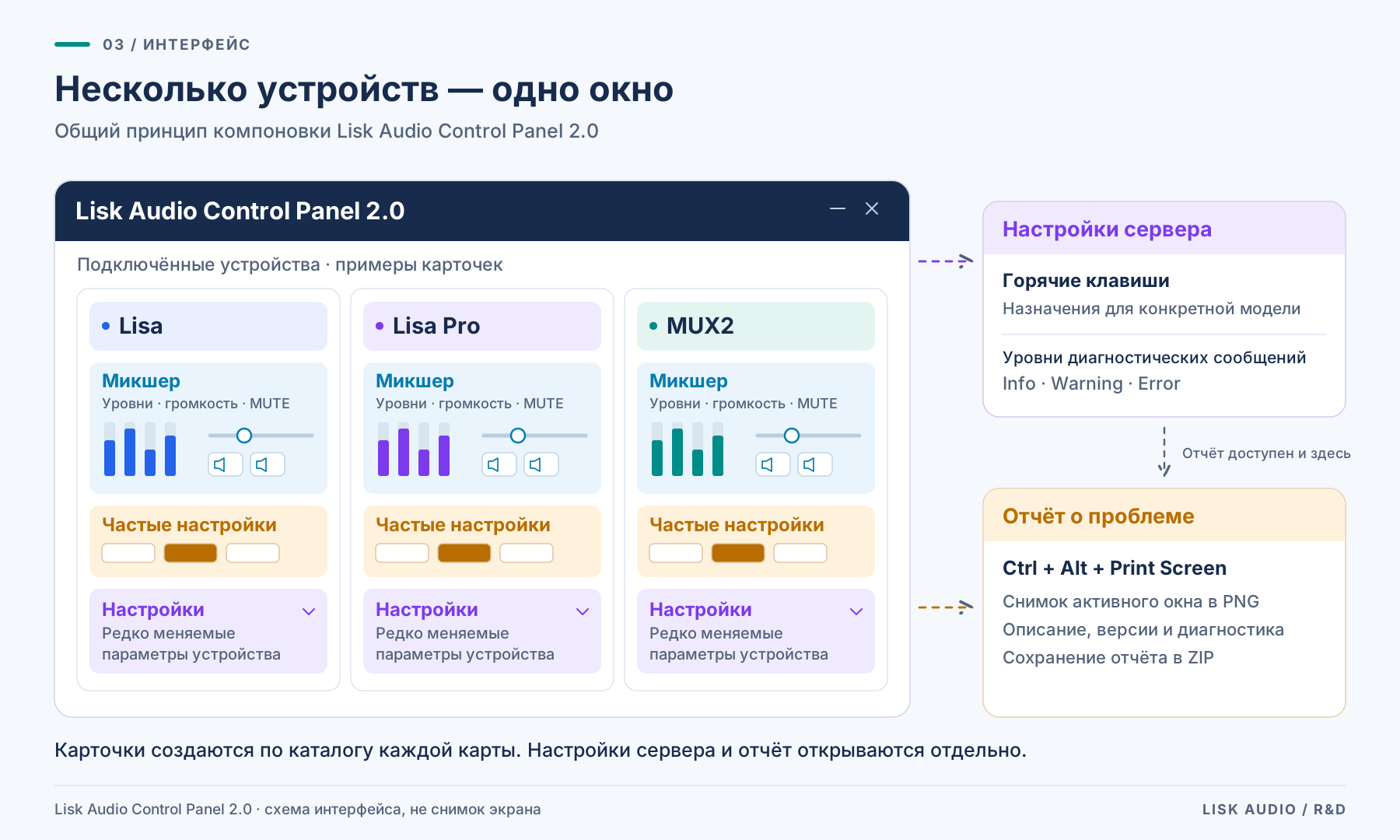
Photo: official website
liskaudio
Before release, the updated panel went through extensive tests of playback and recording, audio mode switching, device reconnection during operation, multiple windows, different scaling settings and themes. The application includes automated feedback tools. Pressing Ctrl+Alt+Print Screen creates a file containing the user's problem description, a screenshot, component versions and logs. This helps developers reproduce and fix reported issues quickly. This thorough approach helps Lisk Audio products stand out in the audio equipment market.
Lisk Audio Control Panel 2.0 runs on Windows 10/11 x64 with the updated version 6.2 driver and version 1.40 firmware. The new panel is completely free for all Lisk Audio users. Details are available on the official Russian-language website Lisk Audio.