
JazzTel Quadro — a soundbar speakerphone with wireless microphones
Maxim Liadov
We have already covered JazzTel conferencing products (see our review of the stylish Rombo speakerphone with eight microphones). The JazzTel Rombo performed well in our tests. Today we look at another interesting product from the company: the JazzTel Quadro for medium-sized meeting rooms.
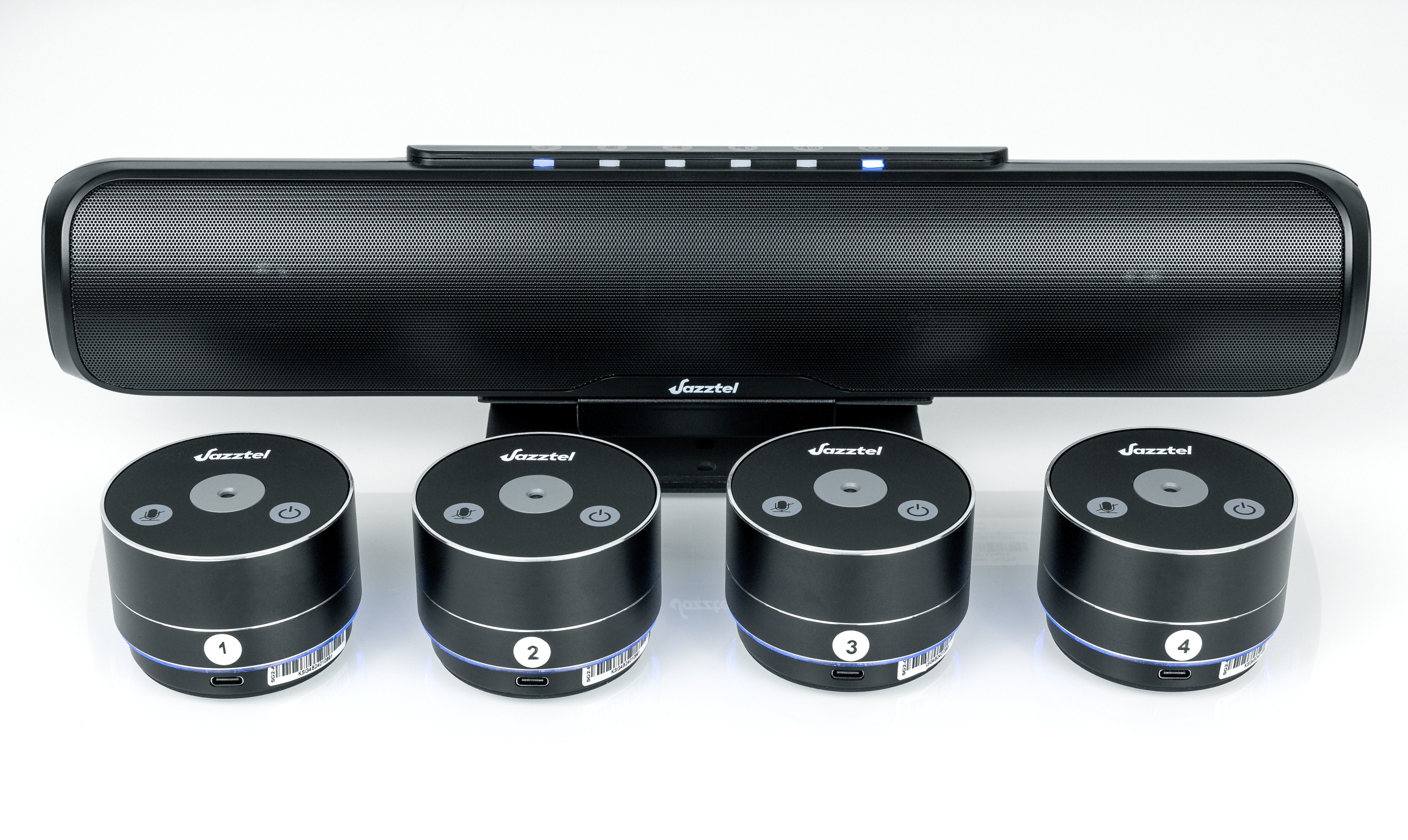
We have tested many speakerphone designs and different ways to combine several speakerphones into one system. The JazzTel Quadro offers a different approach. A wireless soundbar works with compact wireless microphone modules that extend the voice pickup area.
Specifications
- Built-in microphone type: digital microphone
- Built-in microphone sensitivity: -22 dBFS
- Signal-to-noise ratio: 60 dB
- Frequency range: 100 Hz–16 kHz
- Echo cancellation: supported
- Noise reduction: >12 dB
- Sampling rate: 16 kHz recording, 48 kHz playback
- Microphone pickup radius: 3 metres
- Wired connection: USB 2.0 (between the soundbar and PC)
- Wireless connection: 2.4 GHz (between the soundbar and microphone)
- Speaker power: 4 W × 2
- Power consumption: <9 W
- Controls: touch controls / remote control
- Buttons: Power On/Off (battery check), Volume +, Volume −, Speaker Mute, Microphone Mute
- Status indication: LED bar
- Power adapter: 12 V, 1 A
- Battery: 3400 mAh × 2
- Charging time: 3 hours
- Standby time: 4 months
- Operating time: 8 hours
- Dimensions (W × H × D): 400 × 70 × 61 mm
- Weight: 950 g
Additional microphone (up to 4 units)
- Type: digital microphone
- Sensitivity: -26 dBFS
- Signal-to-noise ratio: 59 dB
- Frequency range: 100 Hz–16 kHz
- Sampling rate: 48 kHz
- Microphone pickup radius: 3 metres
- Wireless data transmission: 2.4 GHz
- Power consumption: <0.2 W
- Charging connection: USB Type-C / contact charging on the charging station
- Controls: touch controls
- Buttons: Power On/Off, Microphone Mute
- Status indication: two-colour LED
- Wired charging: USB-C, 5 V, 2 A
- Battery: 800 mAh
- Charging time: 1 hour
- Standby time: 6 months
- Operating time: 8 hours
- In standby: 6 months
- Dimensions (W × H × D): 70 × 70 × 49 mm
- Weight: 300 g
A digital MEMS (microelectromechanical system) microphone is a miniature sound sensor made using the same semiconductor technology as integrated circuits. A flexible diaphragm and a rigid backplate form a capacitor. Sound waves move the diaphragm and change the capacitance. This converts sound waves into an electrical signal.
What are the practical benefits of MEMS technology? A digital microphone has no unnecessary components. This makes the microphone resistant to vibration, noise, and changes in temperature and humidity. The small size makes it easy to fit the microphone into compact devices. Low power consumption is useful in portable battery-powered devices. Low self-noise and a wide frequency range provide high sound quality.
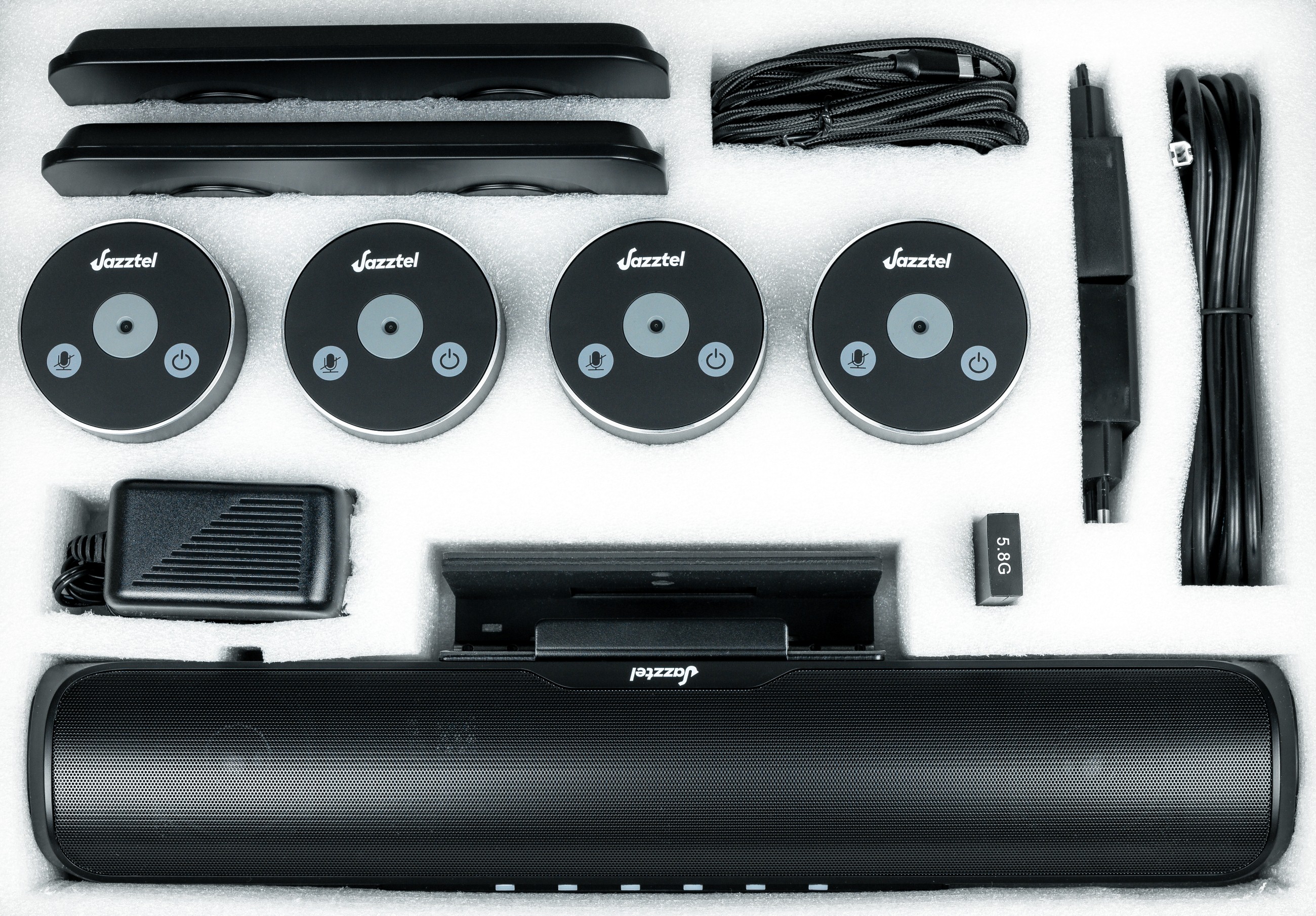
The large box contains a generous set of accessories, with everything needed for operation and more. The package includes the main soundbar speakerphone, 4 expansion microphones, a +12 V power adapter and two charging stations. There are also two +5 V, 2 A USB power adapters, a 5-metre USB connection cable and three USB charging cables. A dedicated 5.8 GHz USB dongle provides wireless connectivity. A wall-mount kit and a printed manual are also included.
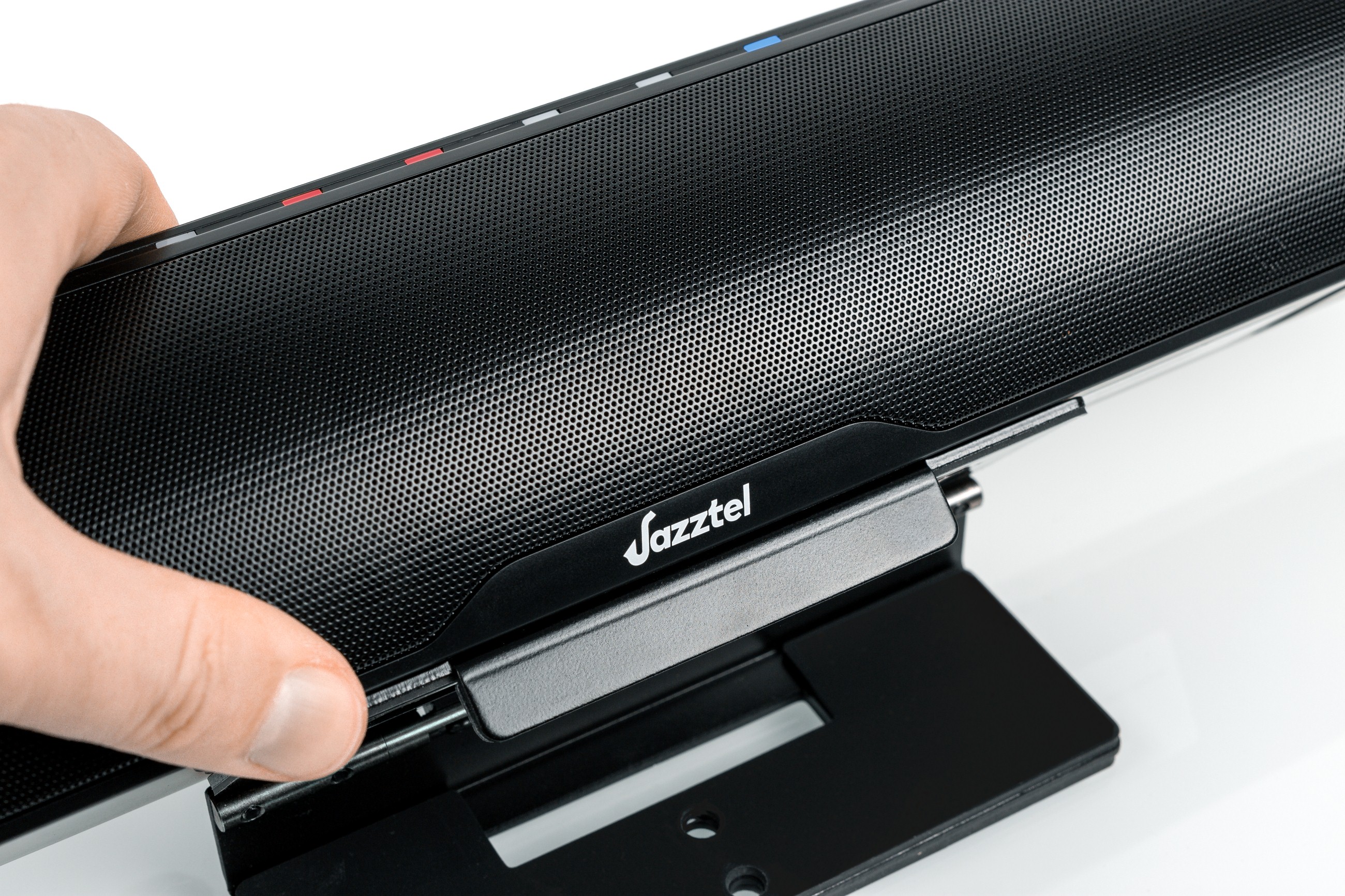
The soundbar is relatively small at 40 × 7 × 6 cm. This is much smaller than similarly shaped home TV soundbars. A universal stand with a rubber coating allows the soundbar to sit on a table or on top of a video-conferencing display. The included wall-mount bracket comes with wall plugs and screws. The bracket allows the soundbar to be mounted on a vertical surface when the display is also fixed to the wall. Two 4 W full-range drivers provide enough volume and reproduce the other person's speech clearly.
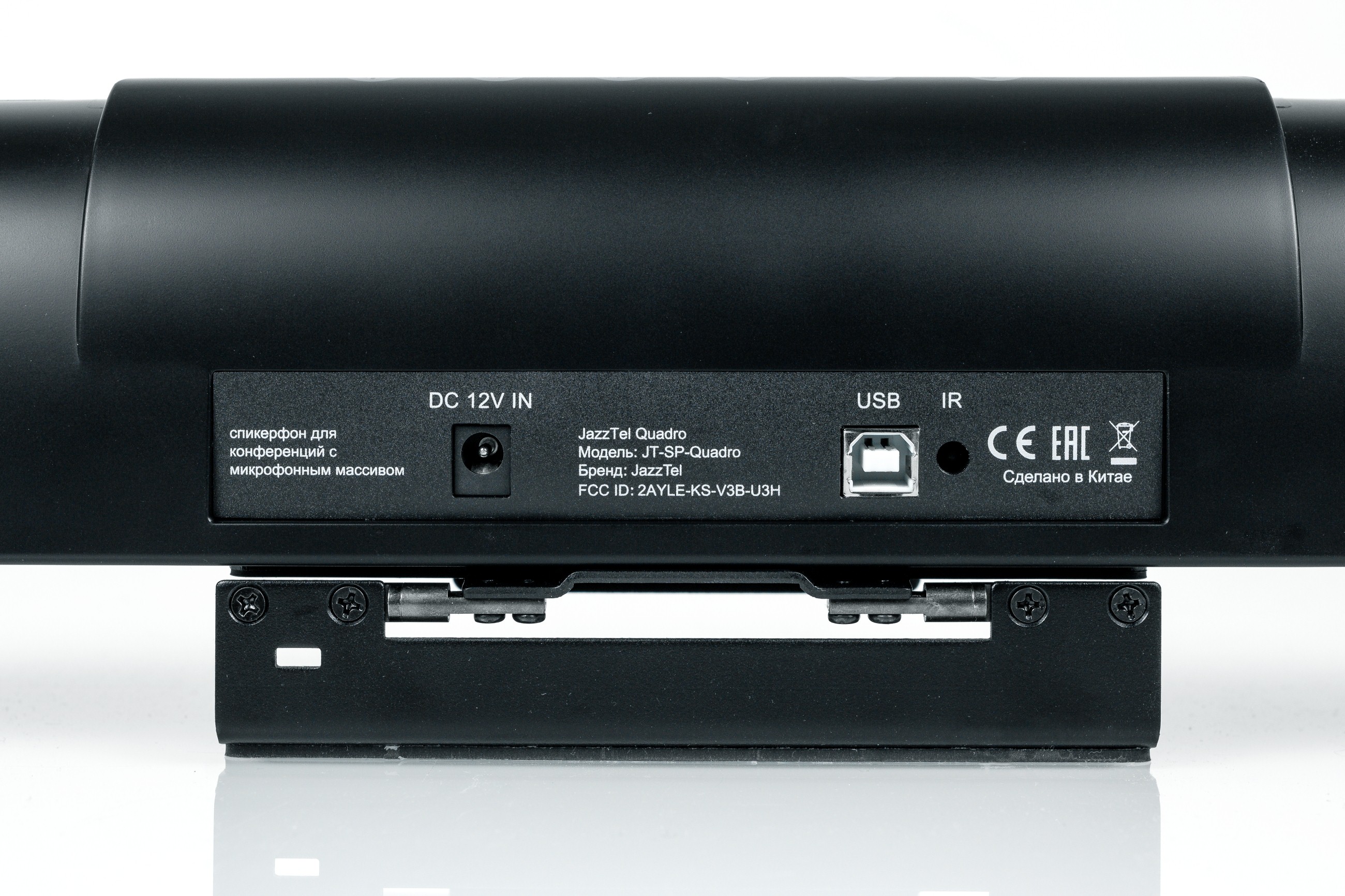
The soundbar can run from its built-in battery or from the external +12 V mains adapter. A PC or video-conferencing system can connect by wire or wirelessly. The wireless connection takes priority when both are connected. The box includes a good-quality 5-metre USB cable with an angled connector for wired USB use. The wireless connection operates at 5.8 GHz. The expansion microphones connect to the speakerphone base at 2.4 GHz, so the two wireless links do not interfere with each other. The main requirement is to keep the microphones at least one metre away from the speakers producing sound.
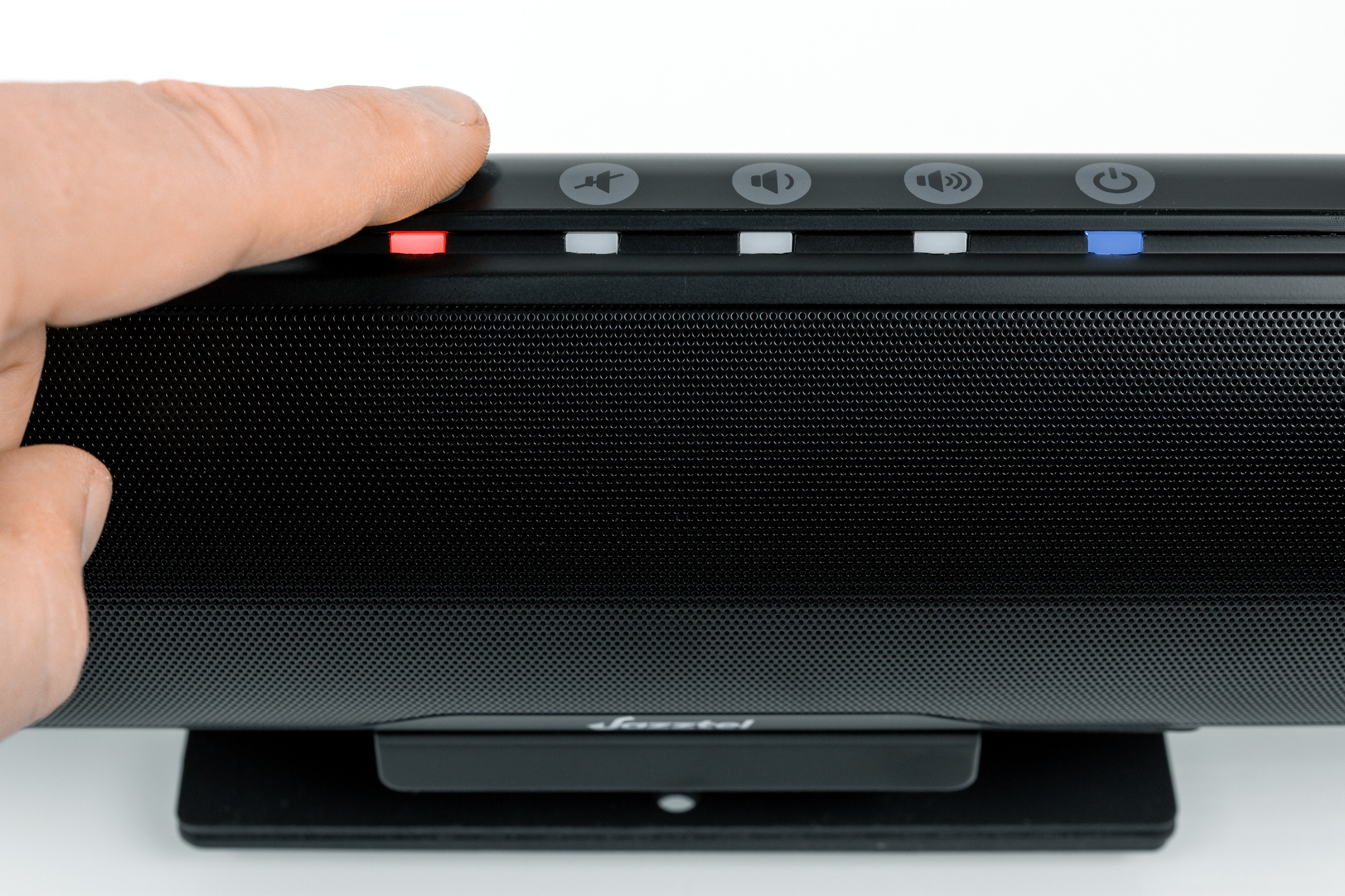
The touch controls respond well and cover the main speakerphone functions. Users can adjust the volume and temporarily mute the microphones or speakers. WRGB LEDs show the current state in different colours. Touching the power button shows the soundbar's remaining battery charge in green. The indicator turns orange during charging and purple when charging is complete. A flashing power LED indicates a low battery. Red indicates MUTE.
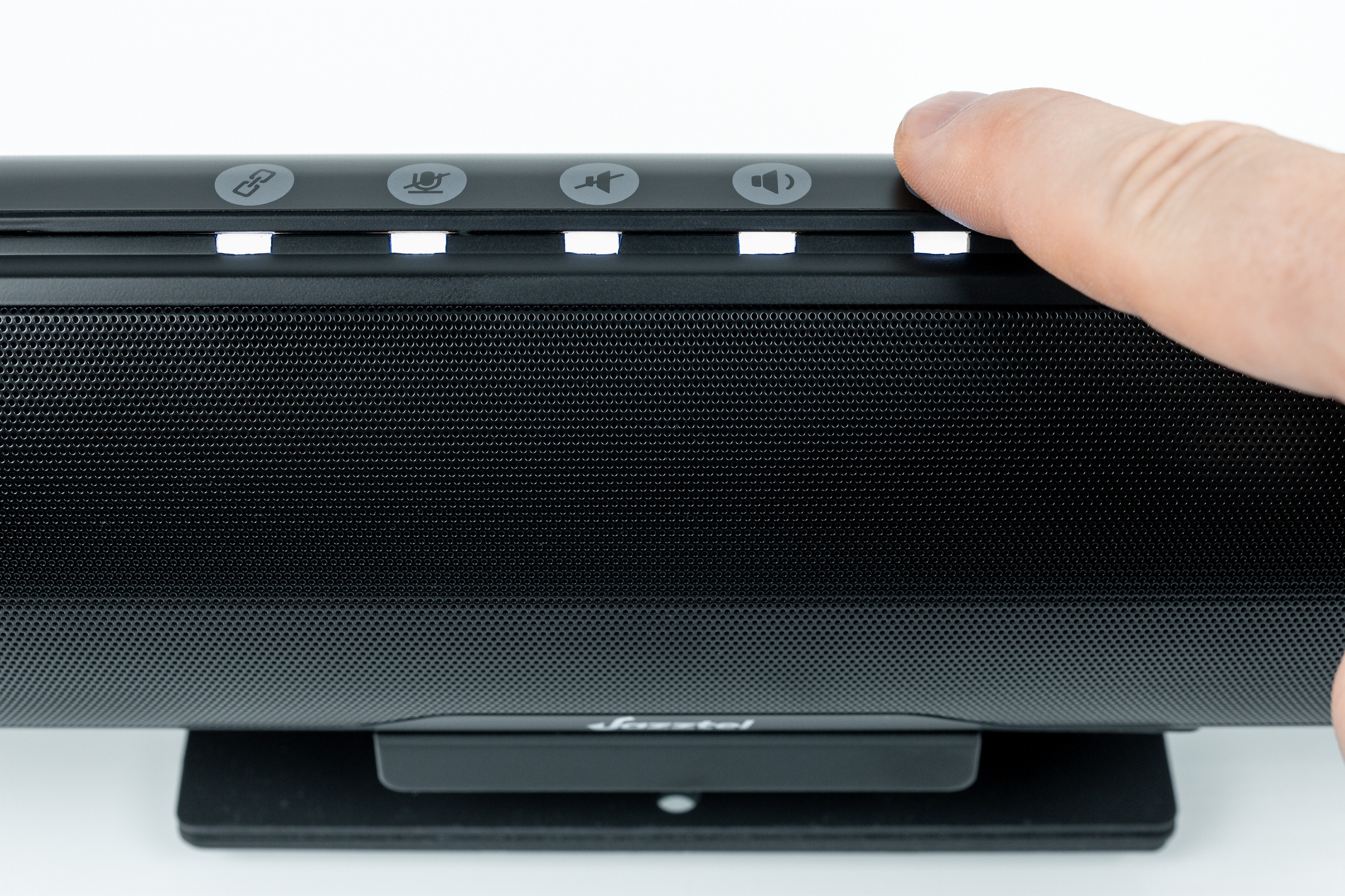
The volume level is shown in white: the number of lit LEDs changes with the setting. Voice messages confirm successful connection of the microphone array or a computer through the USB dongle. Anyone familiar with speakerphones should find the product easy to use. The built-in batteries in the speakerphone and microphones provide 8 hours of continuous operation. The system can remain in standby for 6 months.
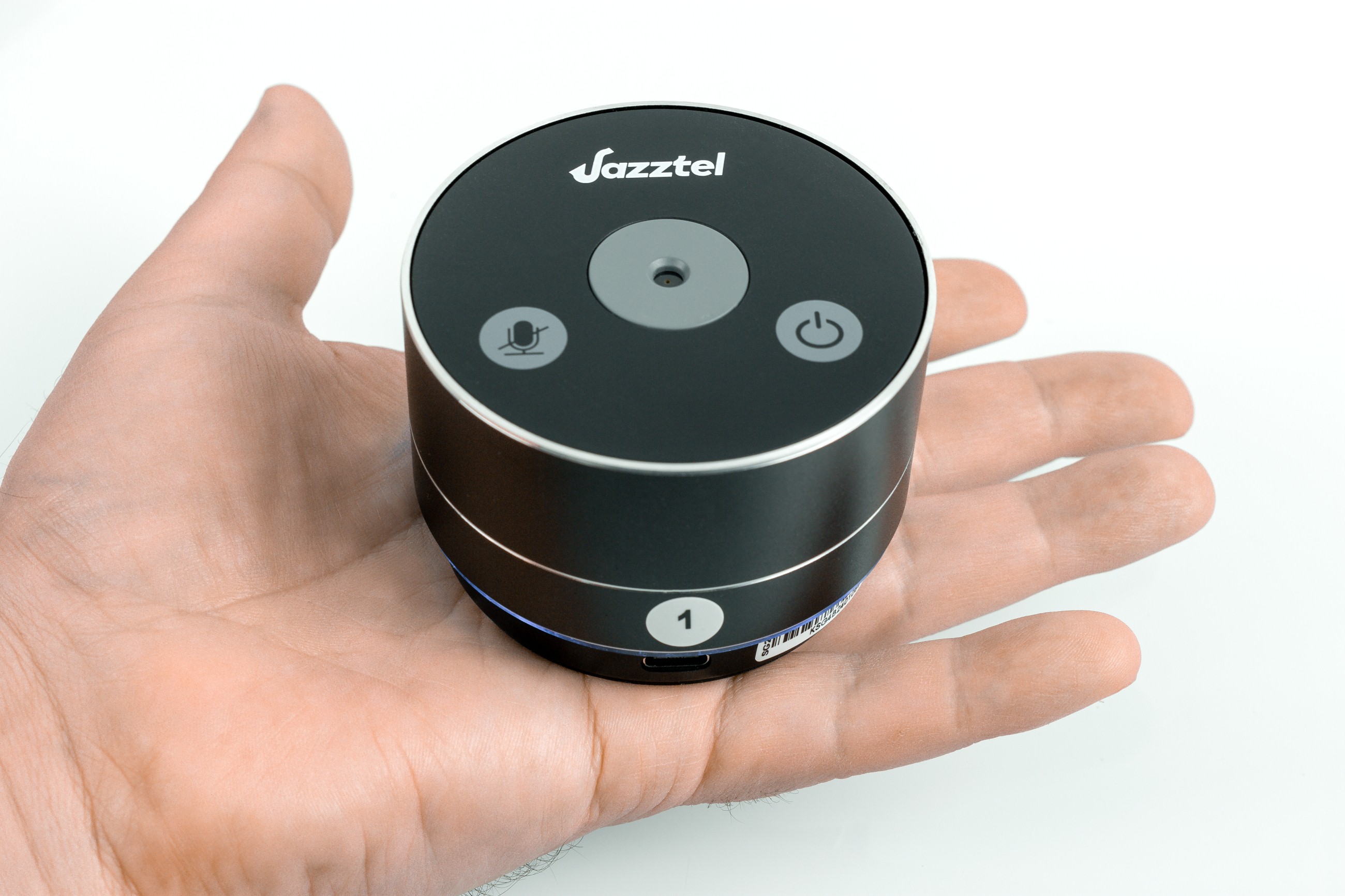
The wireless microphones have very compact all-metal housings. The top has a microphone opening and two buttons: Power and Microphone Mute.
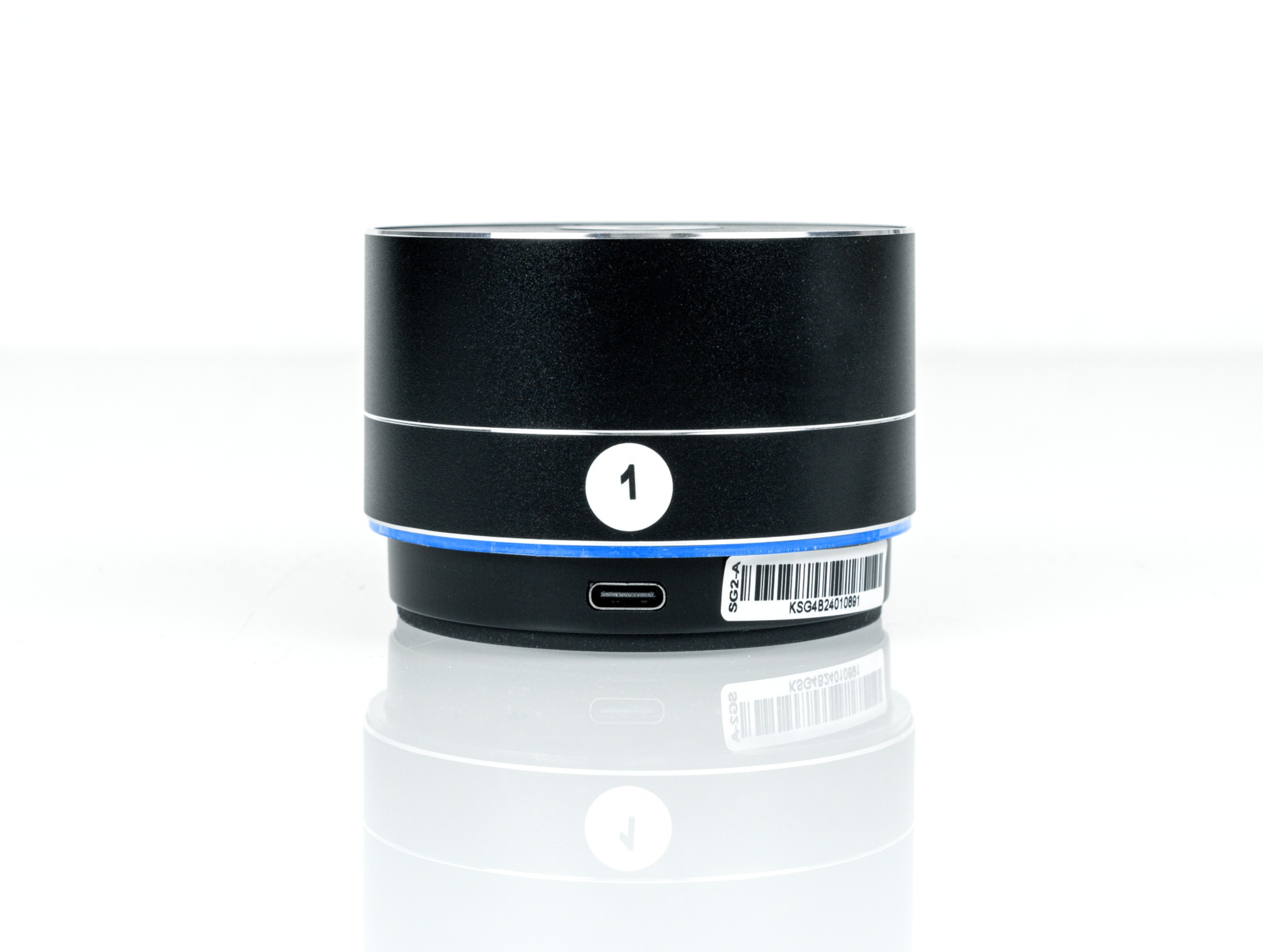
Each microphone has a number. A blue ring indicates the current operating mode. Pressing MUTE changes the ring to red. Can the soundbar work without the expansion microphones? Yes. However, the manufacturer strongly recommends using the microphone array to get all the system's features.
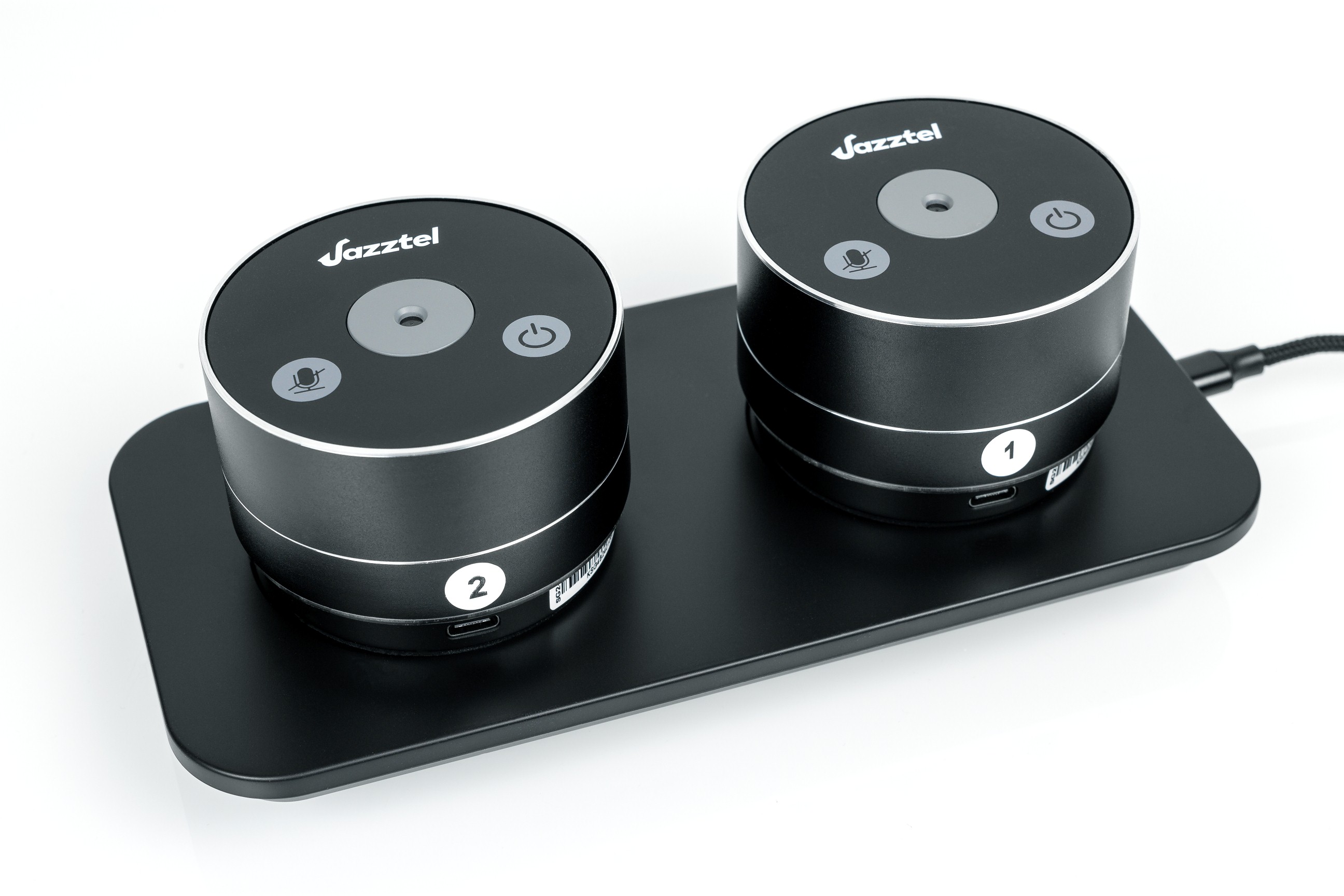
The bottom of each microphone has a rubber ring to prevent slipping and circular charging contacts. After use, each microphone module can be placed on the included wired charging station. Battery operation allows flexible placement of the microphone array. Each microphone can easily be moved to a suitable position. Video conferences can take place in any room, including an office as well as a dedicated meeting room, when needed.
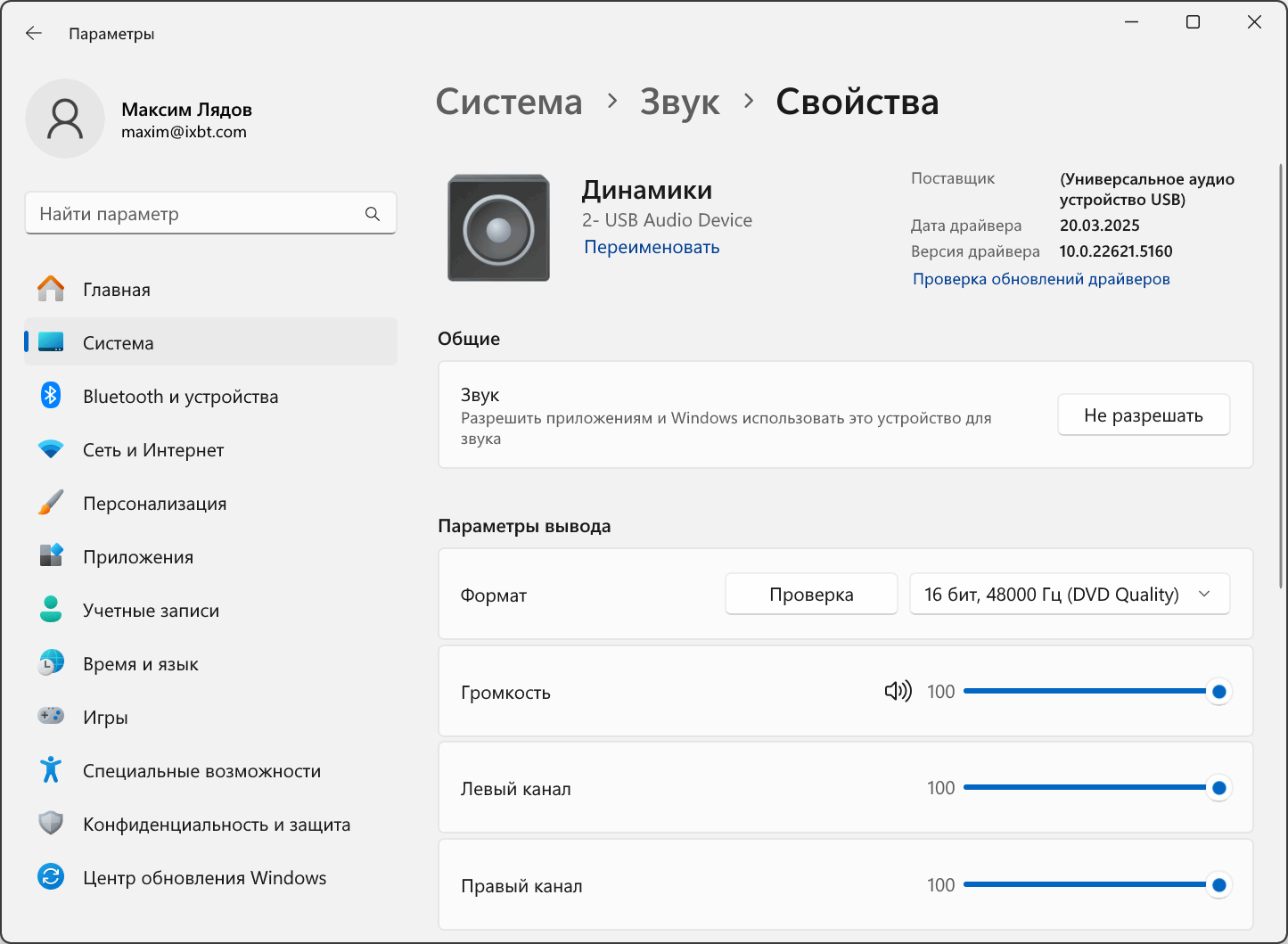
No settings or drivers are needed when connecting to a PC. The JazzTel Quadro becomes the active device and works immediately.
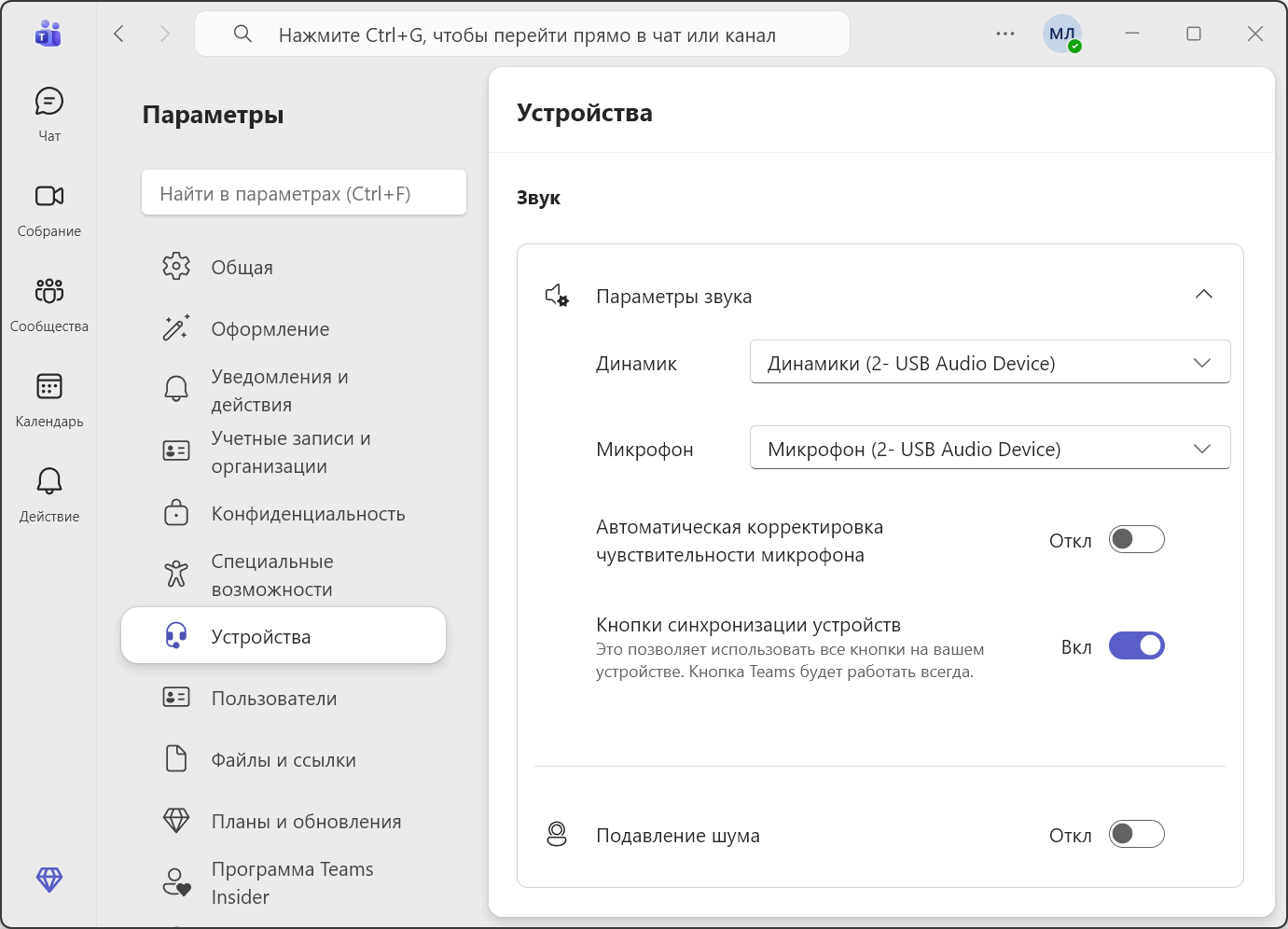
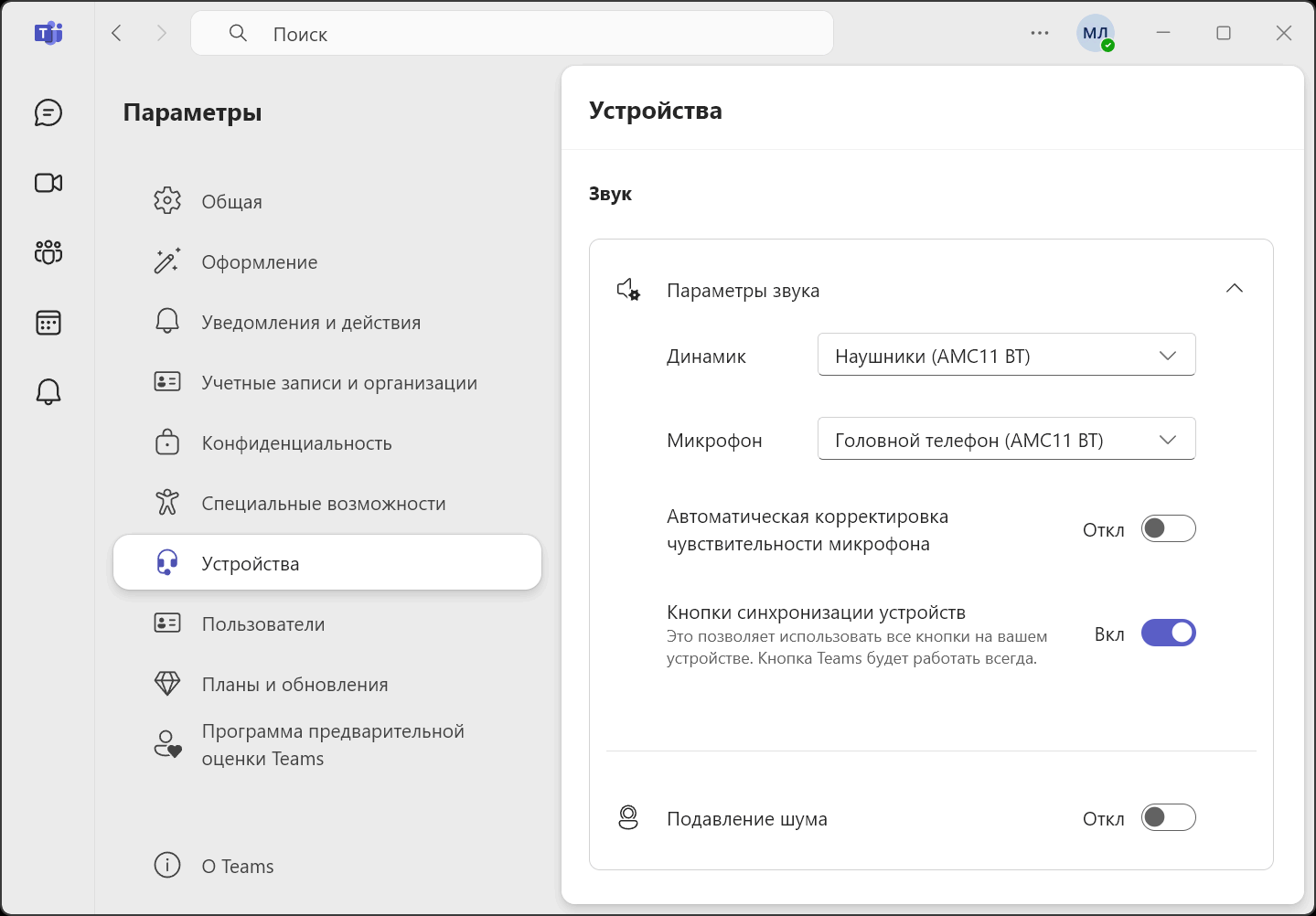
The JazzTel Quadro supports conferencing software including Kontur.Tolk, Yandex.Telemost, MTS Link Meetings, Microsoft Teams, Zoom and other applications. We recommend turning off audio processing in the software settings to prevent conflicts with the speakerphone's advanced hardware processing.
As usual, we tested the system in Microsoft Teams. The overall result was good. The soundbar's full-range speakers provide loud sound. The two drivers even produce a stereo effect. Speech is clear and easy to hear, with no distortion. We heard no harshness or overload even at maximum volume. Hardware processing, including automatic level control, echo cancellation and background noise removal, worked correctly. The person at the other end had no complaints about the sound. The controls were easy to use. We liked the compact microphone modules, which leave useful space on the table, and the option to put the soundbar on top of a fixed display. All touch buttons responded on the first attempt. The indicators were easy to see even in a well-lit room.
Conclusions
Our tests show that the JazzTel Quadro is an interesting, well-designed product for a modern office that makes regular use of conference calls. The stylish appearance, flexible features and high sound quality make the system suitable for many tasks in small and medium-sized rooms. The full-range speaker system delivers loud, clear stereo sound. Effective hardware processing reduces common audio problems, allowing participants to focus on their work.
Note. This is an adapted machine translation into English. It follows the “In simple terms” approach. Read the original article at https://prosound.ixbt.com/microphones/jazztel-quadro.shtml.