
iCON P1 Nano: compact DAW controller with a motorized fader
iCON Pro Audio has a broad range. Besides microphones, interfaces, and keyboards , iCON makes dedicated DAW MIDI controllers. Motorized faders, buttons and knobs offer convenient software control. A mouse and shortcuts can perform many actions, but dedicated buttons are often easier. A physical fader or knob also provides tactile control that a mouse cannot replace.
Several iCON DAW controllers support popular applications. Besides Cubase, Pro Tools, Ableton and Logic, they support less common choices such as Tracktion, Luna and Adobe Audition.
The controllers are well equipped, with modern electronics for fast, stable operation. They are relatively compact for their capabilities and look attractive.
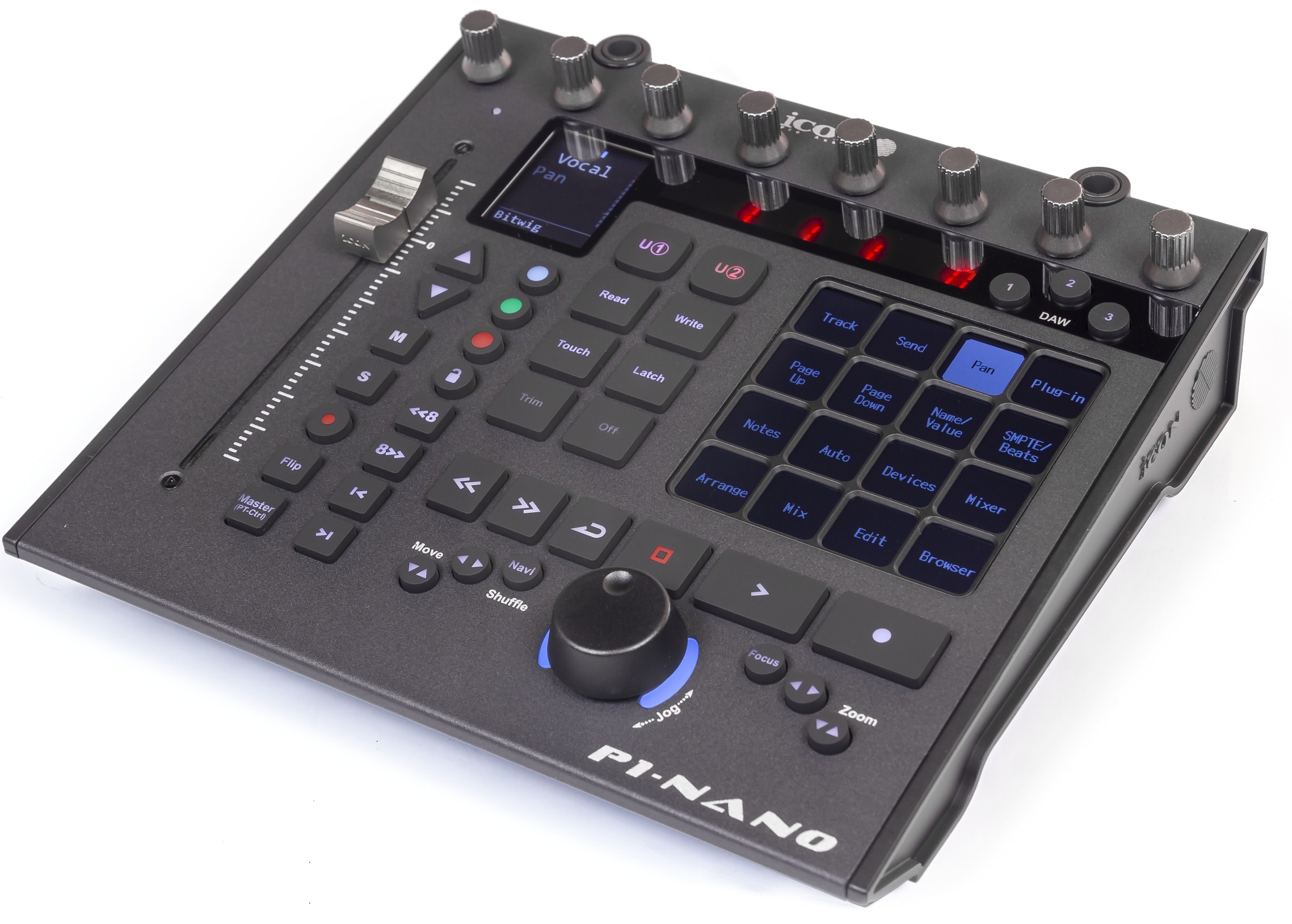
P1 Nano is iCON's most affordable DAW controller. One fader replaces eight, making it portable and inexpensive. Other functions largely match the bigger P1-M.
A distinctive feature is instant switching between three DAW presets. Three global configurations are loaded using P1 Nano iMap. The computer sees three MIDI ports, one per preset. Each DAW then selects its corresponding port. For example, load Cubase, Logic and Ableton in that order. Set Cubase to P1 Nano MIDI 1, Logic to MIDI 2 and Ableton to MIDI 3. Press the matching controller button when changing applications.
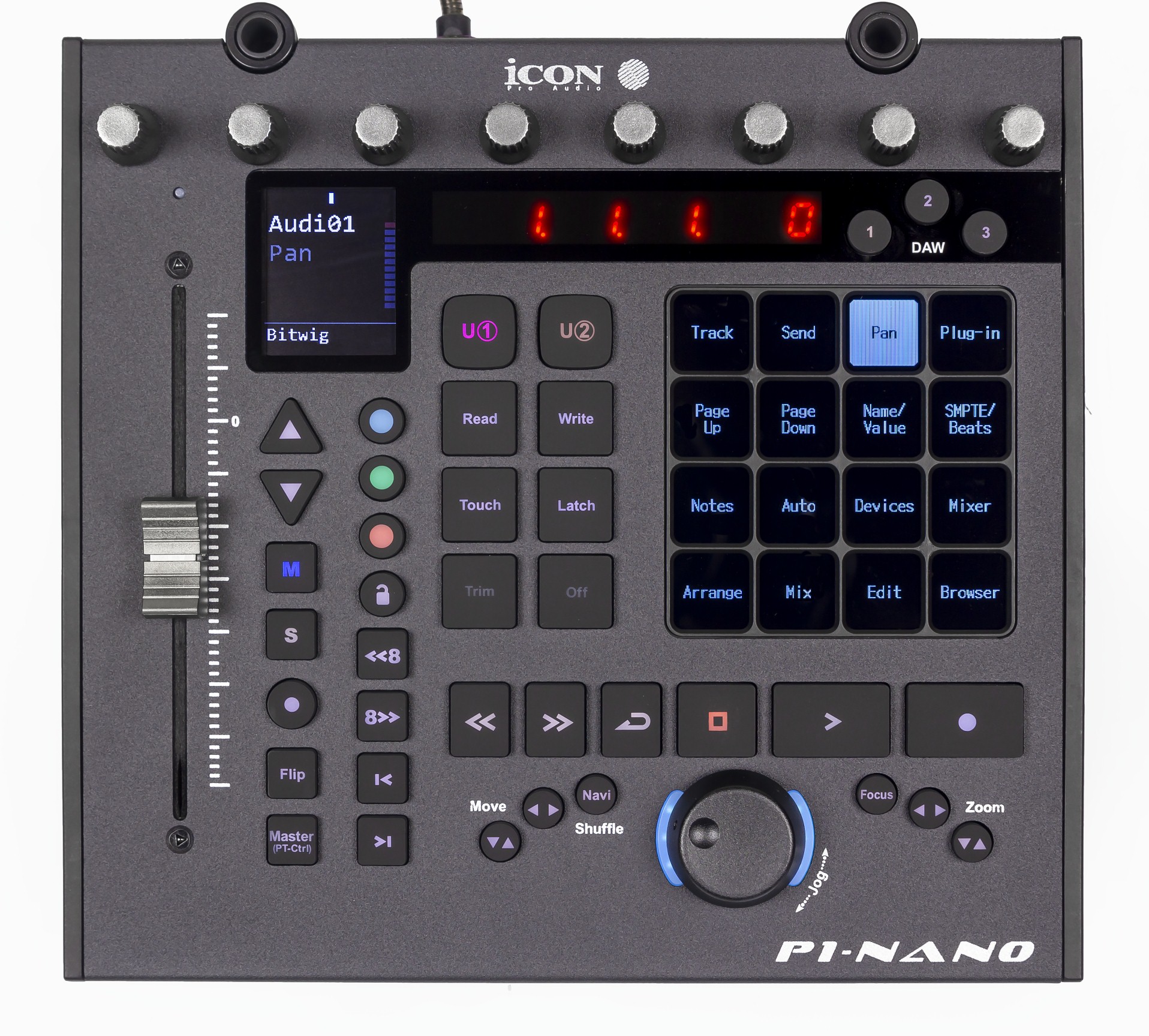
A touch display forms 16 multifunction buttons. Unlike fixed hardware labels, its labels always show current assignments. Five button presets provide 80 functions in total, an impressive number.
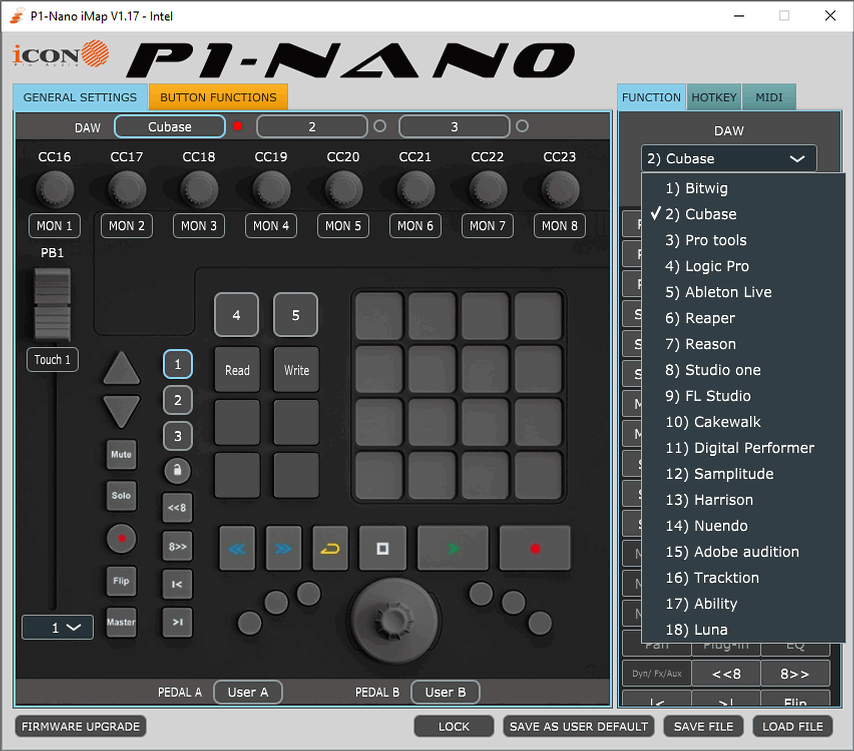
Factory assignments are ready to use, but P1 Nano iMap can change them. Blue, green, orange, purple and red identify presets. Buttons can trigger DAW functions, keyboard shortcuts or MIDI commands.
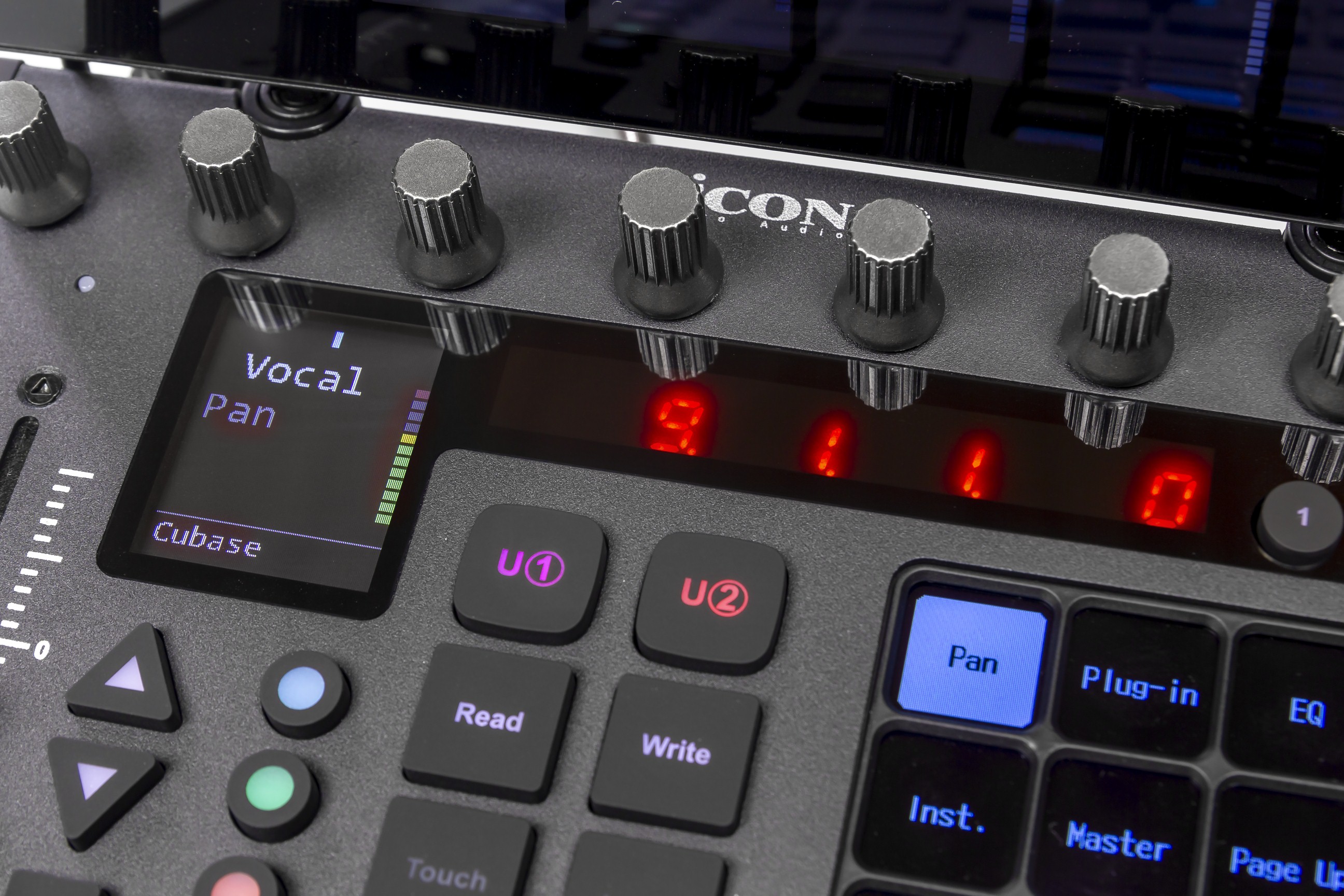
Two additional displays provide information. The LED display shows timecode or musical position. The display beside the fader shows channel information, signal level and current value.
Eight push encoders sit at the top. Unlike fixed channel buttons, their functions change with operating mode and user assignments.
The high-precision 100 mm motorized, touch-sensitive fader matches those in expensive iCON controllers. It is fast and offers fine level adjustment.
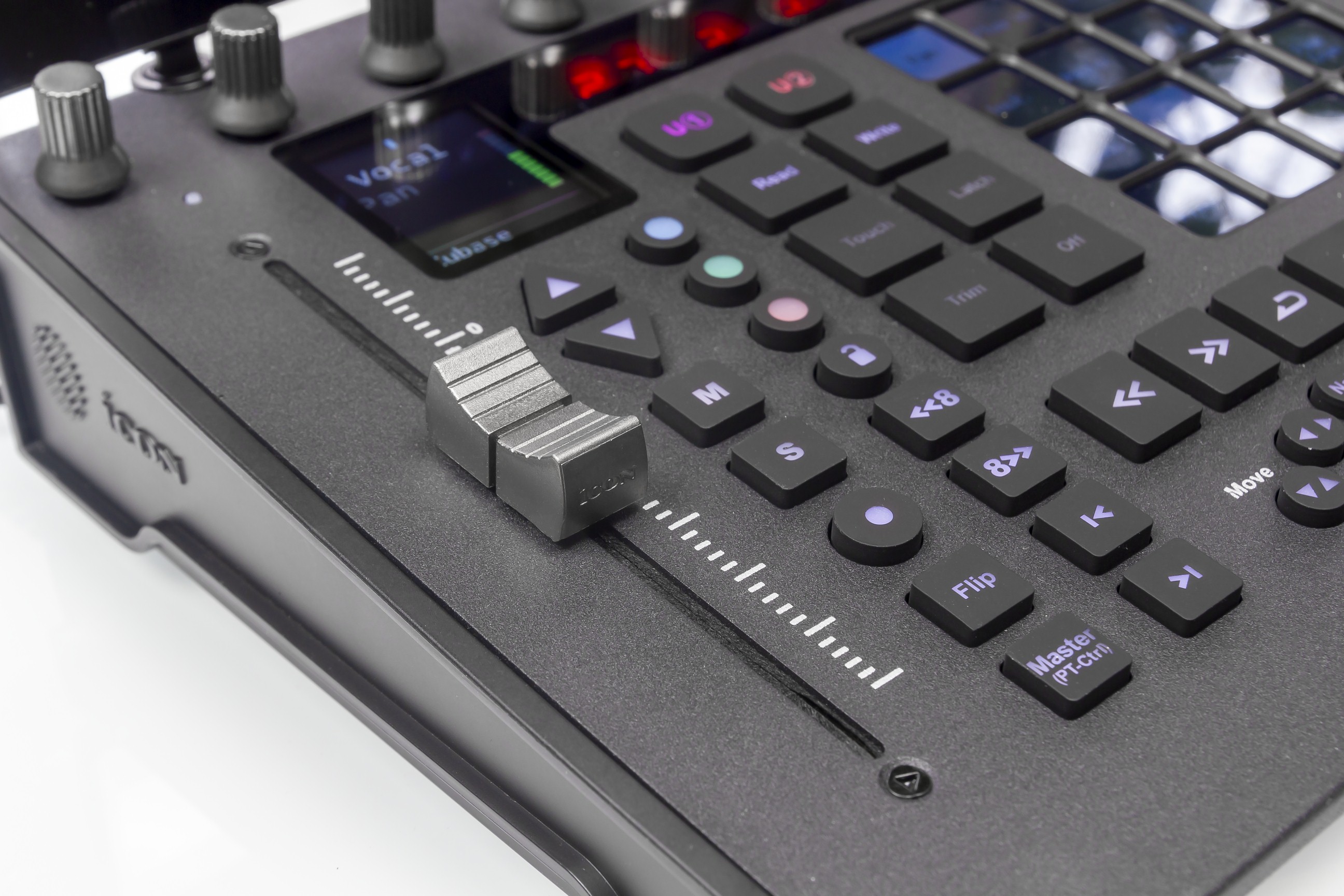
The fader section has Solo, Mute, Rec and Flip. Arrow buttons move through channels, with additional eight-channel bank switching inherited from larger models. Another button switches directly between the current channel and master.
Transport buttons sit above the jog wheel near the bottom. We find this position less convenient: frequently used play and stop buttons are too close to the wheel. Move and Zoom are welcome, allowing the jog to navigate project or mixer elements and zoom a track or project window.
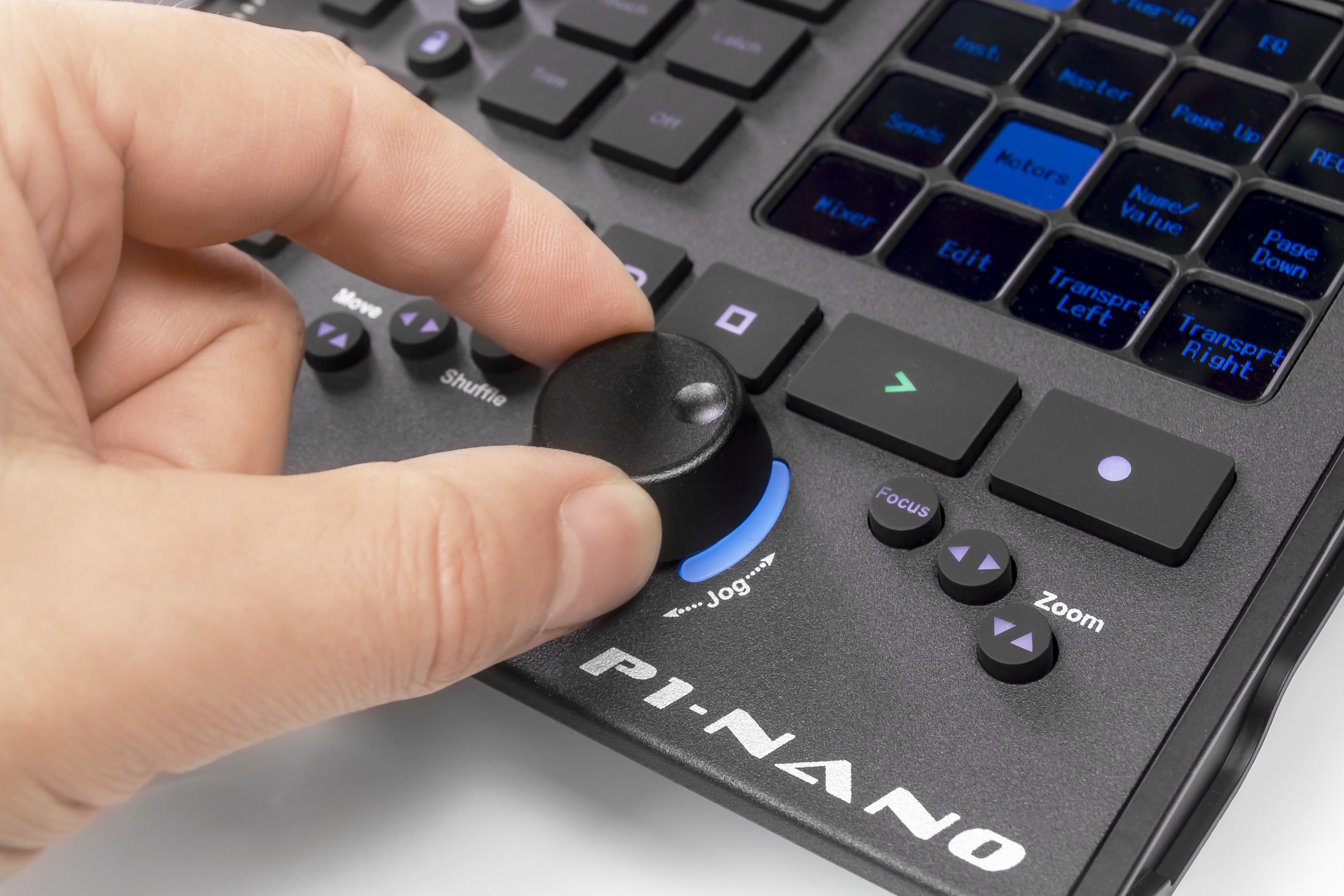
Focus is another useful mode. It lets users point the mouse at a parameter and adjust it with the jog. High resolution gives smooth changes, useful for automation. Normally, the jog moves the project timeline cursor.
The optional iCON D5 LCD module can be added to P1 Nano.
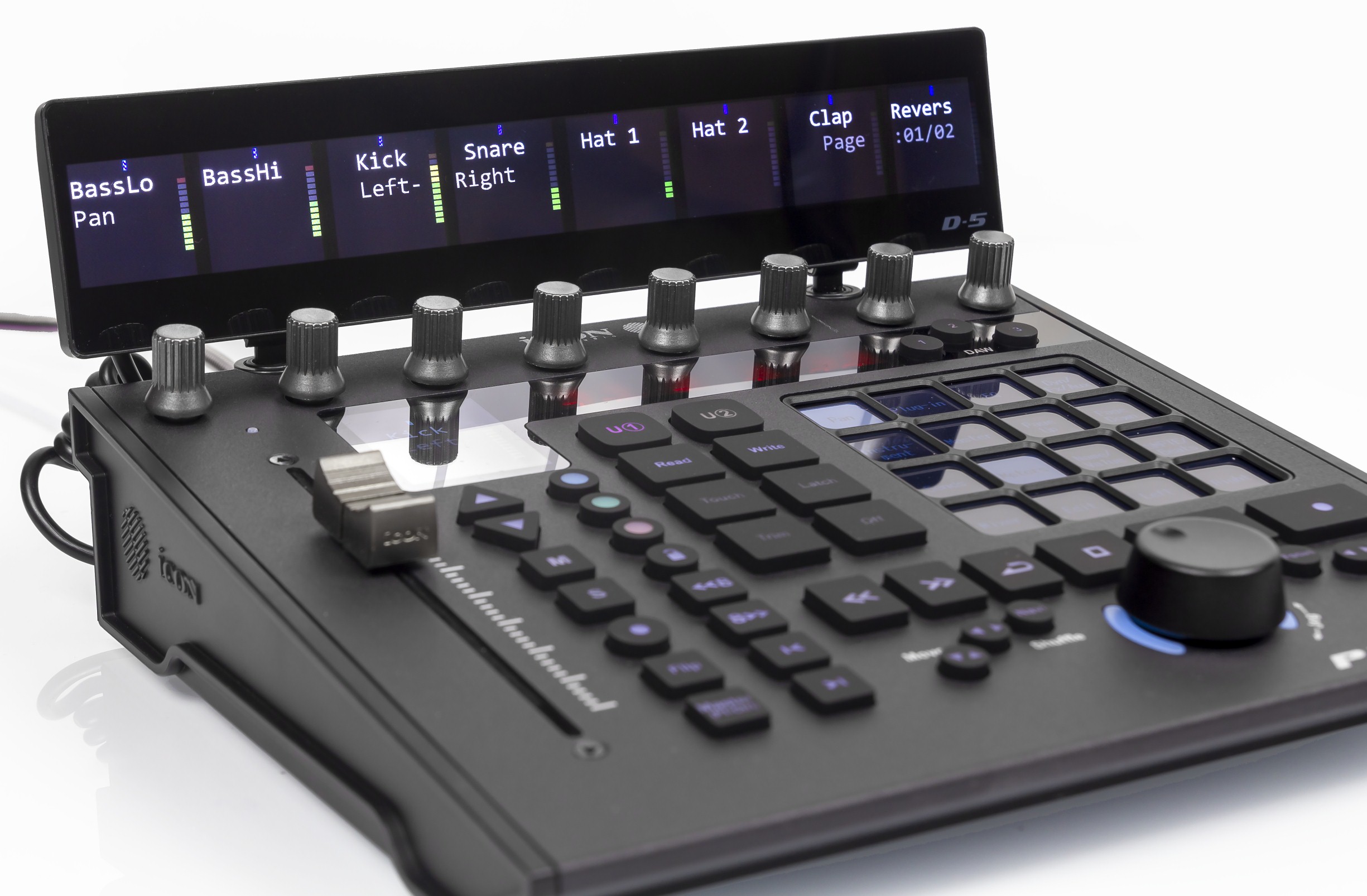
Its eight sections correspond to channels, showing track name, signal level and pan. Edit mode replaces names with parameter labels and numeric values. The controller works without it, but the extra display makes software interaction more complete.
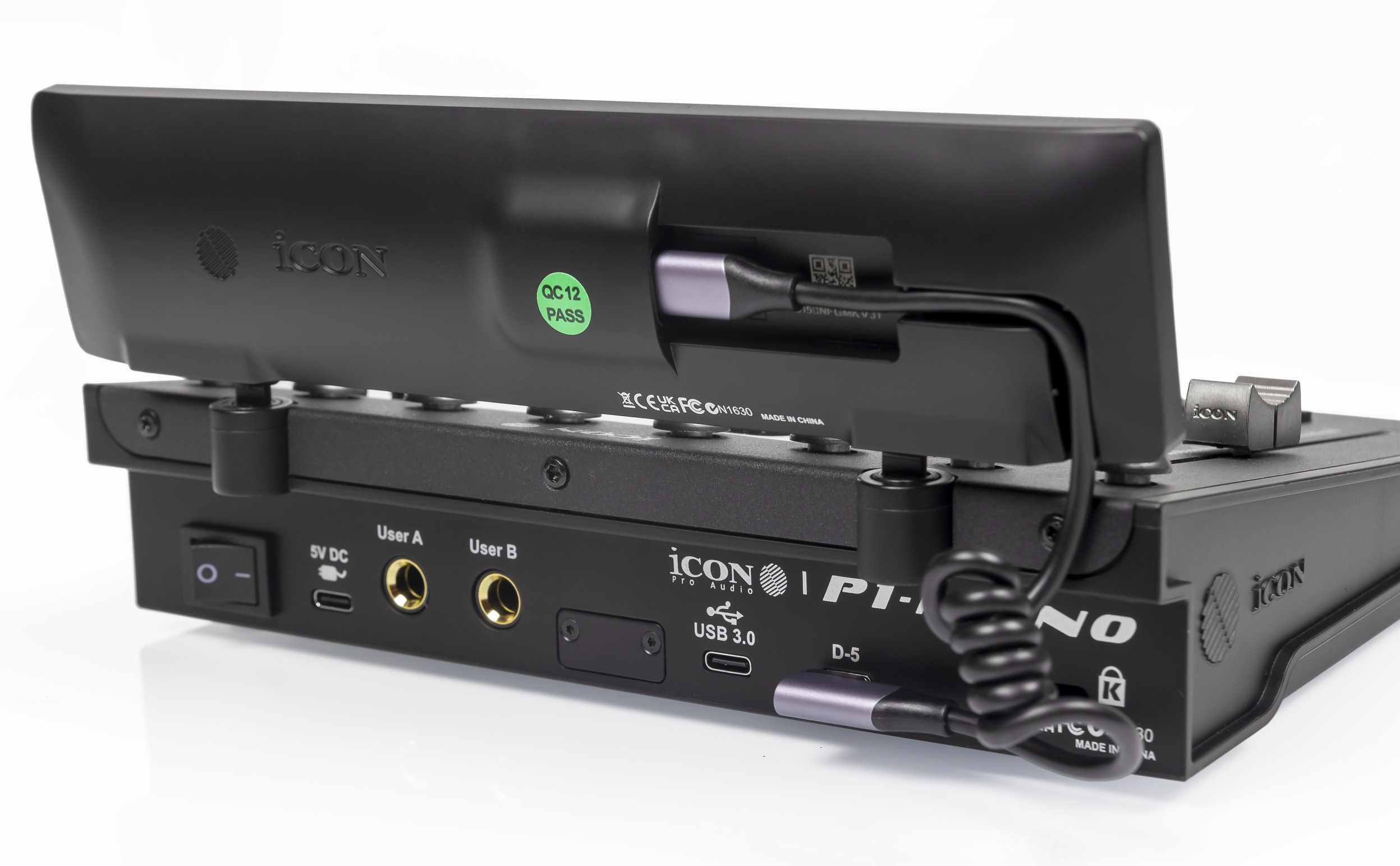
The D5 fits dedicated holes and is held securely by magnets. Hinges adjust viewing angle to avoid glare. A dedicated USB connection links it to the controller, using the supplied short coiled cable with a right-angle plug.
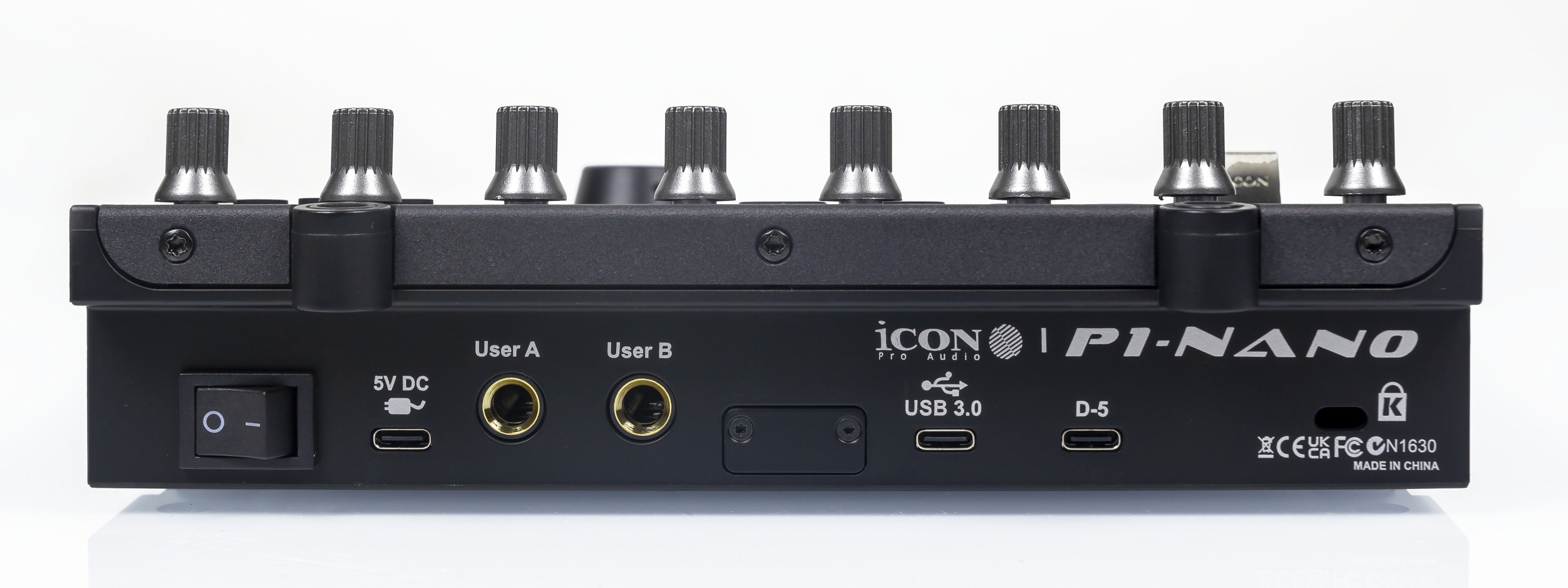
P1 Nano connects through USB Type-C. Bus power normally suffices. If not, a separate socket accepts an external 5 V adapter. TRS sockets connect foot pedals for additional DAW functions.
No dedicated driver is needed. Mackie Control and HUI handle communication. The manual provides application setup instructions with screenshots.
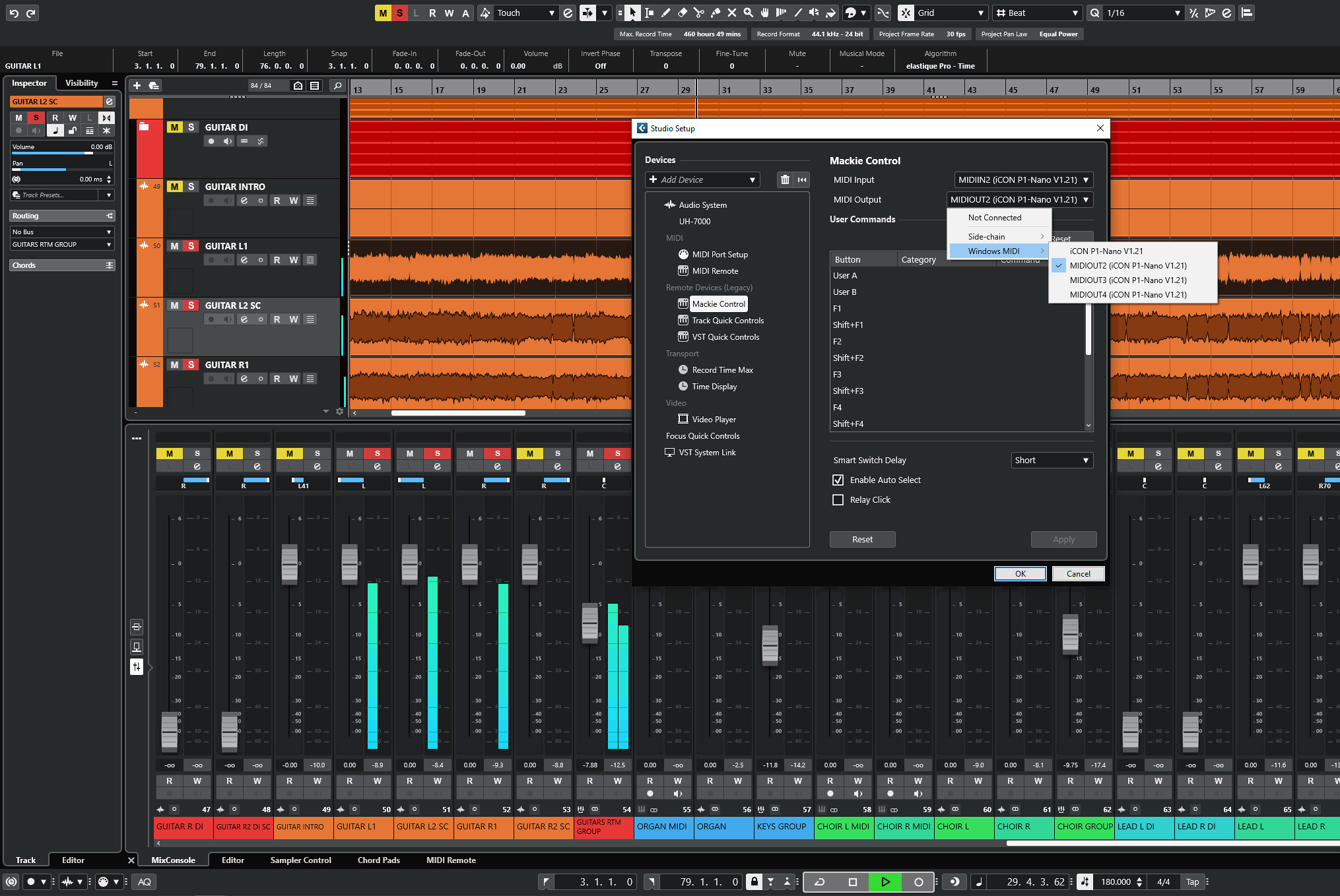
We used P1 Nano in Cubase and had very positive impressions. Many functions are organized conveniently into presets. Factory assignments are useful, but we made our own for frequent tasks. Navigation and zoom buttons were especially helpful. Learning took some time, with brief confusion initially, but operation became more comfortable with practice. The fader works reliably, handles fine changes well and moves quickly between channel positions. The only drawback remains transport-button placement; we would prefer those buttons below the jog.
Conclusions
The iCON P1 Nano is an excellent affordable compact controller. Attractive design and many controls largely repeat P1-M functions. It is among the best compact DAW controllers available. Three-DAW switching and extensive customization are especially strong features for us.
For large mixes, the eight-channel P1-M is preferable, with later P1-X fader expansion. DAW control functions are similar, but several faders make the workflow significantly easier.
Note. This is an adapted machine translation into English. It follows the “In simple terms” approach. Read the original article at https://prosound.ixbt.com/keyboards/icon-p1-nano.shtml.