
Arturia KeyLab Essential 61 MK3: five-octave MIDI keyboard from the updated KeyLab Essential range
Arturia KeyLab Essential 61 MK3 belongs to the third generation of MIDI controllers introduced in 2023. We recently reviewed the four-octave KeyLab Essential 49 MK3 from this series. Today we will look at the five-octave KeyLab Essential 61 MK3.
KeyLab Essential controllers are Arturia's most affordable devices for working with its software. They offer functions similar to the flagship KeyLab range, in a more portable and affordable package. However, close software integration is not their only strength: they are good MIDI keyboards in their own right. Even without Analog Lab, an Arturia controller is a strong choice for an inexpensive general-purpose keyboard.
KeyLab Essential MK3 keyboards include Analog Lab, Ableton Live Lite, UVI Model D, Native Instruments The Gentleman, a two-month Loopcloud subscription, and 40 interactive Melodics lessons.
What is new in the third generation? First, the display is larger, has higher resolution, and shows more information. It now displays graphical context menus as well as numbers. The case and controls have also changed slightly. The edges are rounded, and the buttons are easier to use and identify. KeyLab Essential still comes in two finishes: white or black.

A USB Type-C port now connects the keyboard to a computer. Software control has been revised, but the basic approach remains the same. The keyboard can control Analog Lab instruments, some DAW parameters, and external synthesizers connected through MIDI out, almost at the same time. At publication, KeyLab Essential supports five popular DAWs: Ableton Live, Logic Pro, Bitwig Studio, FL Studio, and Cubase. Other DAWs can use custom configurations through MCU/HUI.

For full DAW support, install the drivers and script that map the controls correctly in your software. Arturia's website has detailed installation instructions for each supported DAW. After these simple steps, KeyLab automatically recognizes the sequencer. You only need to switch to DAW mode.
Arturia virtual instruments need no additional setup. Whether Analog Lab runs on a track or as a standalone application, the keyboard controls its main parameters. Searching the large Analog Lab preset collection directly from KeyLab Essential is very convenient.

The large, high-resolution display shows the preset name, its instrument icon, and the selected category. The large knob below the display browses presets; pressing it loads the selection. Presets can also load one after another within a category, making sound selection faster. Everything can be done on the controller, without using the computer.
New context buttons below the display make operation and mode changes much easier. As before, adjusting a parameter immediately shows its name and adjustment range. After a short time, the display returns to the previous mode or menu.
Revised buttons have brighter lighting and clearer contrasting labels. Transport adds TAP for tapping a rhythm. Other functions now include Save, Quant, Undo and Redo.

The pads have also been revised. They are slightly larger and easier to play. Bright RGB lighting accompanies velocity and pressure sensitivity. Pads can play notes, switch modes, trigger samples, or control DAW functions. By default, they play eight chromatic notes starting at E below middle C. An alternative bank provides eight more notes starting at middle C. The menu allows assignment of any other notes.
In DAW mode, pad functions depend on the software. In Cubase, for example, pads can create a track, duplicate a selection, render a selected region, freeze a track, and more. Ableton and Bitwig support sample launching in Scene View and note playback in the built-in drum instrument.


The faders and buttons are mostly unchanged. Labels have disappeared, and the knobs now match the case color. There are still nine endless encoders and nine short-travel faders. These have several operating modes. In instrument mode, they control Analog Lab macros.

A macro panel at the bottom of Analog Lab visually matches the keyboard controls. Assignments differ between presets, but usually cover the parameters that most strongly shape the sound. Labels on KeyLab Essential are therefore unnecessary. DAW mode provides mixer and track control. Assignments vary slightly between applications, but usually cover the first eight mixer channels' volume and pan. Track mode shifts control to the selected channel's plug-in.

The arpeggiator, chord modes, and scale modes are unchanged and can still work together. Previously, a stored chord or scale was lost when power was turned off. It now remains in memory. Common chords in different inversions are already included.
Scale mode prevents notes outside the chosen scale, making it easier to play sequences that fit. The display clearly shows the notes in the selected scale. There are 16 presets, from major and minor to less common Arabic scales. A user preset allows creation of a custom scale.

USB bus power means no additional adapter is needed. A USB Type-C port connects the controller to a computer, and a suitable cable is supplied. A full-size MIDI output connects hardware synthesizers. A TRS socket supports different pedal types.
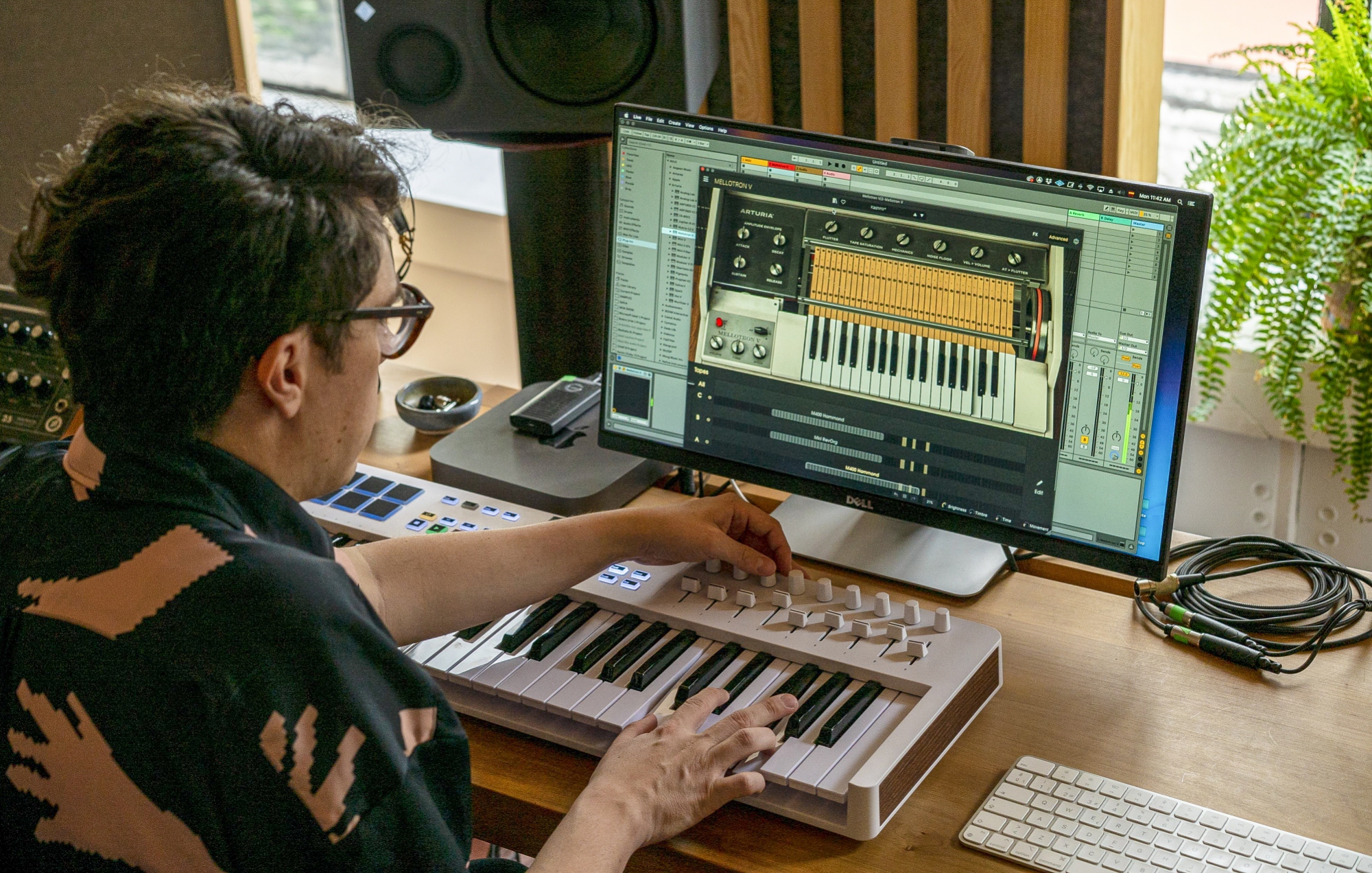
KeyLab Essential 49 MK3 and 61 MK3 use the same velocity-sensitive synth action. As noted earlier, it is very good. The keys are light and fast, without loose movement or excessive noise during intense playing. Among inexpensive entry-level controllers, the KeyLab Essential keyboard is one of the best options.
Conclusions
The new Arturia KeyLab Essential MK3 generation looks excellent. These controllers remain among the most affordable MIDI keyboards with a wide range of controls. They now have a more useful display and revised control options. The KeyLab Essential 61 MK3 reviewed today differs from the smaller KeyLab Essential 49 MK3 only in its key count. The choice therefore depends on whether you need the extra octave.
Note. This is an adapted machine translation into English. It follows the “In simple terms” approach. Read the original article at https://prosound.ixbt.com/keyboards/arturia-keylab-61mk3.shtml.