
Mackie DLZ Creator – digital mixing console for content creators
Maxim Liadov
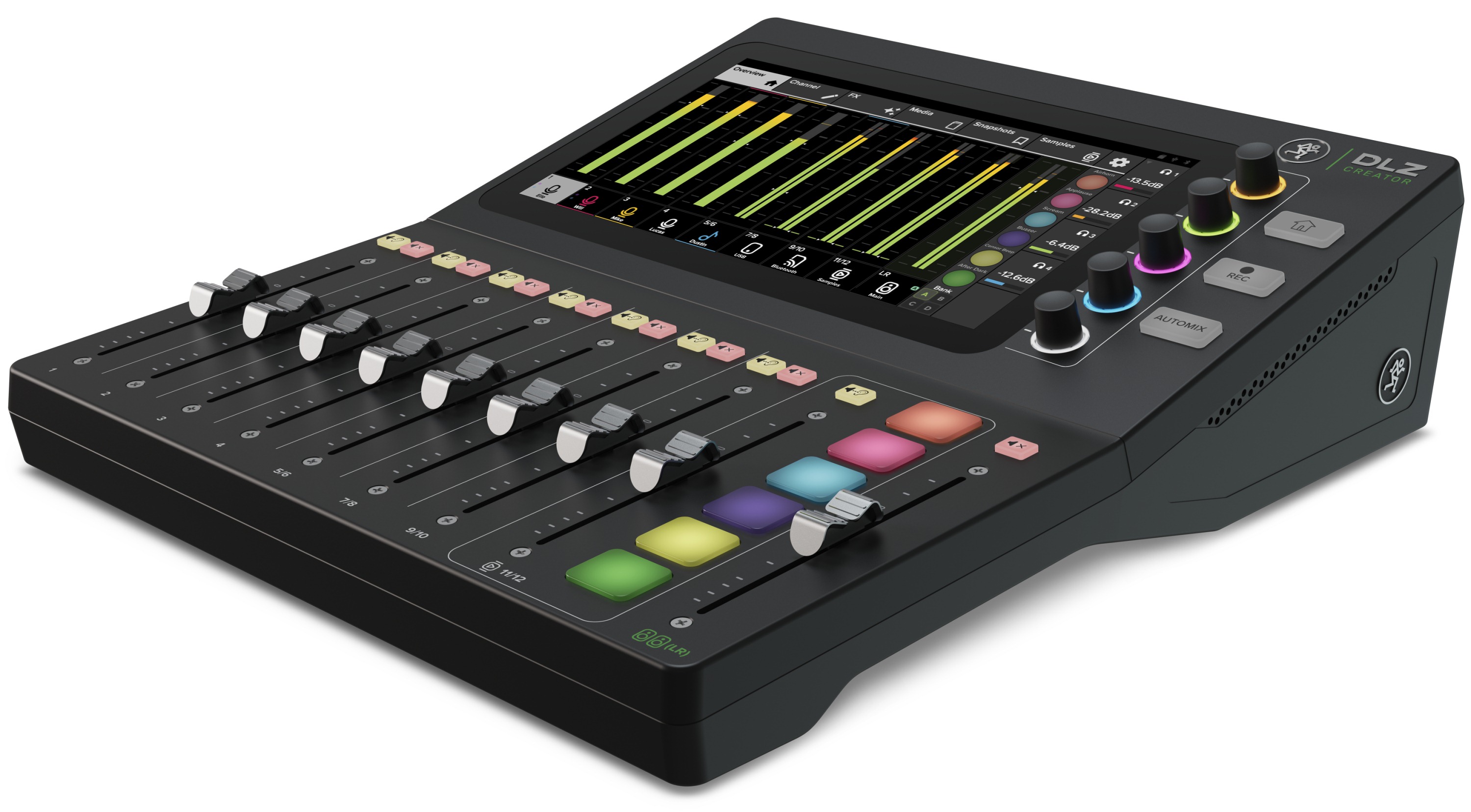
Mackie's American engineers continue introducing unusual products. We recently reviewed the Mackie M-Caster Live mixer for bloggers, a convenient partner for smartphone video with a very friendly user interface. Today we test the flagship DLZ Creator digital mixer, following the same approach. It goes further, offering three modes for different experience levels. Beginners get ready-made presets, while professionals retain access to detailed settings.
If you prefer video, watch our 4K review. We recommend full-screen playback:
There are also useful Russian-language tutorials on the Mackie Russia channel..
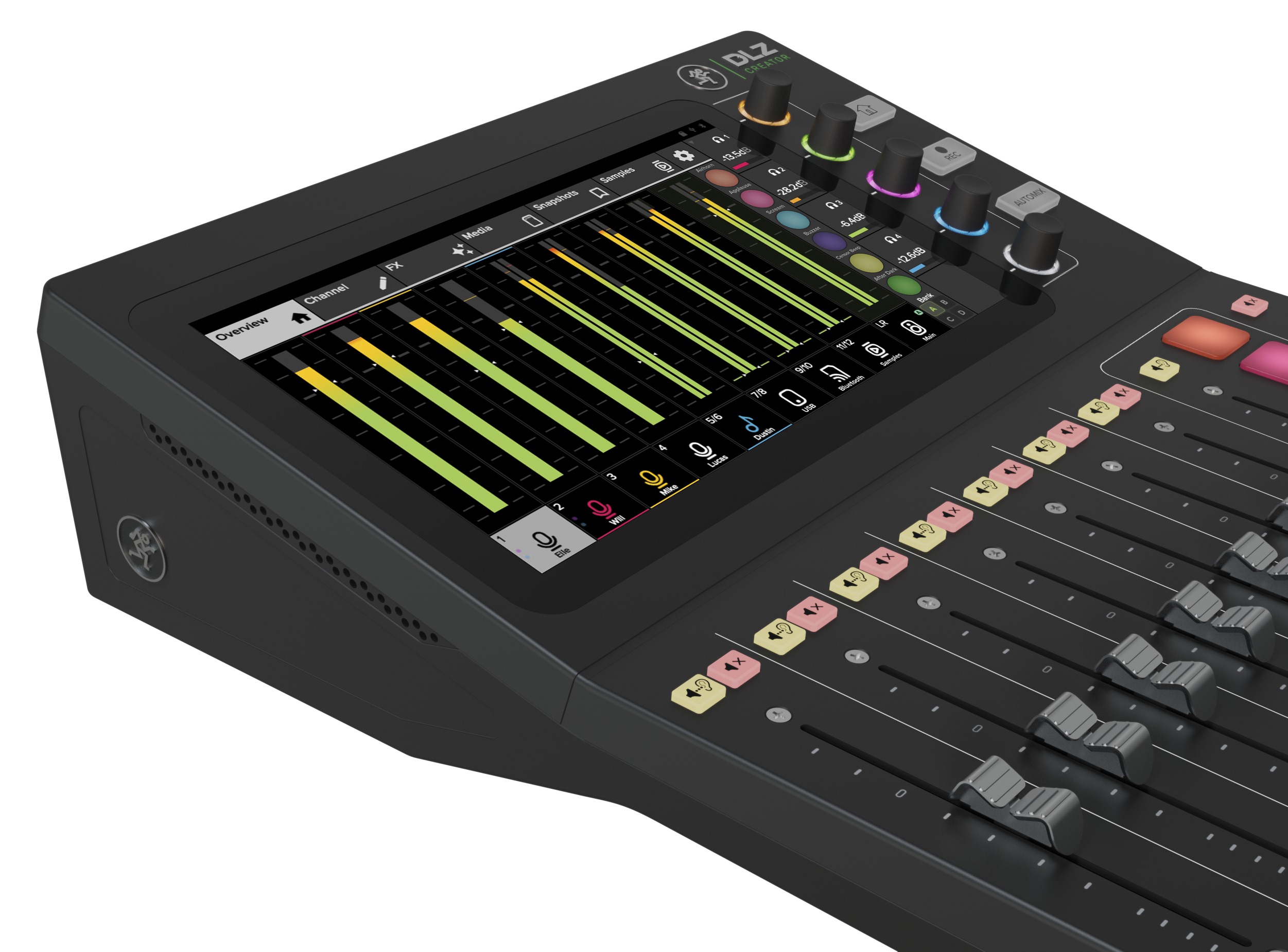
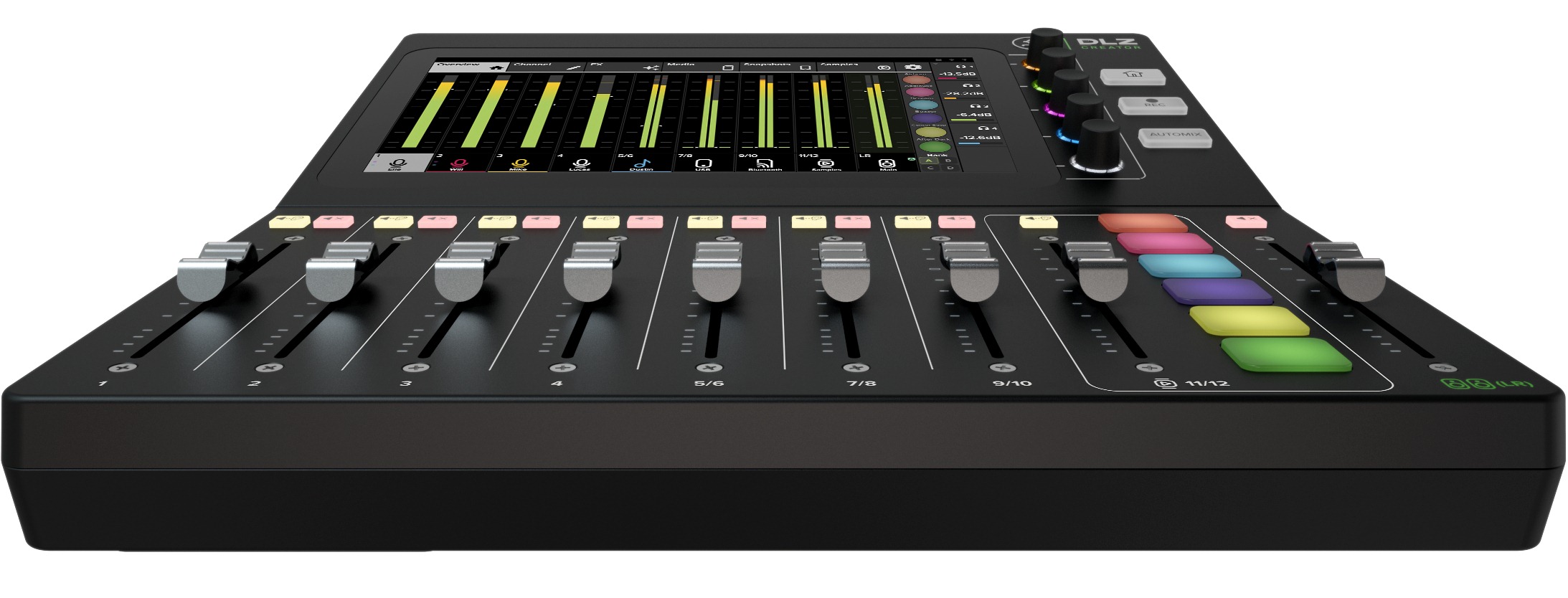
The Mackie DLZ Creator is quite large. An impressive 10-inch colour touchscreen shows an attractive, convenient settings interface. It complements rather than replaces the physical controls.
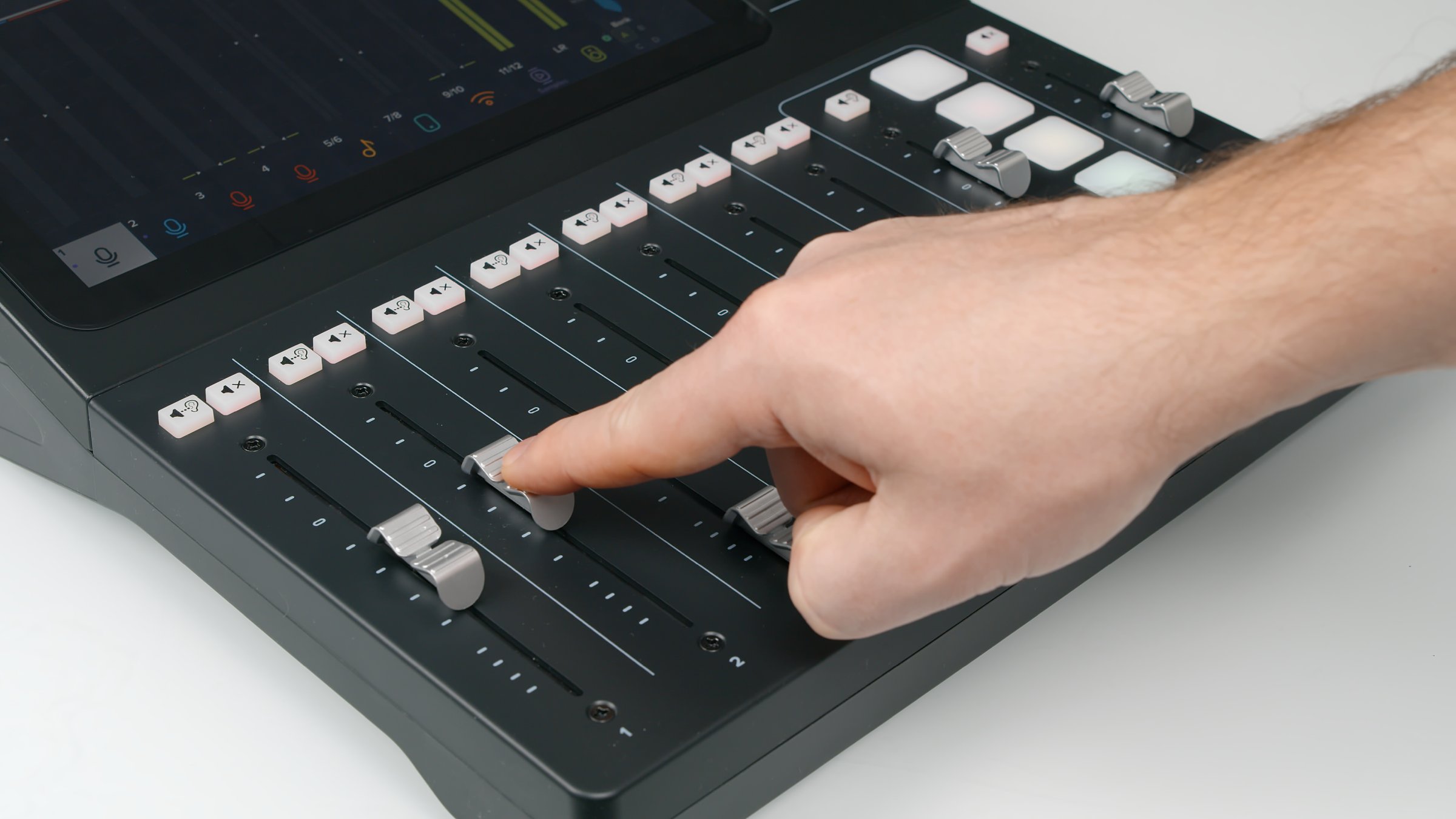
The design clearly targets broadcasting. Smooth, long-travel 100 mm faders set channel levels precisely, with enough spacing to avoid accidental moves. Mackie's experience shows: the layout is carefully planned and matches professional broadcast consoles. Dedicated channels handle USB, Bluetooth and built-in jingles. The mixer can also operate without a computer, recording to USB storage or SD card, as described below.
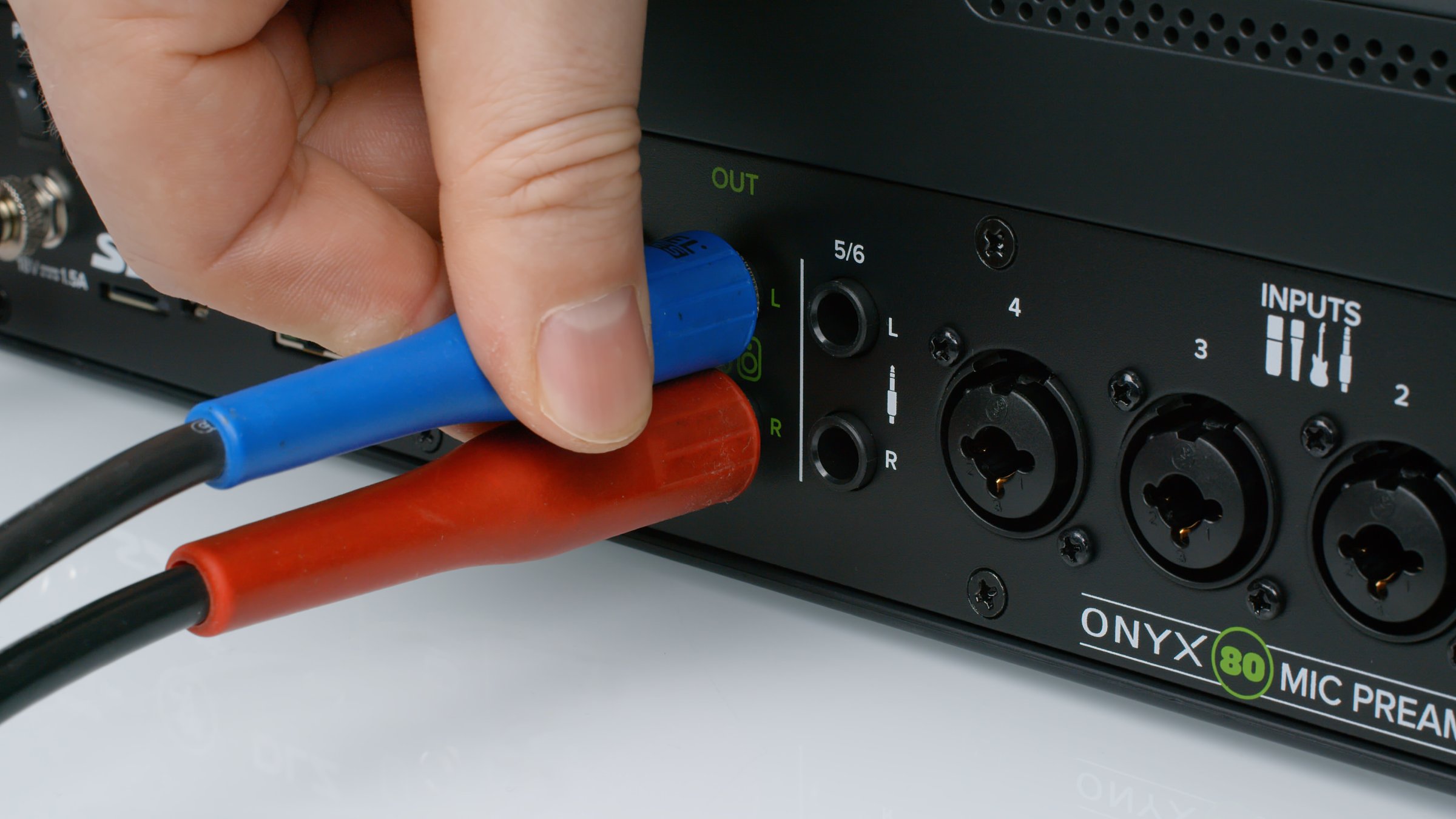
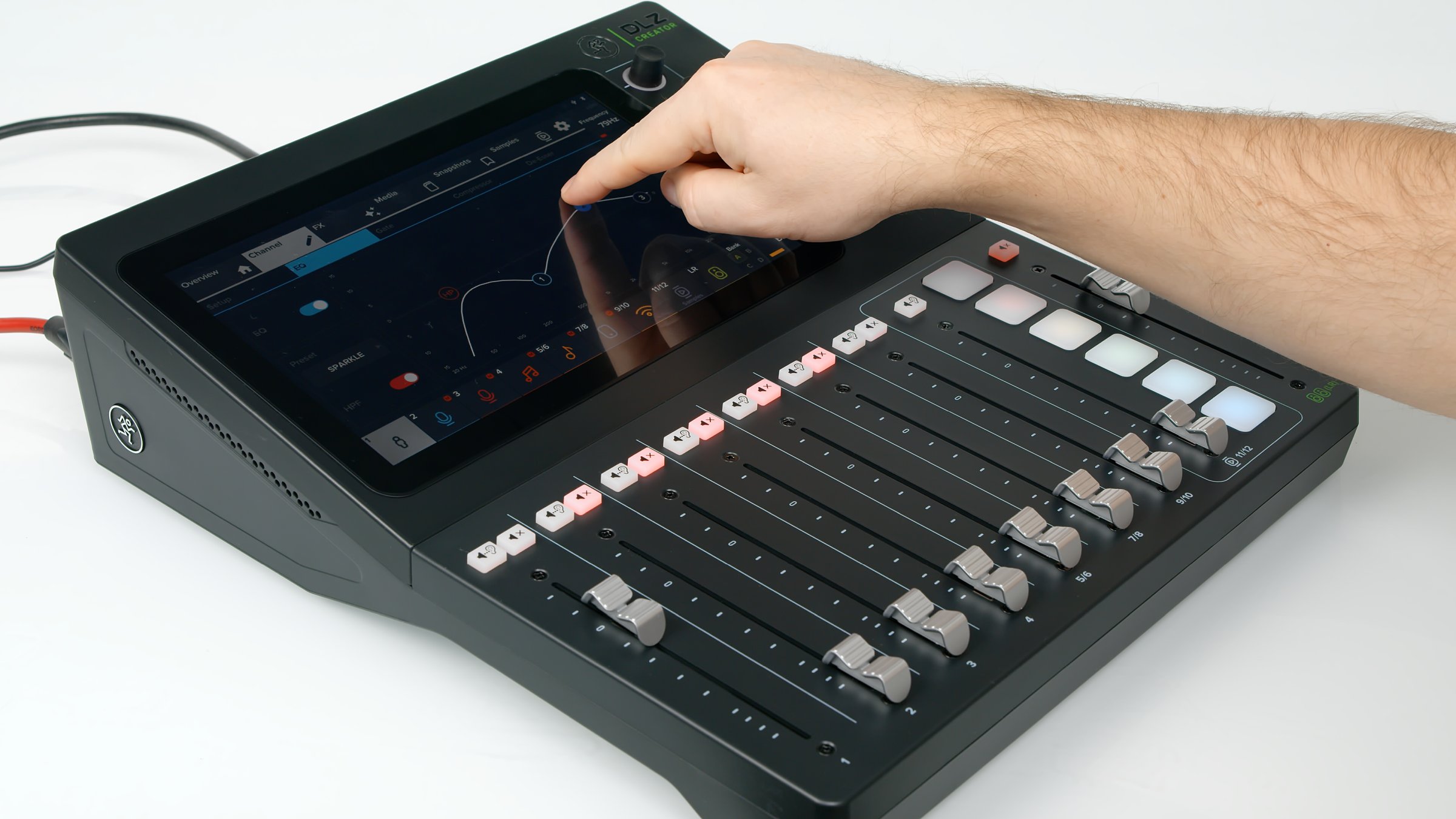
The DLZ Creator can also serve as a conventional event mixer. Full-sized balanced analogue outputs connect PA speakers.
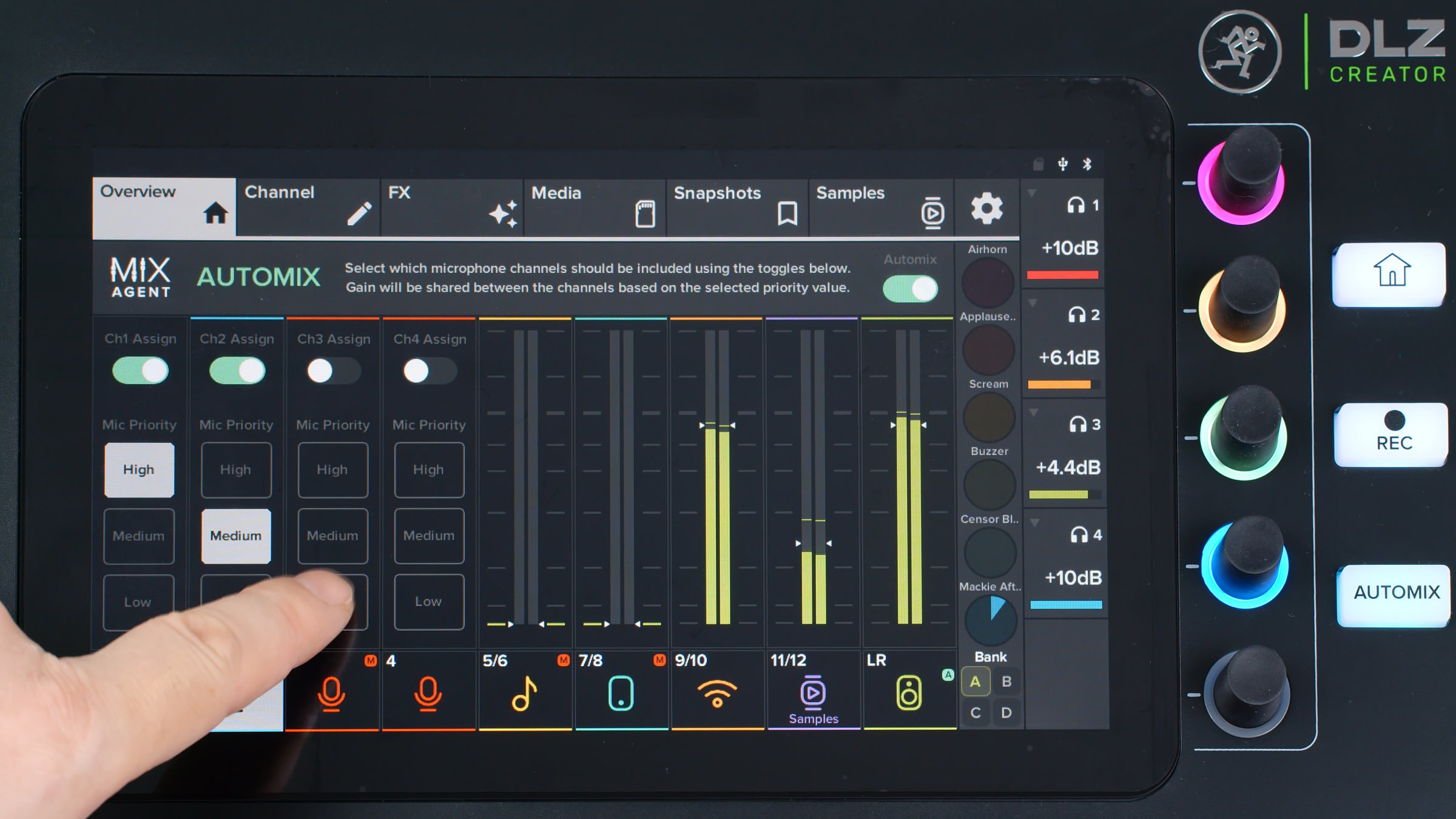
AUTOMIX can manage a broadcast without a separate operator. Set microphone priorities and it keeps the host's voice above other channels, preventing excited guests from overpowering the host. Physical faders and channel MUTE buttons still work.
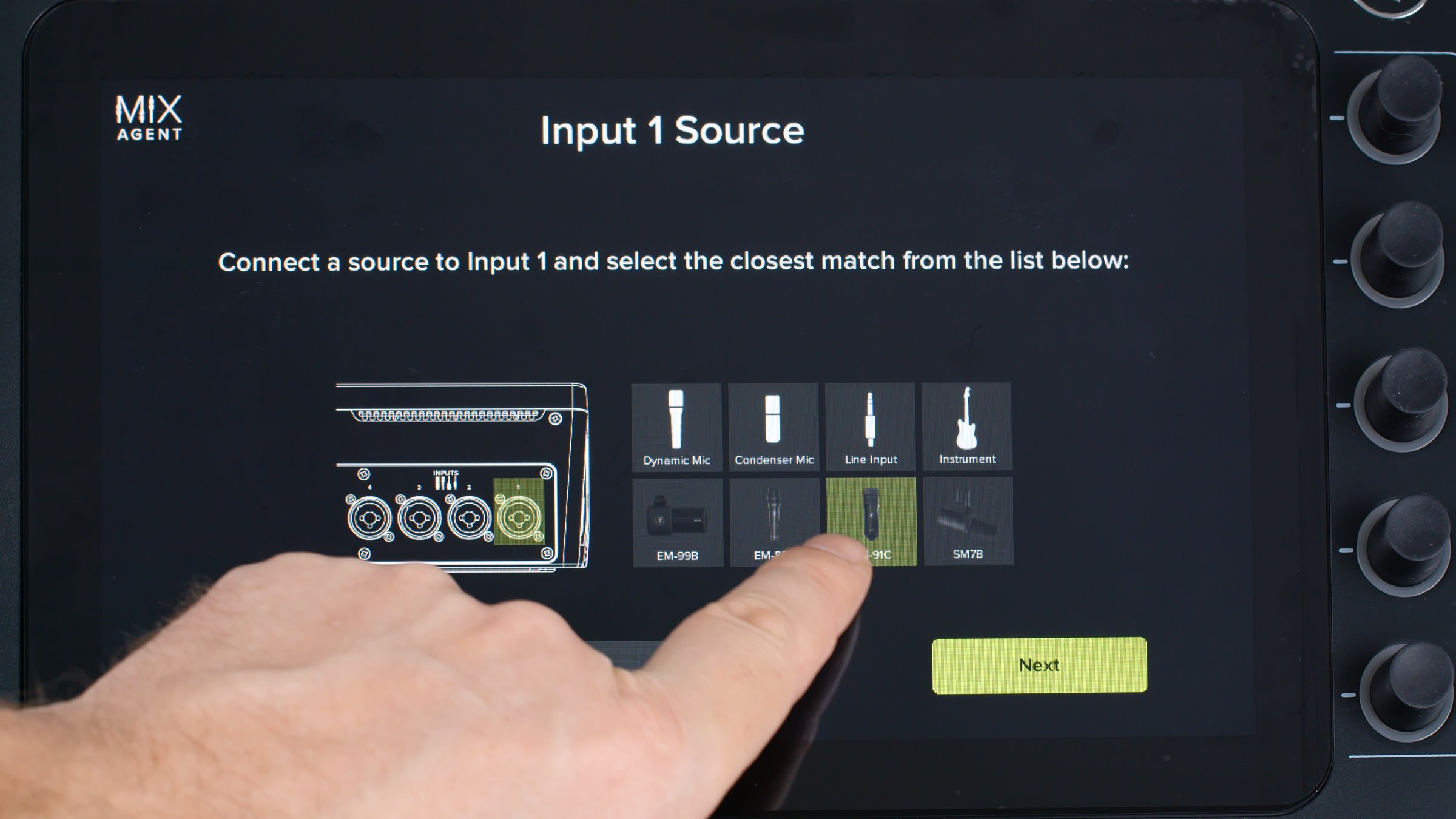
EASY mode replaces manual settings with input presets and automatic microphone gain. Speak for a few seconds and the mixer chooses a gain setting. You can adjust it manually afterwards if needed.
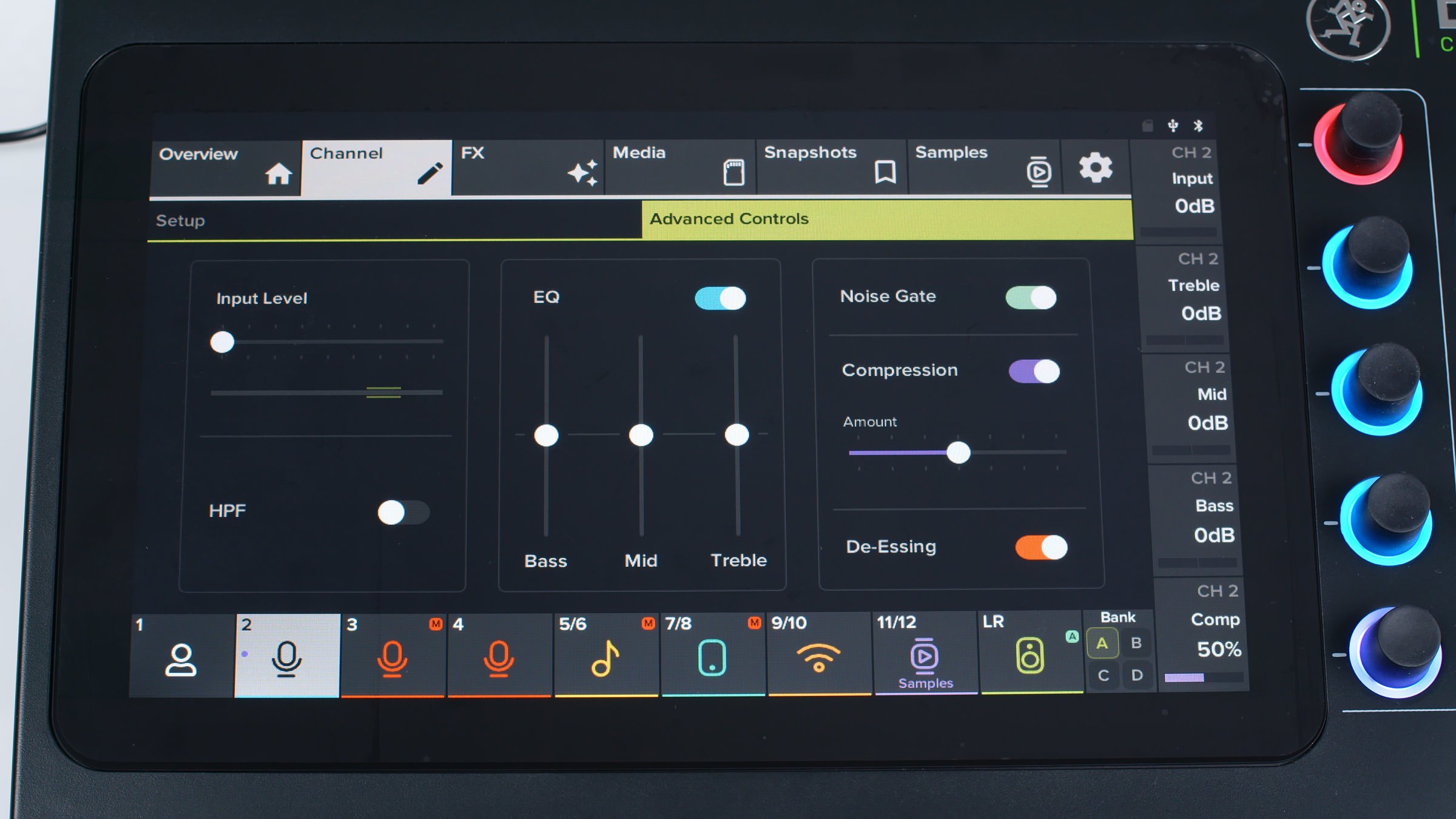
Enhanced mode keeps these functions and adds an EQ, gate, compressor and de-esser tab. These can be switched on or off without detailed adjustment.
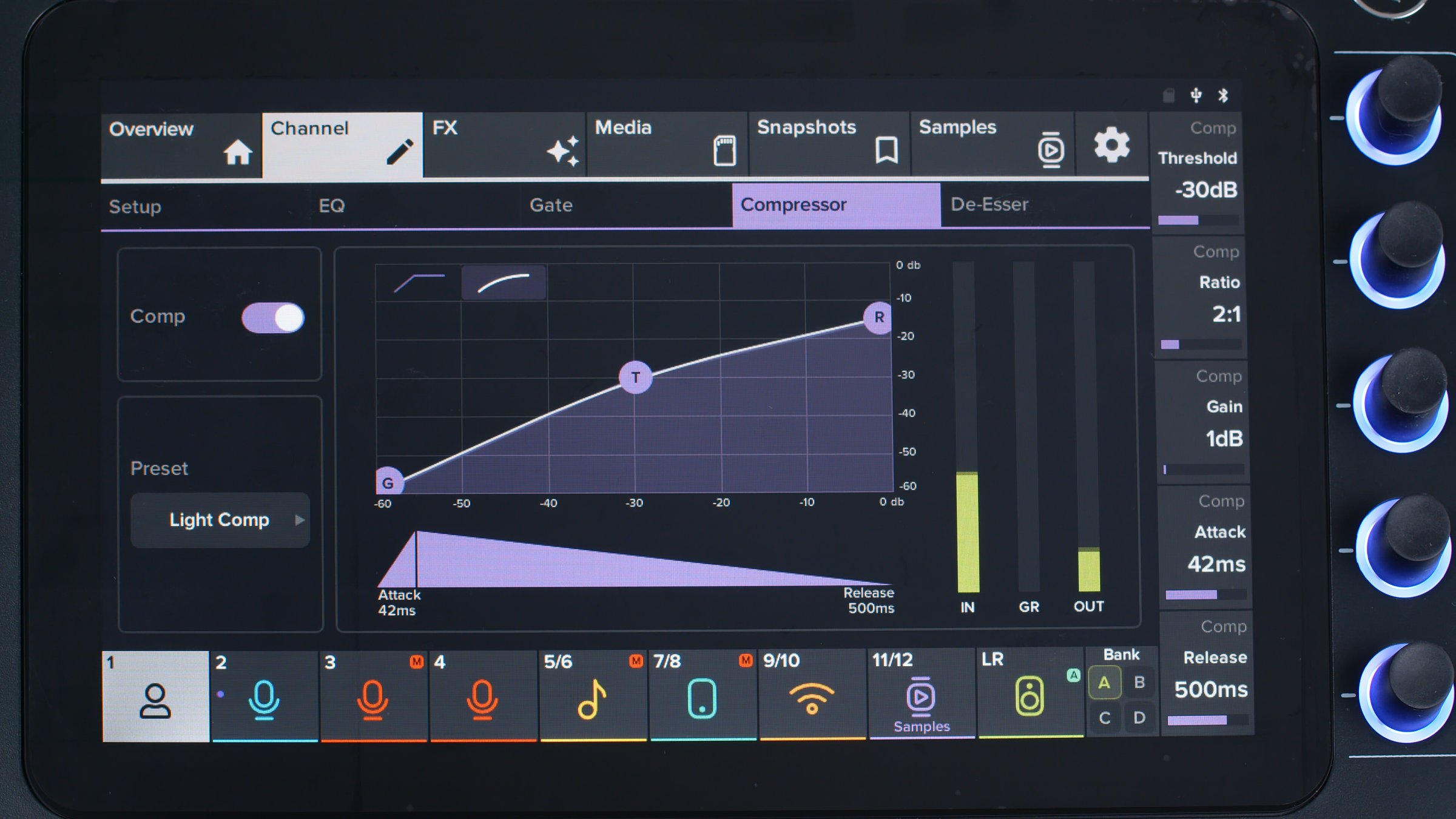
PRO mode gives full access to mixer functions and all hardware processing parameters. We recommend it because it includes controls such as compressor soft knee, attack and release. Presets remain available, so beginners need not be afraid of this mode.
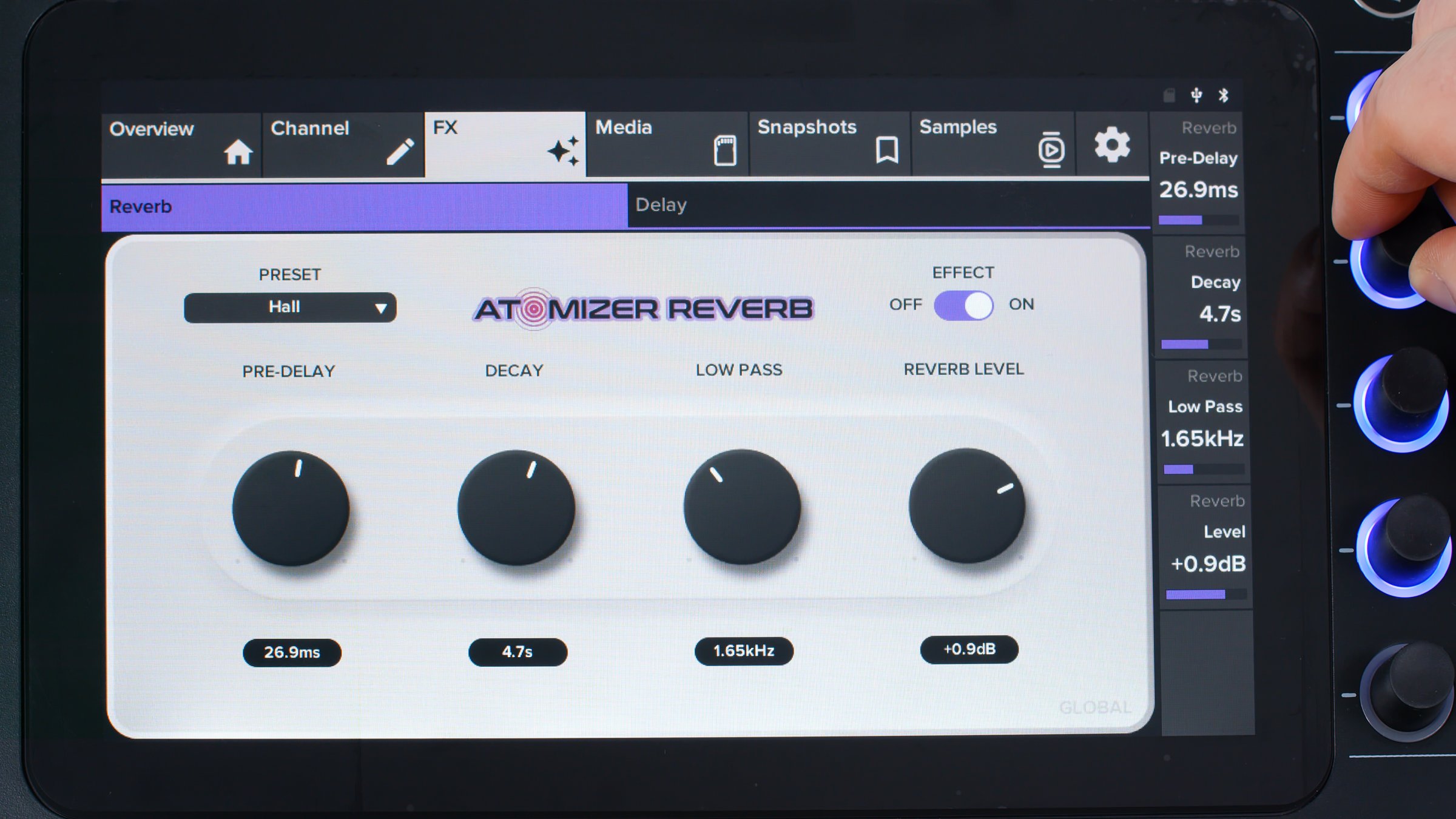
The reverb and delay buses offer parameter adjustment as well as presets. These are useful for vocals and instruments during musical performances.
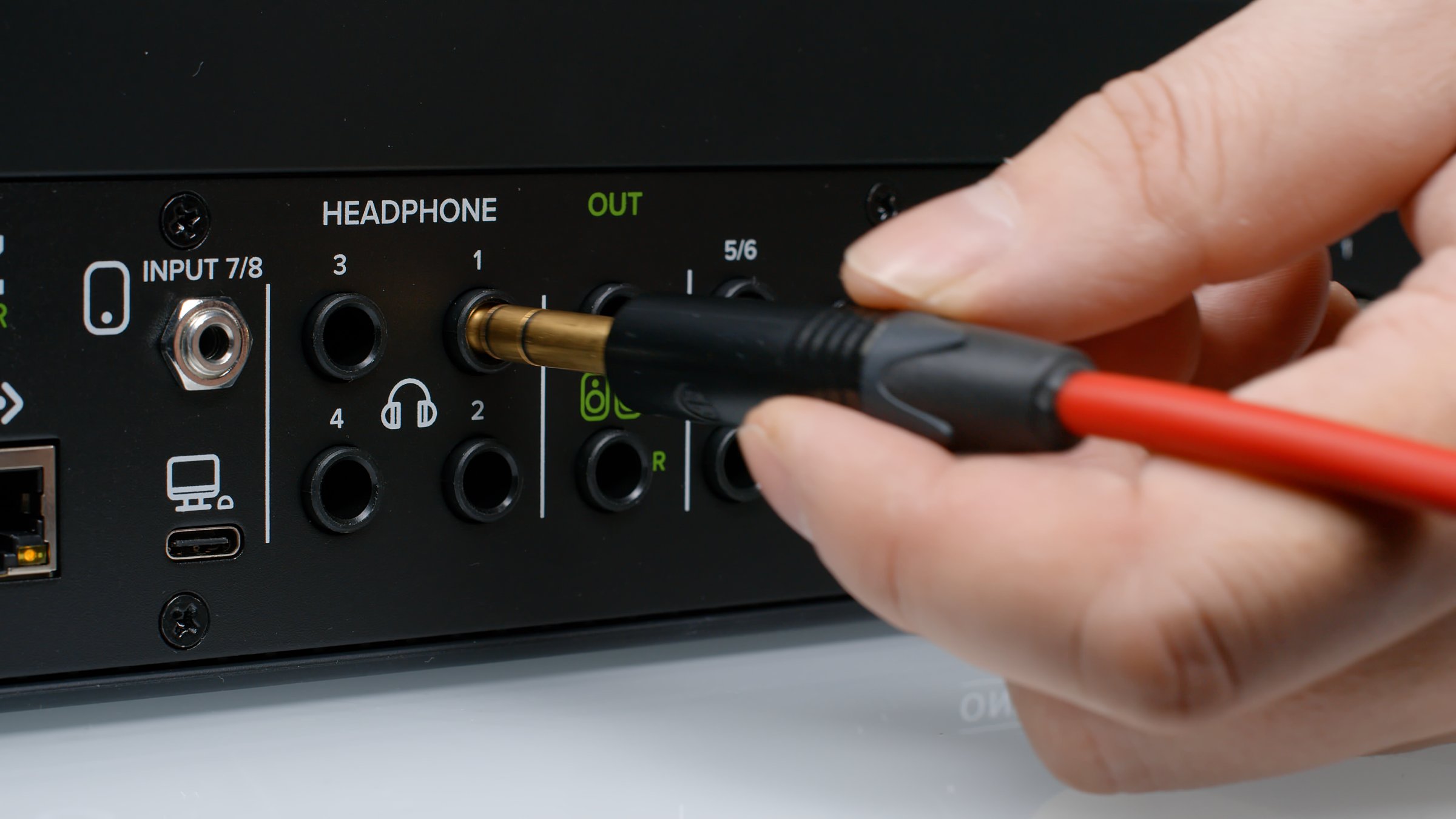
Multiple headphone outputs are often missing from conventional mixers and audio interfaces. The DLZ Creator has four.
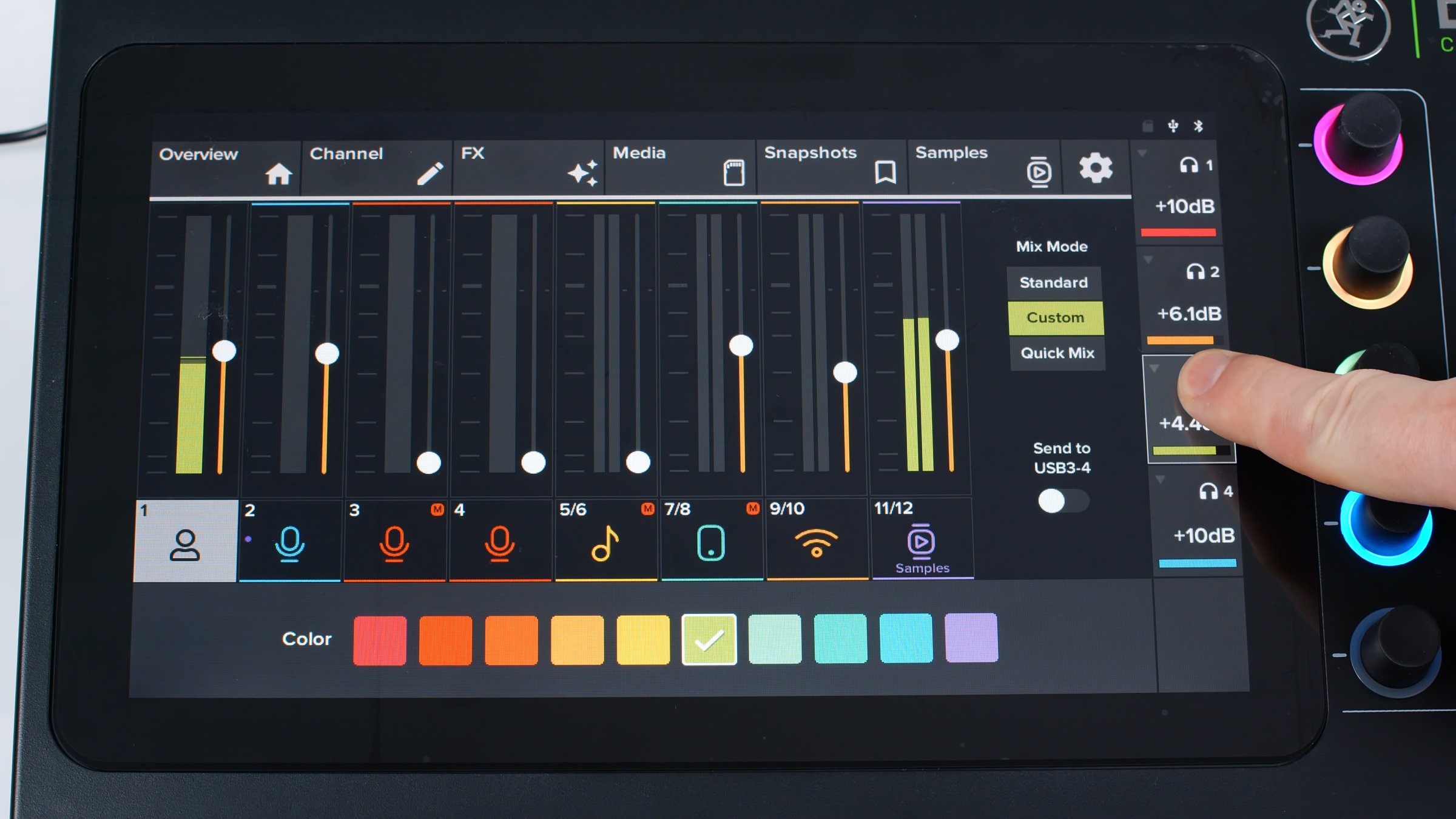
They are independent and have their own channel submixes, as on expensive professional consoles. There are three submix types. Standard follows the main fader positions. Another mode creates an independent submix. Quick Mix changes relative levels. These are impressively advanced options.
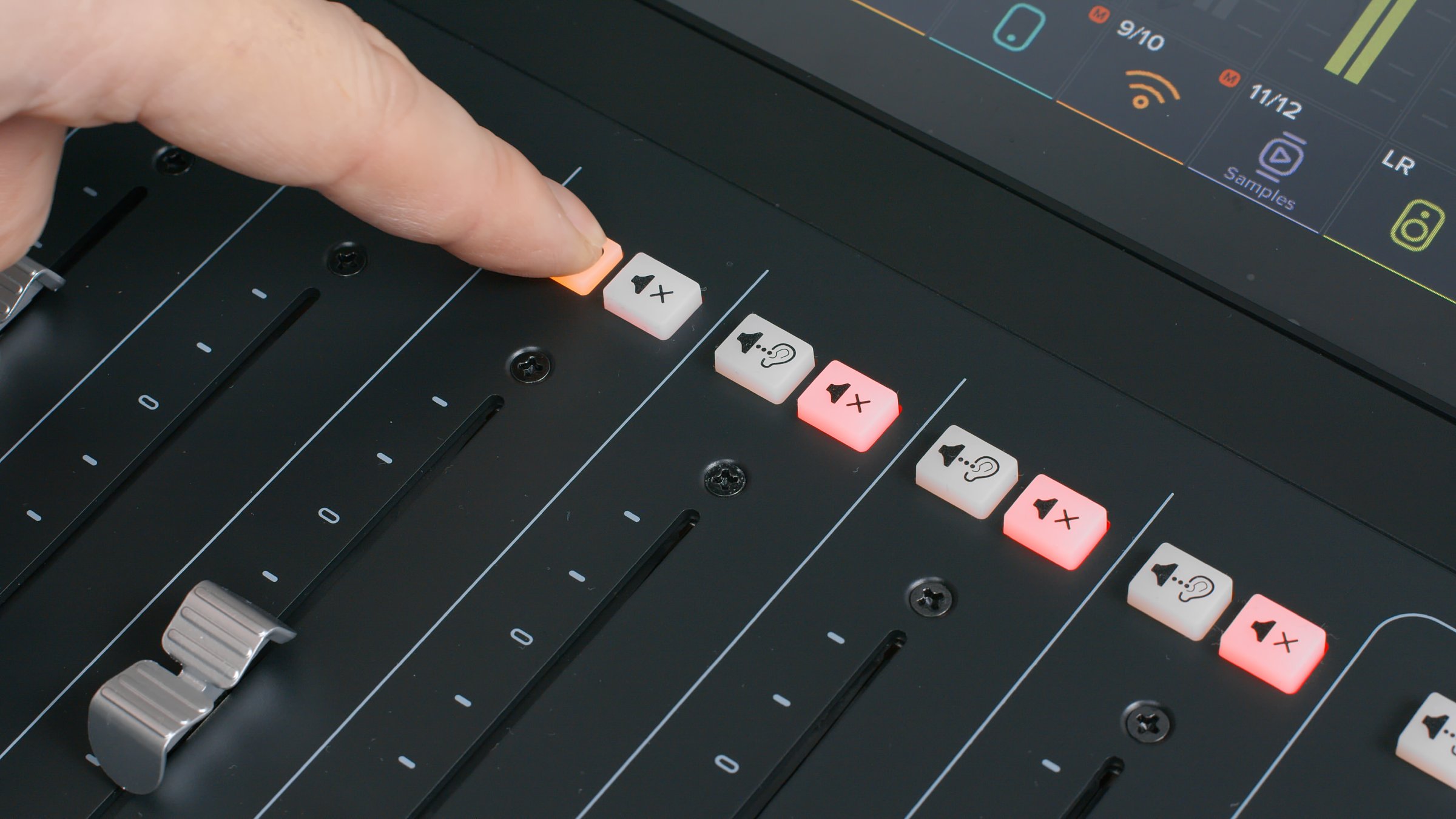
Alongside MUTE, a pre-listen button checks audio before broadcast. Mackie calls it SOLO, but it differs from the usual DAW function: audio goes only to the first headphone output.
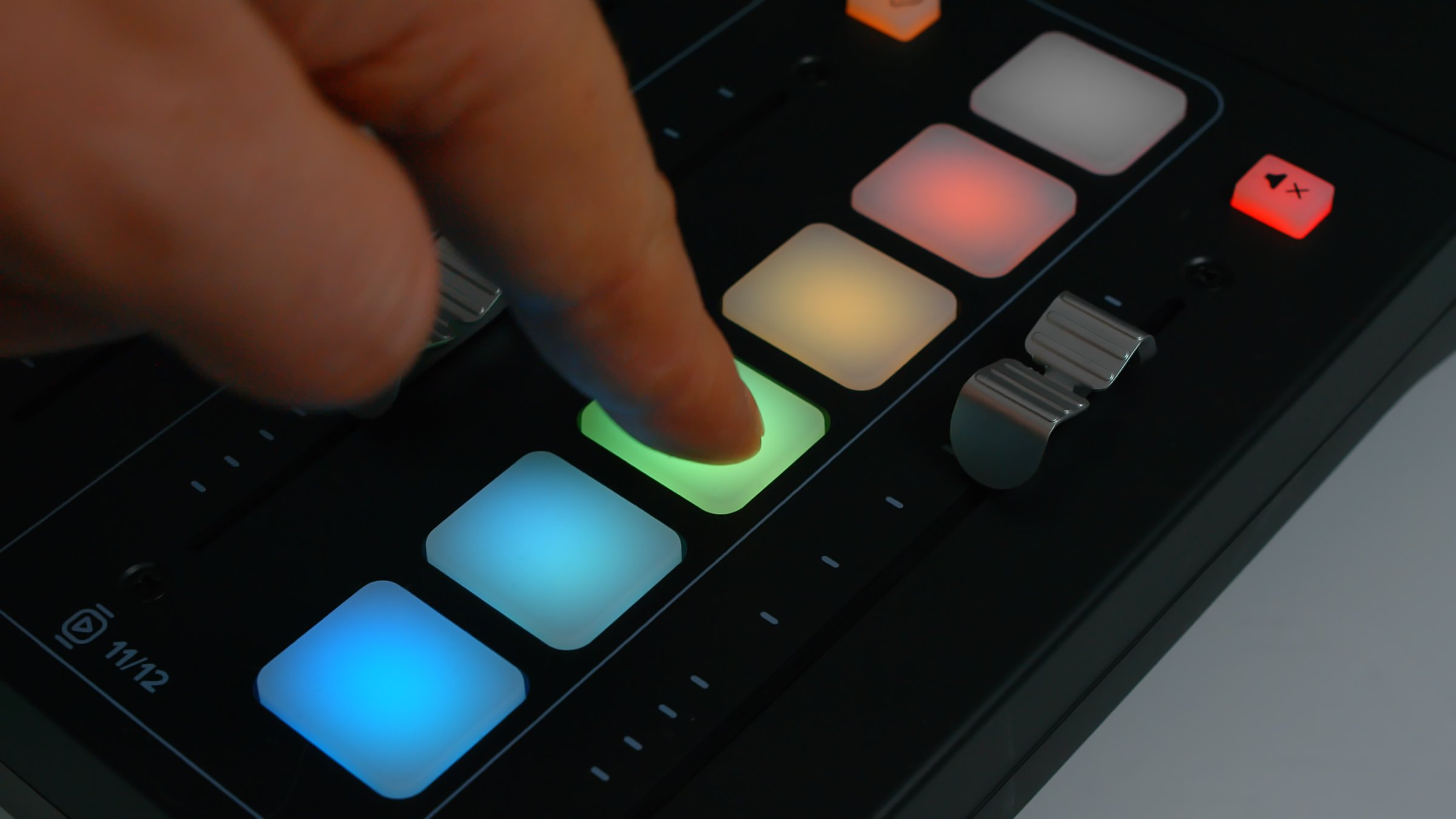
Six pads launch jingles. A pad goes dark when its sample finishes. The console looks especially attractive in dim light.
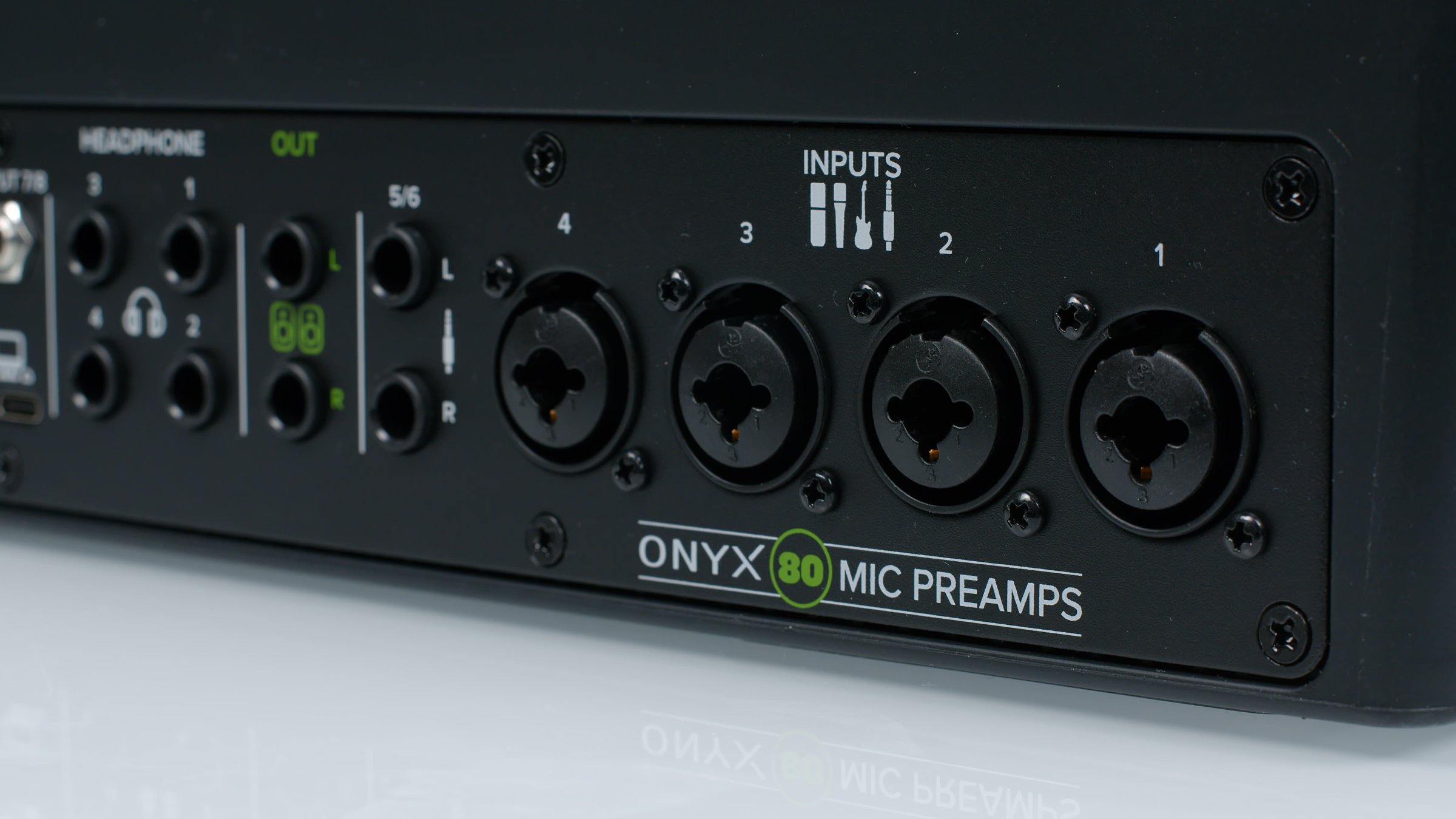
Mackie Onyx preamps provide up to 80 dB gain. Even demanding dynamic microphones have enough level for quiet guests. We connected a Shure dynamic microphone and a Neumann condenser without difficulty.
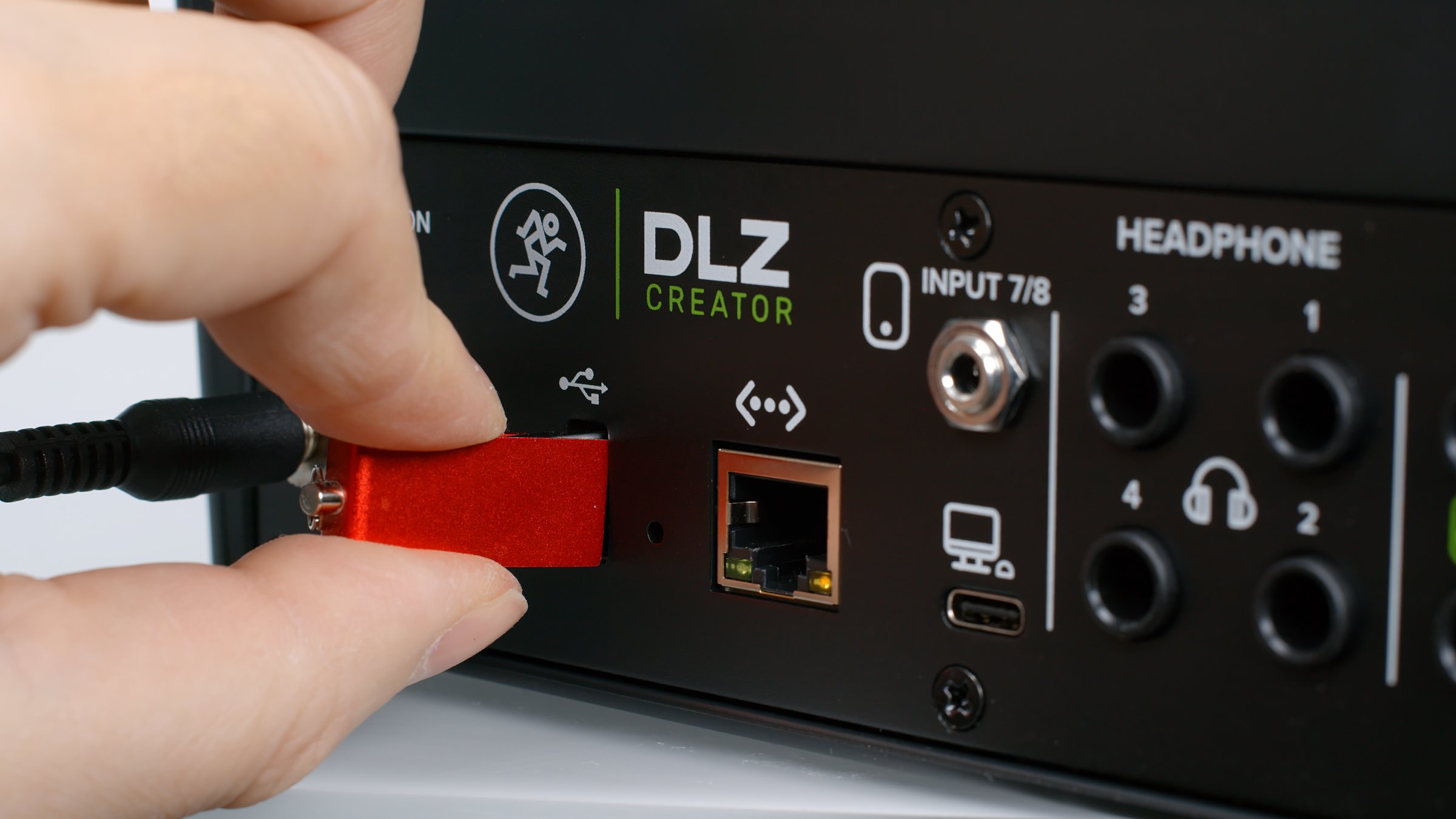
Recording is available to USB storage or SD card. A dedicated button records either the finished mix or individual channels without a computer. You can then play back the recording to check it.
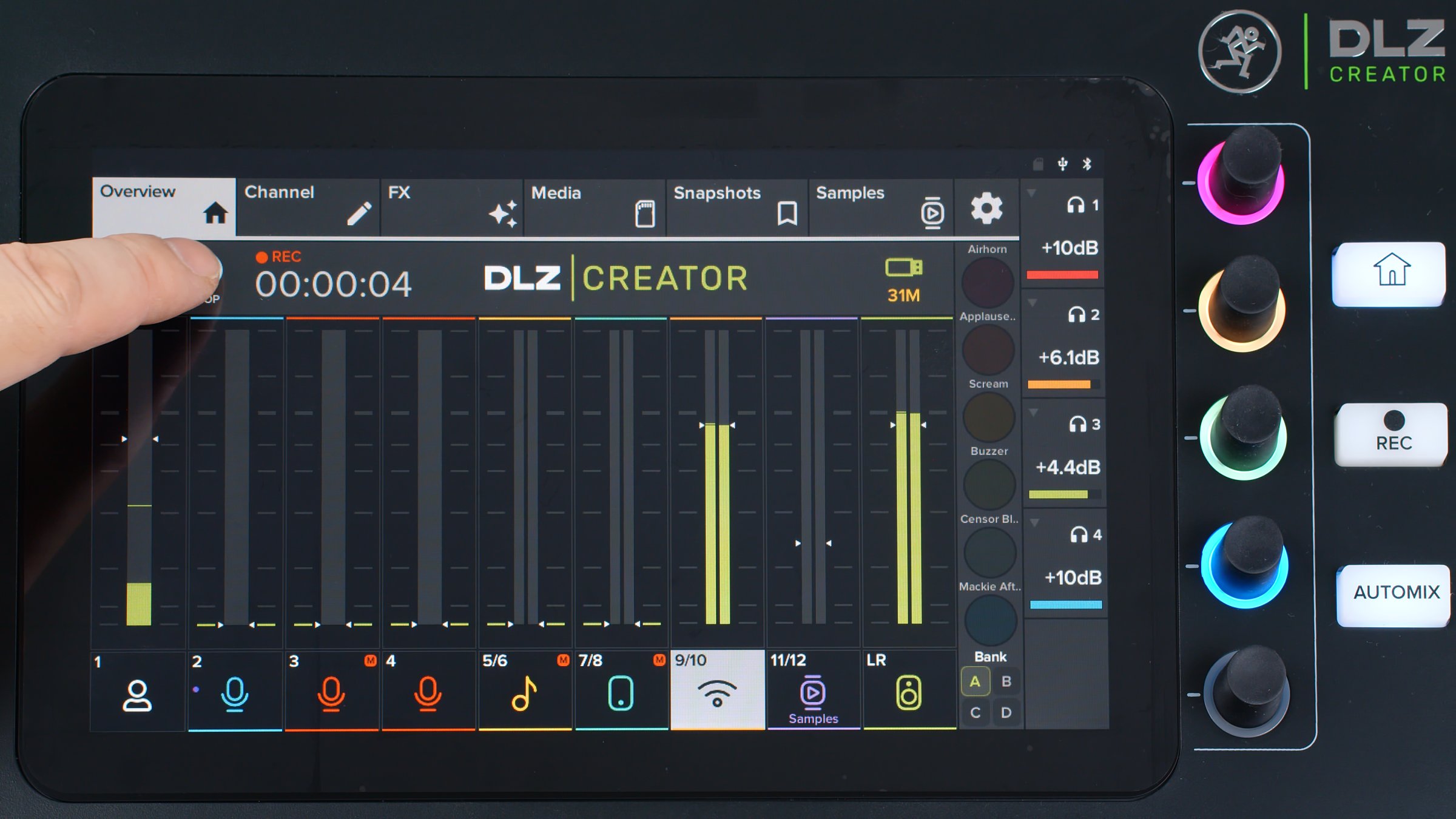
Standalone recording lets anyone make a podcast without a computer or software and upload the finished mix later. Professionals can edit individual WAV tracks and create their own mixdown.
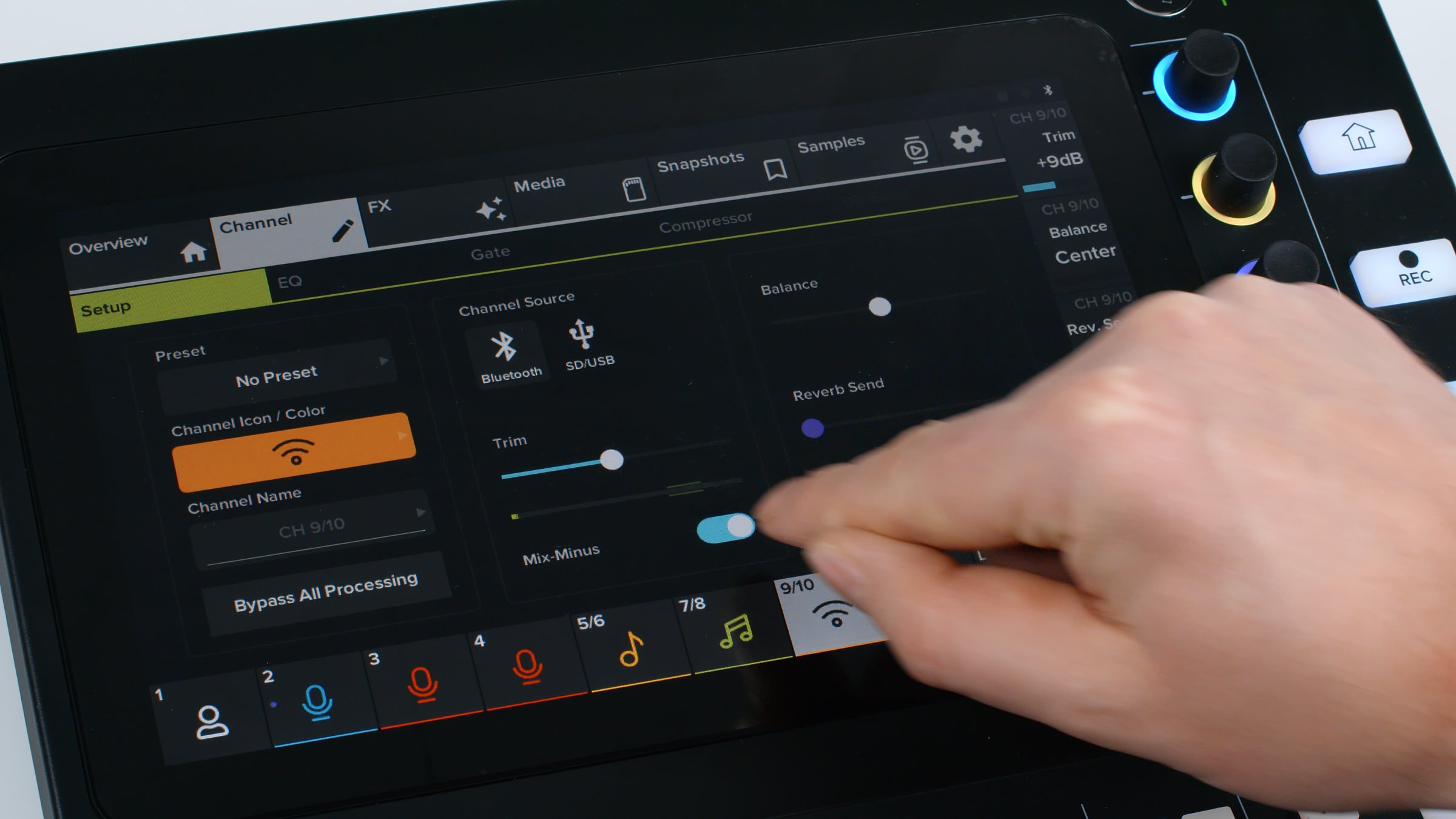
Mix Minus accepts Bluetooth calls without echo problems. It is convenient and needs no custom workaround.
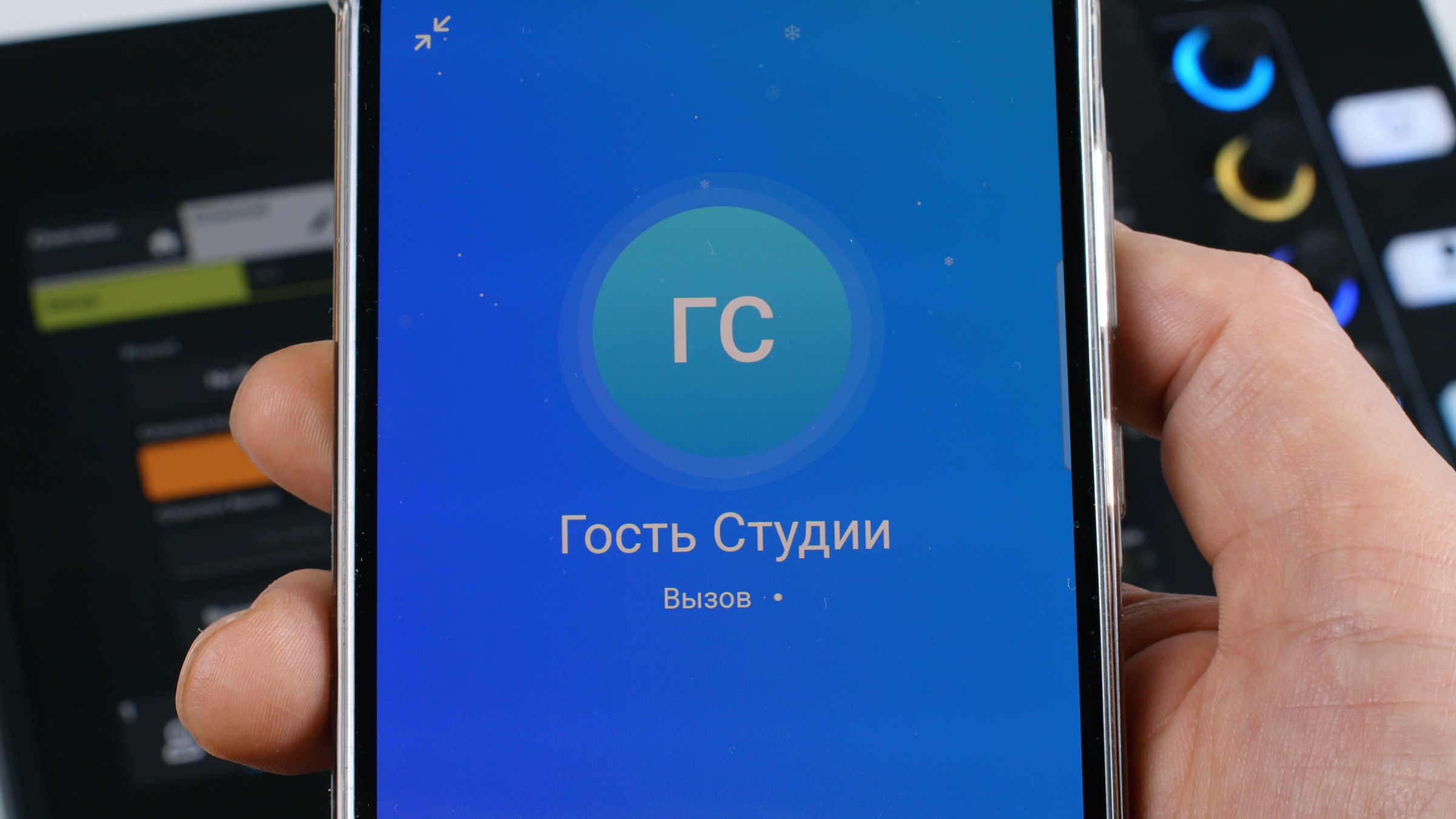
We tested this by connecting a smartphone over Bluetooth and calling someone through Telegram. The caller heard the host clearly through the mixer. The phone return sent only the caller's voice to the broadcast, without artifacts, just like professional broadcast equipment.
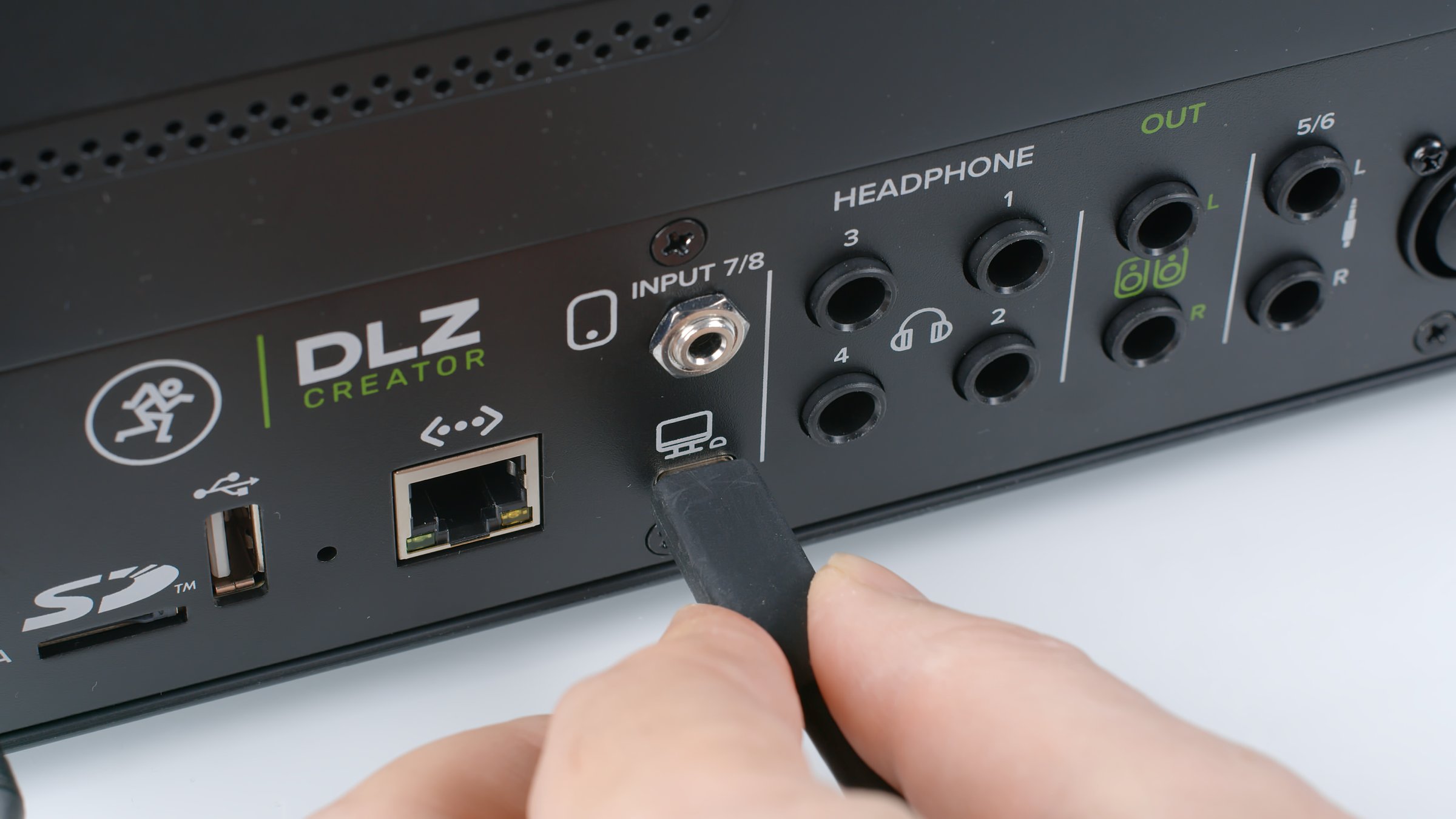
The USB-C connector transfers data over USB 2.0. Power requires a separate 18 V/1.5 A mains adapter. Ethernet with NDI support integrates the mixer into a local network with a dedicated broadcast PC. We could not test that function, so consult the manufacturer for details.
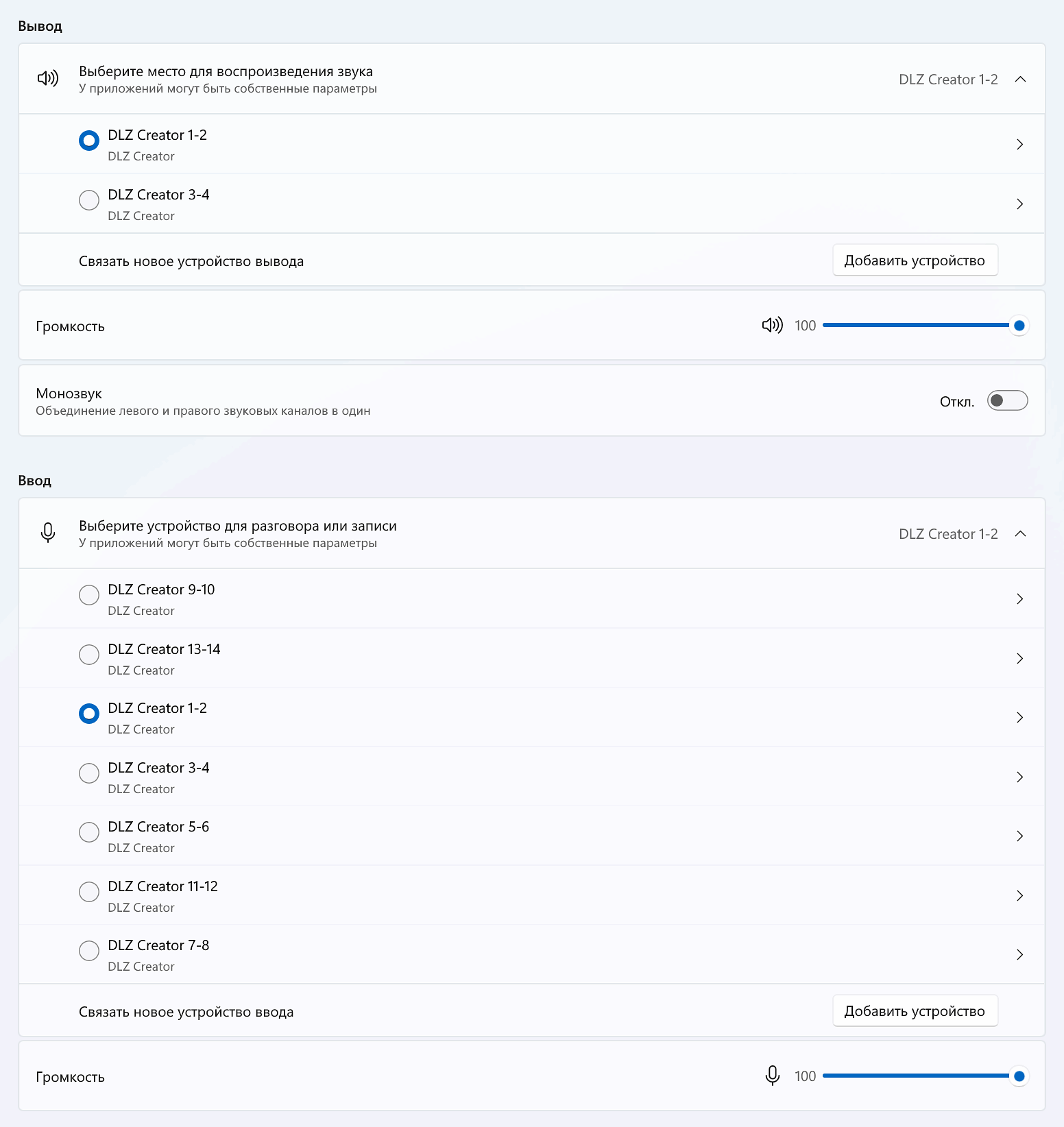
USB exposes 14 independent inputs and 4 outputs to a computer. Different applications can select separate recording and playback channels, useful for streaming.
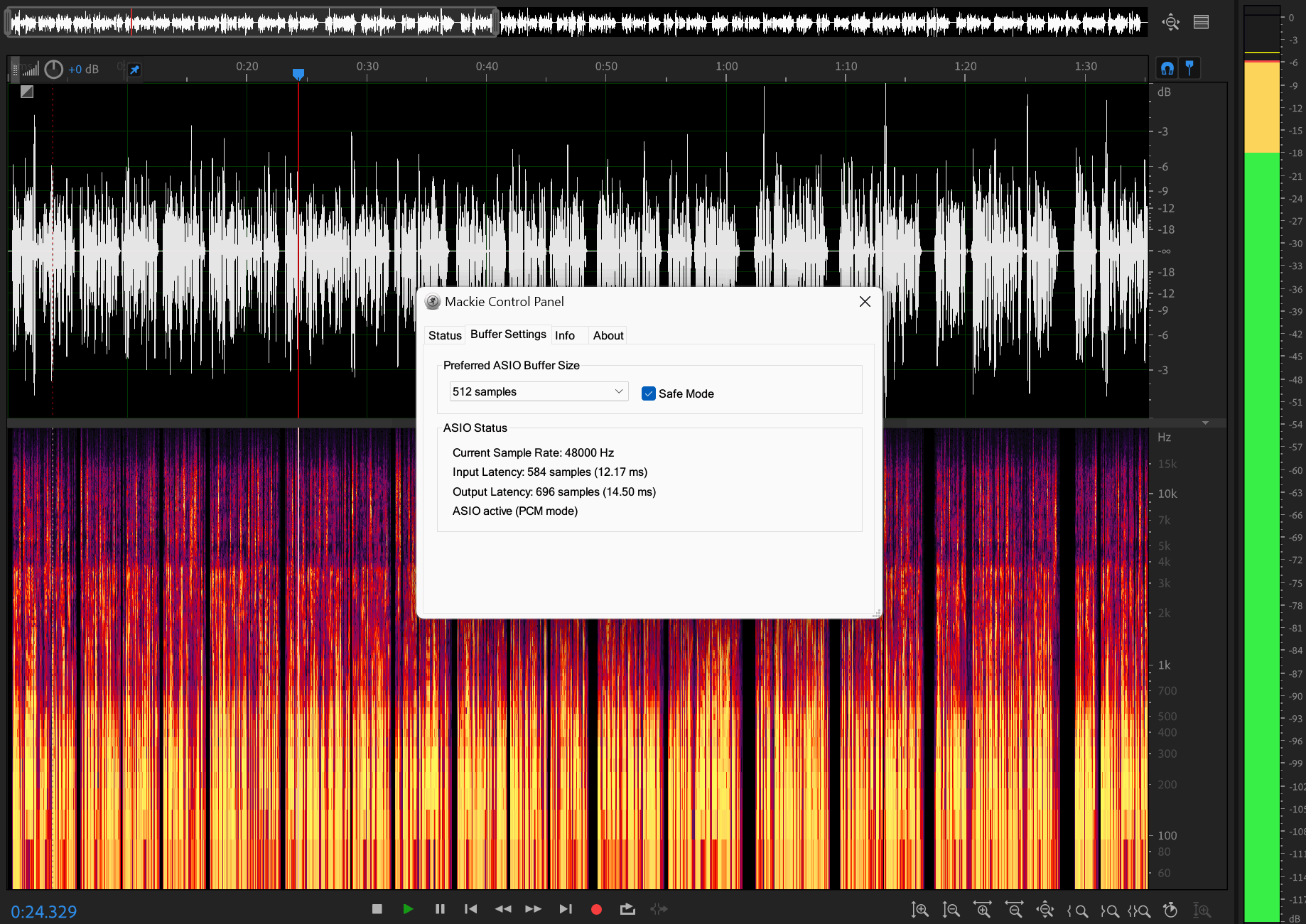
The same channels appear in ASIO. Its panel selects buffer size or keeps the default 512 samples. ASIO uses a fixed 24-bit/48 kHz format, which is suitable for broadcasting.
Conclusions
The Mackie DLZ Creator proved to be a capable flagship 14-channel digital mixer with 4 microphone inputs and 80 dB preamps. It is an excellent complete solution for podcasts and live broadcasts. Convenient controls and carefully planned functions suit beginners and professional content creators alike. Beginners can use a simple preset mode without advanced settings. Professionals get detailed control in PRO mode. We especially liked its extensive connections, large screen and large controls. Users needing fewer features should consider the compact DLZ Creator XS with two microphone inputs.
Note. This is an adapted machine translation into English. It follows the “In simple terms” approach. Read the original article at https://prosound.ixbt.com/interfaces/mackie-dlz-creator.shtml.